
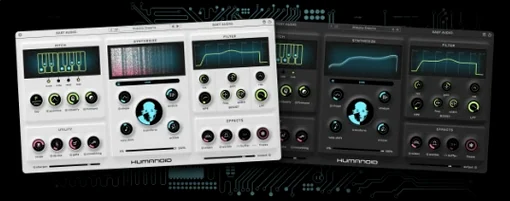
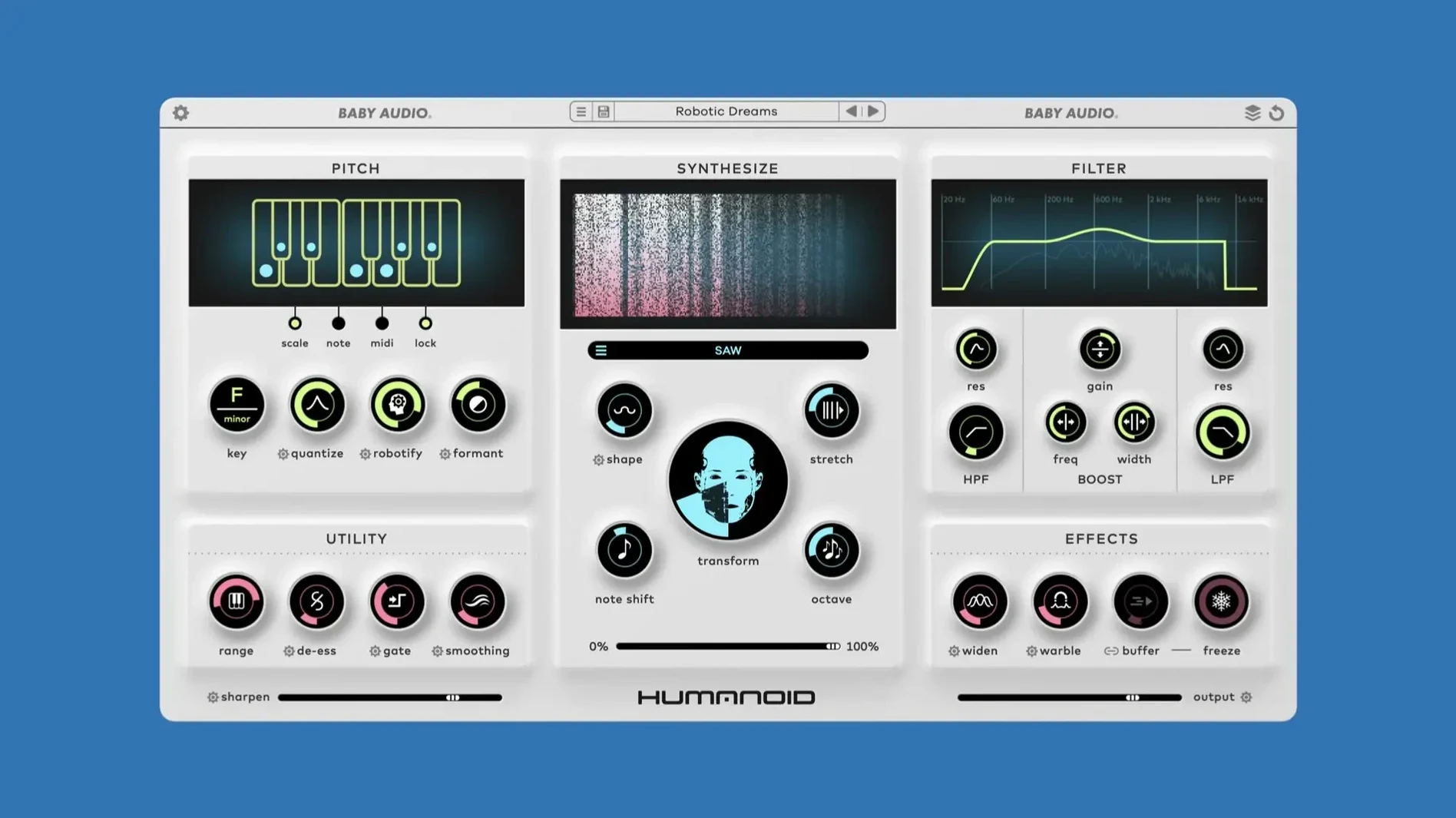
Dialing in a vocal take that sounds deliberately synthetic usually means reaching for a processor, printing the result, and hoping it doesn't fall apart when the arrangement shifts. Humanoid tackles that by treating hard-tuning as something you play into, not just something you slap on after the fact.
On the insert
Drop Humanoid directly on a vocal track and it behaves like a real-time transformer. The retuning engine works off FFT analysis, so pitch shifts track the incoming signal without the warbly artifacts that show up in looser algorithms. The 64 factory wavetables give you different robot timbres right away—thin and nasal, thick and vocoded, glitchy. Tweak the obvious knobs first, then pop open the little gear icons to find the advanced parameters that tighten the response when a phrase needs to land harder.
On a bus or as a parallel layer
Blending Humanoid on an aux track opens up the other half of what it does. The phase vocoding side lets you feed a clean vocal into a group where Humanoid sits, then balance the robotic layer underneath the natural take. That setup works when the lead needs to stay intelligible but the background texture calls for something cold and precise. It also handles a full bus of stacked harmonies without the tuning engine getting confused about which note to follow. Set the pitch range, dial the blend back, and the effect stays tight even when the arrangement gets crowded. If you build modern pop or electronic vocals where the robotic character needs to sit in a mix rather than shout over it, Humanoid slots in cleanly.
Live Vocal Channel at Buffer 128, No Freezing
You don’t need to freeze tracks constantly. On an Apple Silicon Mac, Humanoid sits on a live vocal channel at a 128-sample buffer without tripping up the transport. The FFT engine does its work in a tight latency window—I’ve watched the CPU meter nudge up a few percent and just stay there, even with a couple of instances running. On older Intel machines it’s still usable, though stacking more than four or five instances on a busy project means you’ll want to commit a few tracks. The 1.2 update smoothed out a couple of edge-case crackles that used to appear when you rode the pitch knob hard during playback, so real-time automation passes feel snappier now.
Stability-wise, it hasn’t thrown a single validation hiccup in Logic or Ableton since the update. Preset changes mid-playback don’t cause a dropout—the engine crossfades the shift cleanly, which matters when you’re flipping through the 180 factory patches looking for a texture that fits. Memory use is modest; the wavetable data loads once and stays resident, so loading a custom wavetable from your library doesn’t cause a spike.
Playing it with other tools
Humanoid fits into a chain without fighting what’s around it. Stick a de-esser before it and the tuning engine tracks pitch more steadily on sibilant phrases—less jitter when the vocalist pushes an “s” or “t.” After it, a short room reverb pulls the robotic tone out of the sterile zone and makes it feel like it occupies a space. The plugin also listens to MIDI, so you can drag a simple keyboard part into your DAW and have the vocal snap to notes you play in real time. That turns it into a kind of playable vocoder that still respects the original vocal’s timing and shape.
On the macOS side, Humanoid shows up correctly in the system’s Audio Unit cache and plays nicely with Logic’s articulation mapping. If you’re building a project around BABY Audio Humanoid torrent searches to find the installer, you’ll appreciate that the plugin doesn’t phone home or demand always-online activation—once it’s in your Components folder, it’s there. Drag it onto a track, route some MIDI, and the vocal starts following your chord changes like a tight harmony box.
A quick maintenance bump for Humanoid. The 1.2.2 update squashes a rare bug that could cause the plug-in output to go silent, so your vocal chains stay present and predictable.
- OS X 10.11 or newer
- Works natively on Apple Silicon and Intel 64-bit Macs
Questions I actually get
What formats does Humanoid run in?
It's available in VST, VST3, AU and AAX formats, with native Apple Silicon support on macOS 10.11 and up.
Porch talk 0
Come in or pull up a chair to leave a comment.
Nobody has pulled up a chair yet. If you used it on a real Saturday, say what the hour was.
More for the same hour
Everything in VST Plugins Arturia V Collection 11 Pro
2025.20.26 VST Plugins
53.8 GB
Arturia V Collection 11 Pro
2025.20.26 VST Plugins
53.8 GB
 Arturia Rev LX-24
1.2.1-6567 VST Plugins
403 MB
Arturia Rev LX-24
1.2.1-6567 VST Plugins
403 MB
 Arturia Pigments
7.0.1-6772 VST Plugins
1.8 GB
Arturia Pigments
7.0.1-6772 VST Plugins
1.8 GB
 Arturia MiniFreak V
5.1.1 VST Plugins
Updated 468 MB
Arturia MiniFreak V
5.1.1 VST Plugins
Updated 468 MB
 Arturia Mellotron V
1.9.3 VST Plugins
2.1 GB
Arturia Mellotron V
1.9.3 VST Plugins
2.1 GB
 Arturia FX Collection
2026.02 VST Plugins
16.1 GB
Arturia FX Collection
2026.02 VST Plugins
16.1 GB
 Arturia Emulator II V
1.6.2 VST Plugins
700 MB
Arturia Emulator II V
1.6.2 VST Plugins
700 MB
 Arturia Efx AMBIENT
1.0.0 VST Plugins
285 MB
Arturia Efx AMBIENT
1.0.0 VST Plugins
285 MB