
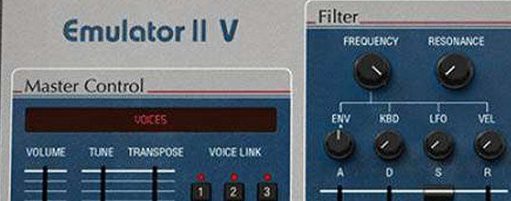
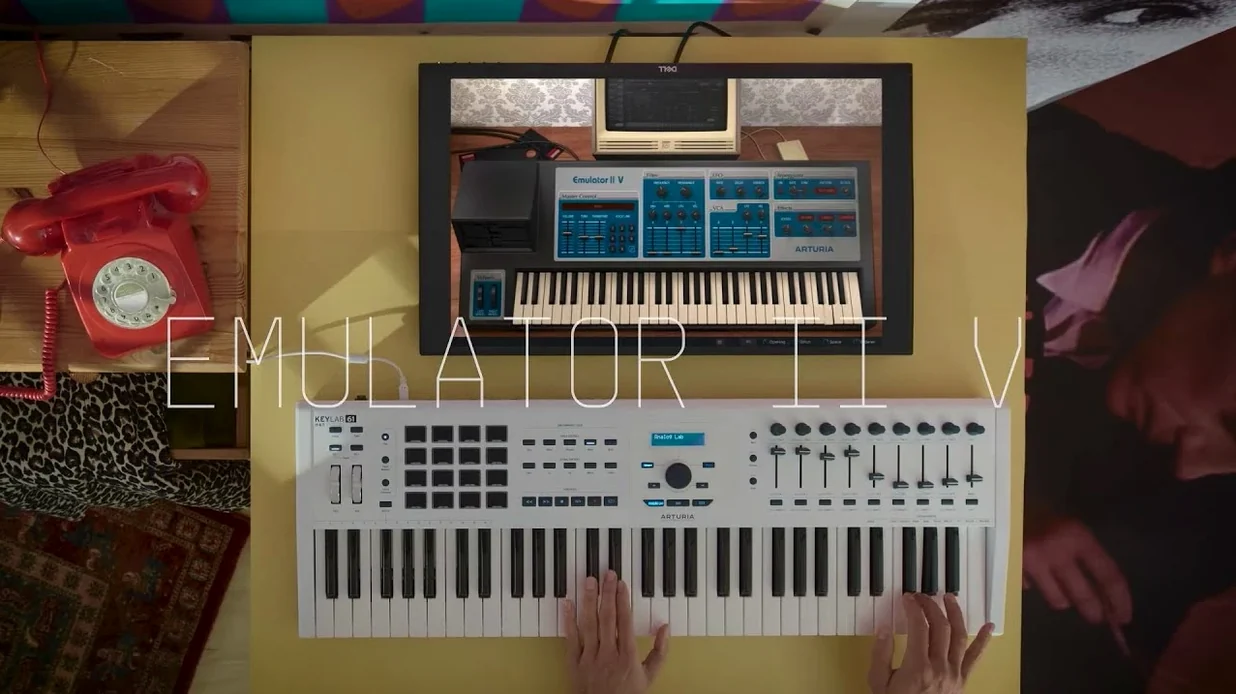
If you've ever loaded a dusty 12-bit drum hit into a modern DAW just to get some texture, the Emulator II V will feel familiar. It's a software re-creation of E-Mu's 1984 sampler, the one that put lo-fi character onto countless '80s records, built on Arturia's sample engine and treated as a full instrument rather than a simple ROMpler.
Where it sits: tracks and parts
This thing holds down melodic duties naturally. Pads, choirs, and bells arrive with that grainy top-end you can't fake with a bit-crusher, and having 8 voices of multitimbral sampling means you can spread a bass, a lead, and a percussive stab across three MIDI channels without opening another instance. The 250 original presets are the obvious starting point, but the curated library also pulls in Synclavier samples and fresh modern recordings, which gives you material that reaches beyond straight nostalgia.
Where it sits: buses and processing
I often drop it onto a bus when a track feels too clean. Running a shaker loop or a hi-hat pattern through Emulator II V—just triggering a single note of sampled noise—adds the kind of air and grit that a tape plugin alone doesn't deliver. The graphical editing of parameters makes tweaking envelopes, filter, and pitch quick work, and the added arpeggiator turns simple chord stabs into moving parts without extra MIDI editing. It's a color box as much as a sound source.
8-bit companding modeled, not sampled
One of the first things people ask is whether this is just another sample library wearing a vintage face. It isn't. The engine actually models the Emulator II's 8-bit companding and its 27.7 kHz sample rate, so you're not getting pristine 24-bit audio with a lo-fi sticker on top — the signal path itself behaves like the old circuits. That matters when you push a sound hard and the artifacts start folding in musical ways instead of just sounding broken.
Another common question is about CPU load, especially with 32-voice polyphony available. On Apple Silicon machines it barely registers in most DAWs, and even older Intel Macs handle a handful of instances without complaint. Where it gets heavier is stacking effects per layer — the modern reverb and modulation additions can add up, but freezing tracks solves that quickly.
Folks also wonder whether the 250 factory presets make it a preset machine or something you can dig into. The editing side is immediate: each layer exposes its own VCF, ADSR, LFO, and VCA with ADSR, and the graphical feedback means you see what the envelope is doing while you drag breakpoints. If you've ever squinted at tiny hardware sliders, you'll appreciate the difference.
And yes, you can load your own samples. Dropping a field recording or a synth stab into it and hearing it run through the companding model is half the fun — the instrument doesn't lock you into the included library.
Preset-loading dropouts smoothed out
Version 1.6.2 (5305) arrived as a maintenance release, but a couple of fixes directly affect everyday use. Arturia smoothed out some preset-loading hiccups that could cause a brief audio dropout when switching sounds mid-session — the kind of thing that interrupted flow when you were auditioning bass patches against a running drum loop. That's been cleaned up.
The update also improved how the arpeggiator responds to external MIDI clock under heavy DAW loads. Earlier versions could drift a few ticks when your session had a lot of tempo-synced plugins running, and the current build holds tighter. If you use the arpeggiator to drive rhythmic chord parts — especially eighth-note patterns with the hold function engaged — the timing feels more locked in now. Nothing else in the sound engine changed, so your existing projects open identically.
Kill the onboard effects first
The factory default opens with modern effects enabled on most patches, which can swamp the raw character of the 8-bit engine. My first move is always switching off the onboard reverb and delay, listening to what the sample and filters are doing dry, then bringing effects back one at a time. You'll often find the sound needs far less processing than the preset suggests.
Another setting worth tweaking is the voice assignment mode. By default it's set to polyphonic, but switching individual layers to monophonic with legato — especially on bass and lead parts — gets you closer to how the original Emulator II was often played. The glide control sits right on the main panel, so dialing in a short pitch slide takes about three seconds.
The arpeggiator's octave range defaults to one octave, which is safe but unambitious. Bumping it to two or three octaves and setting the direction to up-and-down turns simple triads into movement that sits nicely without cluttering the low end. Pair that with a low-pass filter sweep assigned to velocity on a pad patch and you've got something that breathes with very little automation work.
- macOS 11 or later
- Apple Silicon or Intel (64-bit)
- English interface
Porch talk 0
Come in or pull up a chair to leave a comment.
Nobody has pulled up a chair yet. If you used it on a real Saturday, say what the hour was.
More for the same hour
Everything in VST Plugins Arturia Efx AMBIENT
1.0.0 VST Plugins
285 MB
Arturia Efx AMBIENT
1.0.0 VST Plugins
285 MB
 Arturia FX Collection
2026.02 VST Plugins
16.1 GB
Arturia FX Collection
2026.02 VST Plugins
16.1 GB
 Arturia Mellotron V
1.9.3 VST Plugins
2.1 GB
Arturia Mellotron V
1.9.3 VST Plugins
2.1 GB
 Arturia Augmented STRINGS
2.0.0 VST Plugins
4.9 GB
Arturia Augmented STRINGS
2.0.0 VST Plugins
4.9 GB
 Arturia MiniFreak V
5.1.1 VST Plugins
Updated 468 MB
Arturia MiniFreak V
5.1.1 VST Plugins
Updated 468 MB
 Arturia Analog Lab V
5.12.6 VST Plugins
Updated 2 GB
Arturia Analog Lab V
5.12.6 VST Plugins
Updated 2 GB
 Arturia Pigments
7.0.1-6772 VST Plugins
1.8 GB
Arturia Pigments
7.0.1-6772 VST Plugins
1.8 GB
 Arturia Rev LX-24
1.2.1-6567 VST Plugins
403 MB
Arturia Rev LX-24
1.2.1-6567 VST Plugins
403 MB