

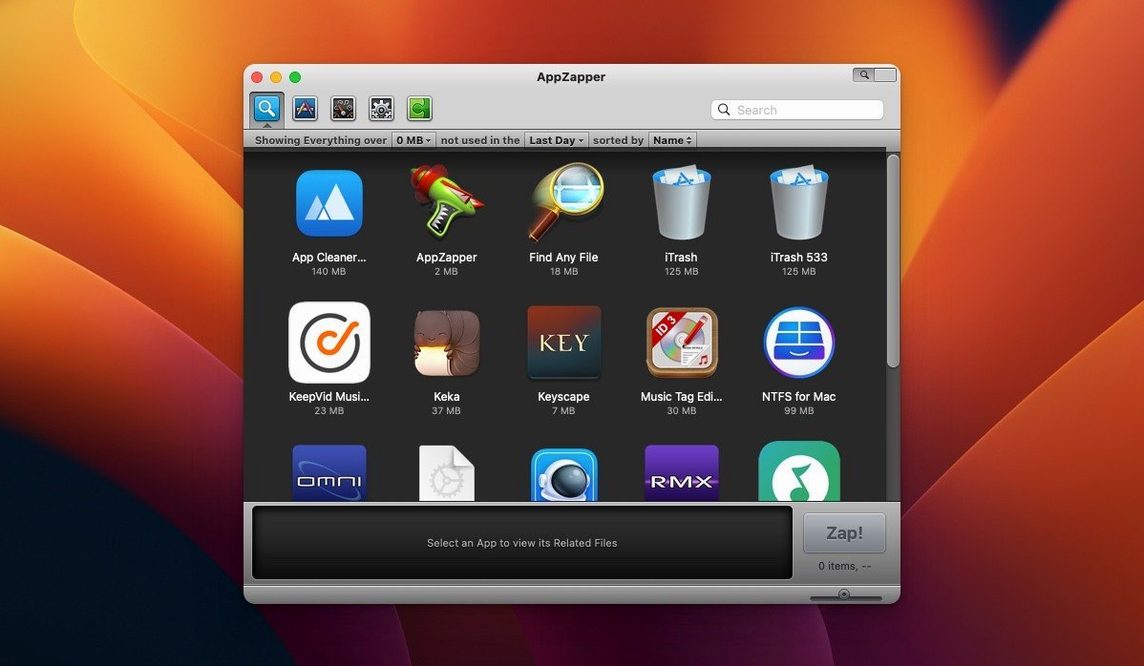
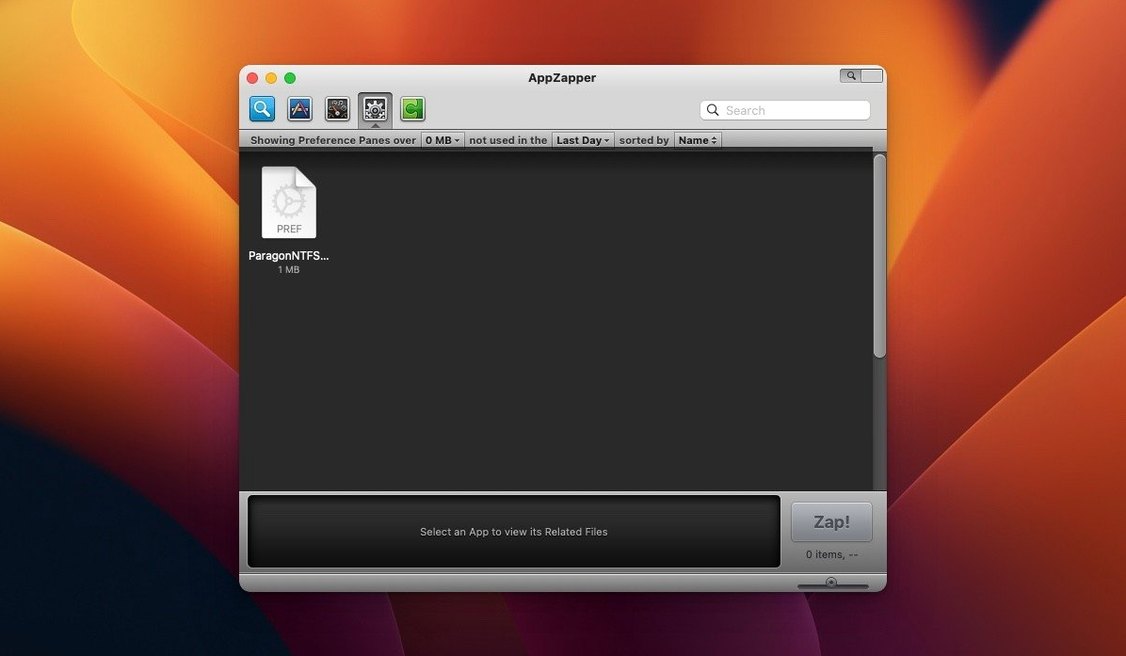
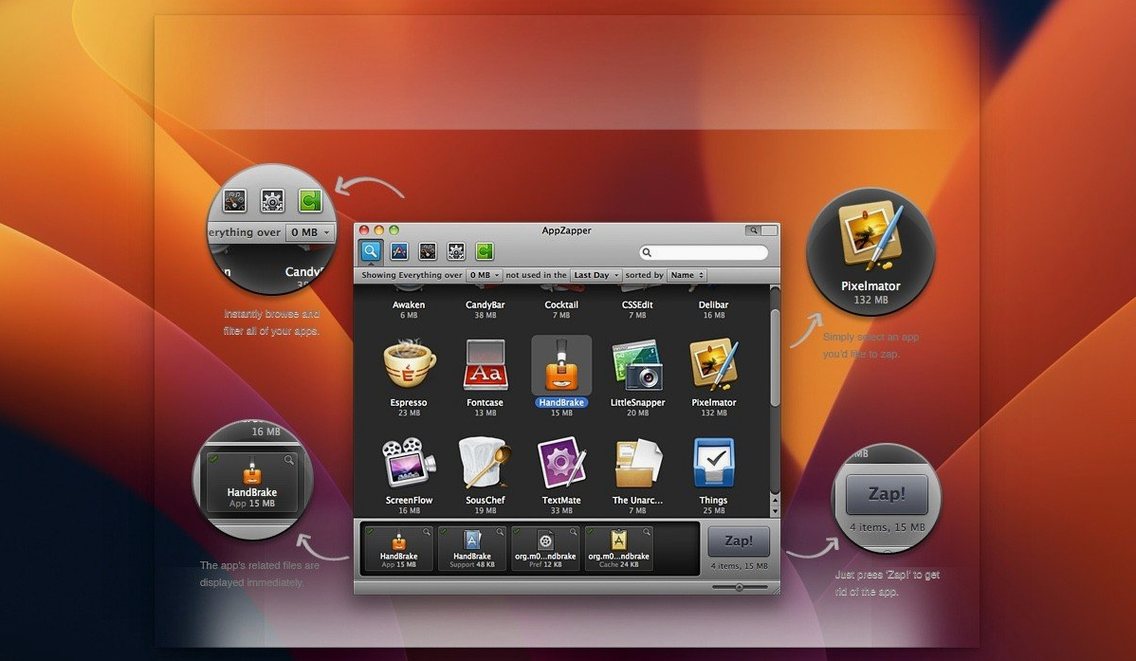
It's for the Mac user who keeps a tidy drive but doesn't trust a fully automated sweeper. The kind of person who wants to see the list of related files before anything disappears.
AppZapper — An uninstaller that shows you every preference file, cache, and log connected to an app you drag in. You confirm, then it moves them to the Trash.
ZapGenie — A browser that lists your installed applications. You can sort by name or the date you last opened something, which helps spot forgotten downloads.
Grid View — A button switches the app browser from a list to large icons arranged in rows and columns. Good for visual scanning.
Export — Save an app and its gathered files into a single package. Handy if you want to archive a setup or move it to another machine.
Safety Net — Deleted files go to the Trash. If you zap the wrong thing, you can put it back before emptying.
The kind of cleaning I do every few months starts with ZapGenie. I sort the list by Date Last Used and scan for anything I haven't opened in half a year — usually a game I finished, a utility I tested once, or an old version of something I upgraded.
I select an app and AppZapper gathers its files. Before I hit Zap, I uncheck anything I want to keep — a custom preset I exported, a log I haven't read. The app leaves those alone and trashes the rest.
Next I switch to list view and drag in a few apps I already know I want gone. Each one gets its own file report. I work through them fast: scan, uncheck what matters, zap. When I finish, I open the Trash and spot-check a couple of deleted items. If I made a mistake, I right-click and choose Put Back — the file returns to its original location, no harm done. Then I empty the Trash and move on.
How AppZapper compares with similar Mac uninstallers
AppCleaner — small, free, works on the same drag-and-drop idea. It finds related files quickly and shows them in a compact window. Where AppZapper pulls ahead is the ZapGenie browser and the export feature. AppCleaner has no built-in app browser; you drag from the Applications folder or use a service. For someone who wants to browse by last-used date before deciding what to remove, AppZapper offers a smoother path.
CleanMyMac X — a full system janitor with malware scanning, optimization tools, and a flashy interface. Its uninstaller works in batches and includes leftover file detection after a regular drag-to-Trash removal. AppZapper stays focused on one thing: showing you an app's files and letting you decide. It doesn't run background agents or monitor your system. For users who find CleanMyMac's scope too broad, AppZapper feels restrained in a good way.
Hazel — not an uninstaller at all, but people sometimes press it into service with custom rules that watch the Trash for app bundles and then hunt down associated files. That approach is powerful for automation fans, yet it demands setup and rule tweaking. AppZapper requires no configuration beyond opening it and dropping in an app. The trade-off is clear: Hazel automates; AppZapper puts you in the driver's seat for each removal.
My Dock Shortcut for Clean Beta Exits
I keep AppZapper in the Dock next to the Trash. When I install a beta or try a recommendation from a forum, I know I'll want a clean exit route. After dragging the app bundle to the Trash the regular way, I open AppZapper and use the search field in ZapGenie to find leftover pieces by name — preference panes, launch agents, cached thumbnails. Spotlight doesn't surface those, but AppZapper does.
It also pairs well with a file archiver like Keka or the built-in Archive Utility. Before zapping a large app, I sometimes use the export feature to save the app and its support files into a single package. That package goes onto an external drive. Later, if I need the old version back, I restore it from the archive and drag the whole thing into the Applications folder — preferences intact.
For quick checks on what an installer left behind, I combine AppZapper with Find Any File or a Terminal mdfind query. AppZapper catches the usual suspects — ~/Library/Preferences/, ~/Library/Caches/, ~/Library/Application Support/. For deeper probing into /var or invisible launch daemons, I use Find Any File as a second pass. The two tools don't overlap; they complement each other.
Some folks search for an appzapper full mac package that includes the latest build, and the version circulating as appzapper torrent often matches what I'm describing — the 2.0.3 fix with grid view and ZapGenie intact. If you ever look up an appzapper serial, you'll find the same release running on Intel Macs back to OS X 10.9. It's the same appzapper mac tool that's been quietly doing its one job for years, and it still plays nicely with modern archive workflows and manual file audits.
- macOS 10.9 or later
- 64-bit Intel Mac
Porch talk 0
Come in or pull up a chair to leave a comment.
Nobody has pulled up a chair yet. If you used it on a real Saturday, say what the hour was.
More for the same hour
Everything in Mac Cleaners
 App Cleaner & Uninstaller
10.0 Mac Cleaners
47 MB
App Cleaner & Uninstaller
10.0 Mac Cleaners
47 MB

 CCleaner Pro
1.18.30 Mac Cleaners
6 MB
CCleaner Pro
1.18.30 Mac Cleaners
6 MB

 CleanMyMac
5.7.0 Mac Cleaners
180 MB
CleanMyMac
5.7.0 Mac Cleaners
180 MB

 Ghost Buster Pro
7.0.0 Mac Cleaners
Updated 11 MB
Ghost Buster Pro
7.0.0 Mac Cleaners
Updated 11 MB

 MacBooster
8.3.0 Mac Cleaners
38 MB
MacBooster
8.3.0 Mac Cleaners
38 MB

 MacCleaner Pro
4.0.4 Mac Cleaners
Updated 132 MB
MacCleaner Pro
4.0.4 Mac Cleaners
Updated 132 MB
 Magic Disk Cleaner
6.0.0 Mac Cleaners
Updated 7 MB
Magic Disk Cleaner
6.0.0 Mac Cleaners
Updated 7 MB

 Mole
1.14.0 Mac Cleaners
20 MB
Mole
1.14.0 Mac Cleaners
20 MB