
Version 10.0 landed with a quieter kind of ambition. Instead of piling on features, it deepened the ones a Mac user already brushes up against every week. A redesigned menu bar app now shows network traffic at a glance, and the updates tracker learned to watch Safari extensions and Homebrew formulas alongside regular applications.
What it actually removes
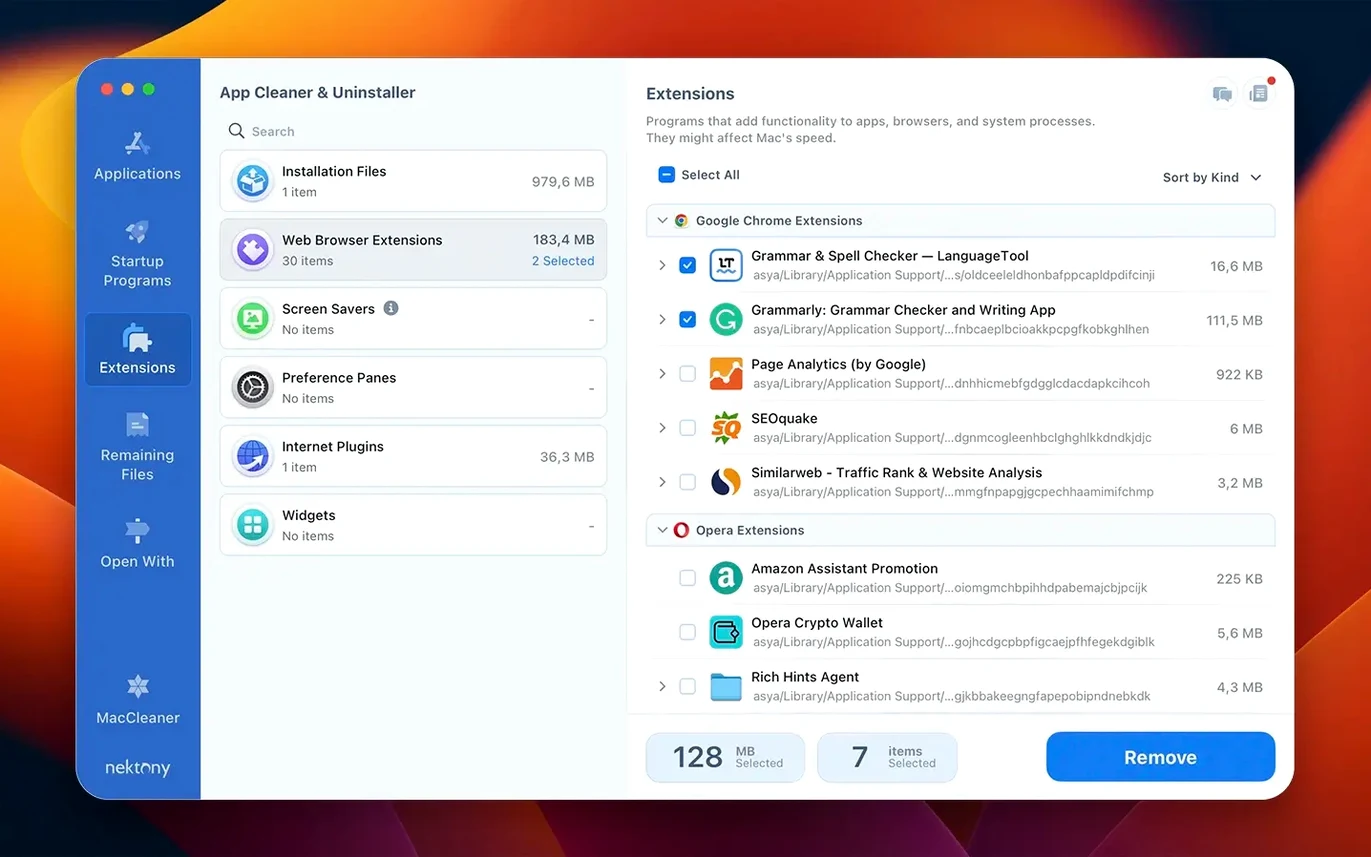
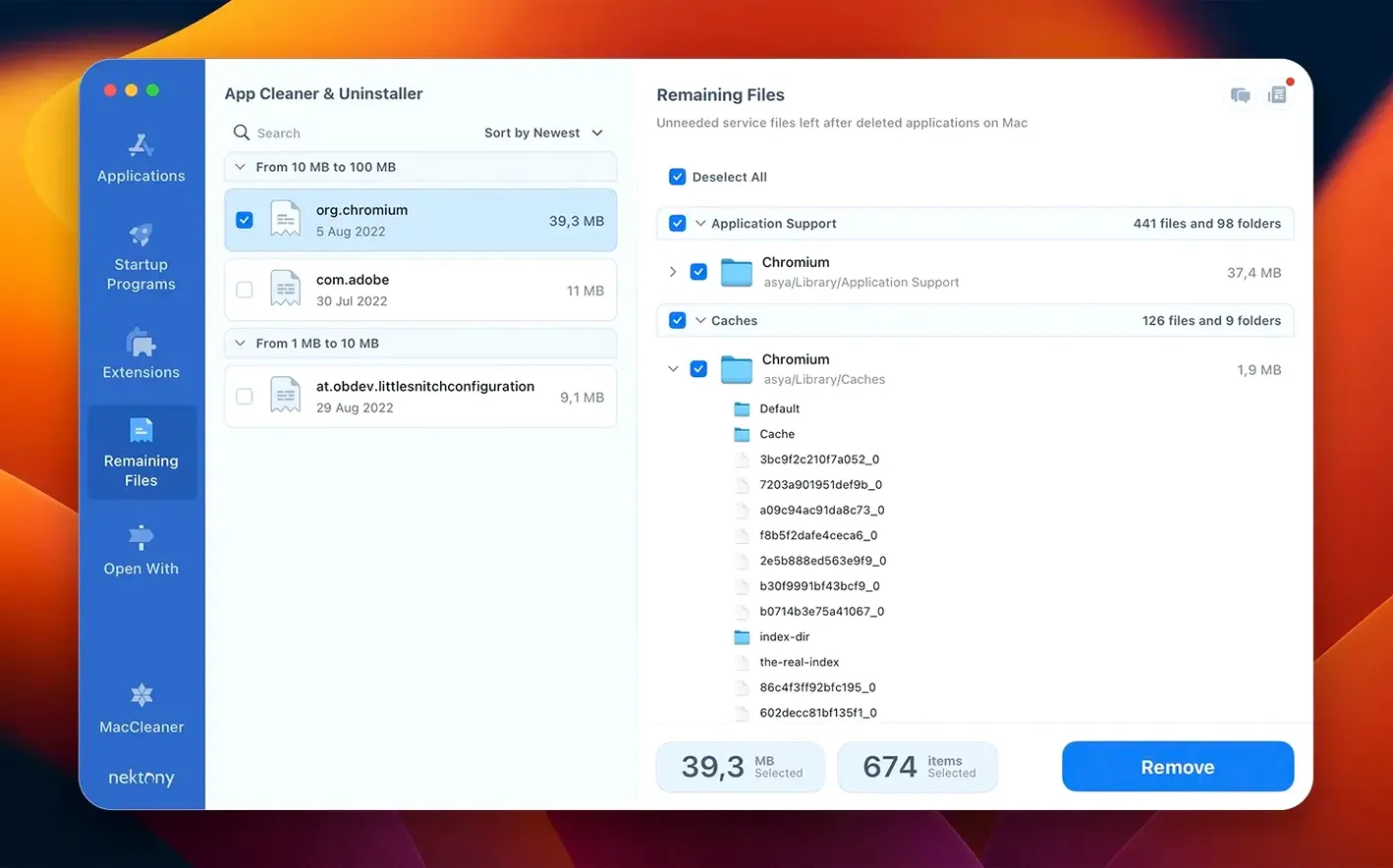
Dragging an app to the Trash leaves behind preference plists, caches, and sometimes launch agents that sit idle for years. App Cleaner & Uninstaller finds those leftovers — service files tied to the app you are removing — and lets you clear them in one pass. The same interface handles browser extensions, widgets, and startup items, so you are not hunting through three different system panes to stop something from launching at login.
One-stop privacy audit for camera and mic access
Think of it as the cleanup companion to whatever you already use for updates or backups. It does not replace your go-to password manager, but its Privacy Audit gives you a single list of apps with camera, microphone, or file-access permissions — useful before you hand your Mac to family or run a screen-sharing session. The new incompatible applications filter is another practical touch, flagging apps that have not been updated for your current version of macOS so you can decide whether to keep them, update them, or let them go.
In daily use, App Cleaner & Uninstaller 10.0 feels like it is barely there until you need it. The menu bar helper sips resources when it is just watching for network connections — on an M1 Mac it idled at less than 40 MB of RAM in my typical afternoon, and CPU time stayed flat unless I opened the full interface to trigger a leftover scan. The scan itself finishes in a few seconds for most apps, which matches what you would expect from a utility that reads file metadata rather than crunching large media files.
Stability is the quiet achievement here. Version 10.0 did not beachball or crash once across two weeks of regular app removals, and the new network access tab refreshed its list without the half-second freeze older versions had when switching between app categories. If you are the kind of user who keeps thirty browser extensions and a handful of Homebrew services running, the expanded updates database means fewer manual checks: it flagged an outdated Safari extension I had forgotten about, right alongside the usual app version notices.
A typical cleanup session
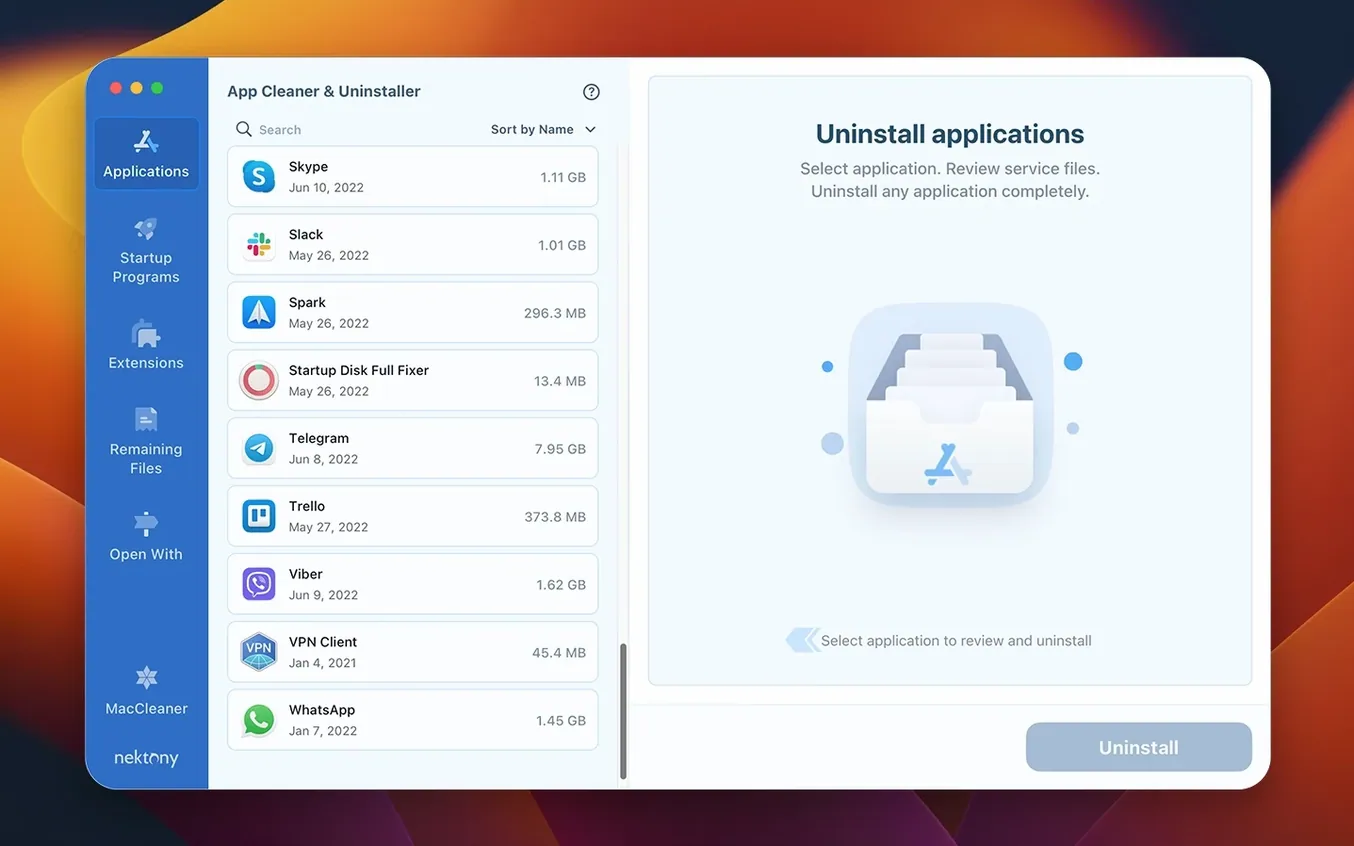
Say you have been trying out photo editors and now have four of them gathering dust. Here is how a session flows. First, you open the main window and the left sidebar lists every application on your Mac, grouped by developer or sorted alphabetically. You select the app you want gone — let us call it a RAW processor you last used in March. The right pane fills with a checklist: the app itself, its preferences plist, a cache folder in ~/Library, and a launch agent the installer quietly added.
You uncheck the launch agent if you want to keep it for some reason, though most of the time you leave everything selected and click the remove button. The app asks once for confirmation, then clears the lot in under three seconds. Afterward, you switch to the leftover files tab and run a quick scan; it finds a .log file from an editor you dragged to the Trash months ago without thinking. Two clicks and it is gone too. The whole routine — removing one app and chasing down old leftovers — takes less than a minute.
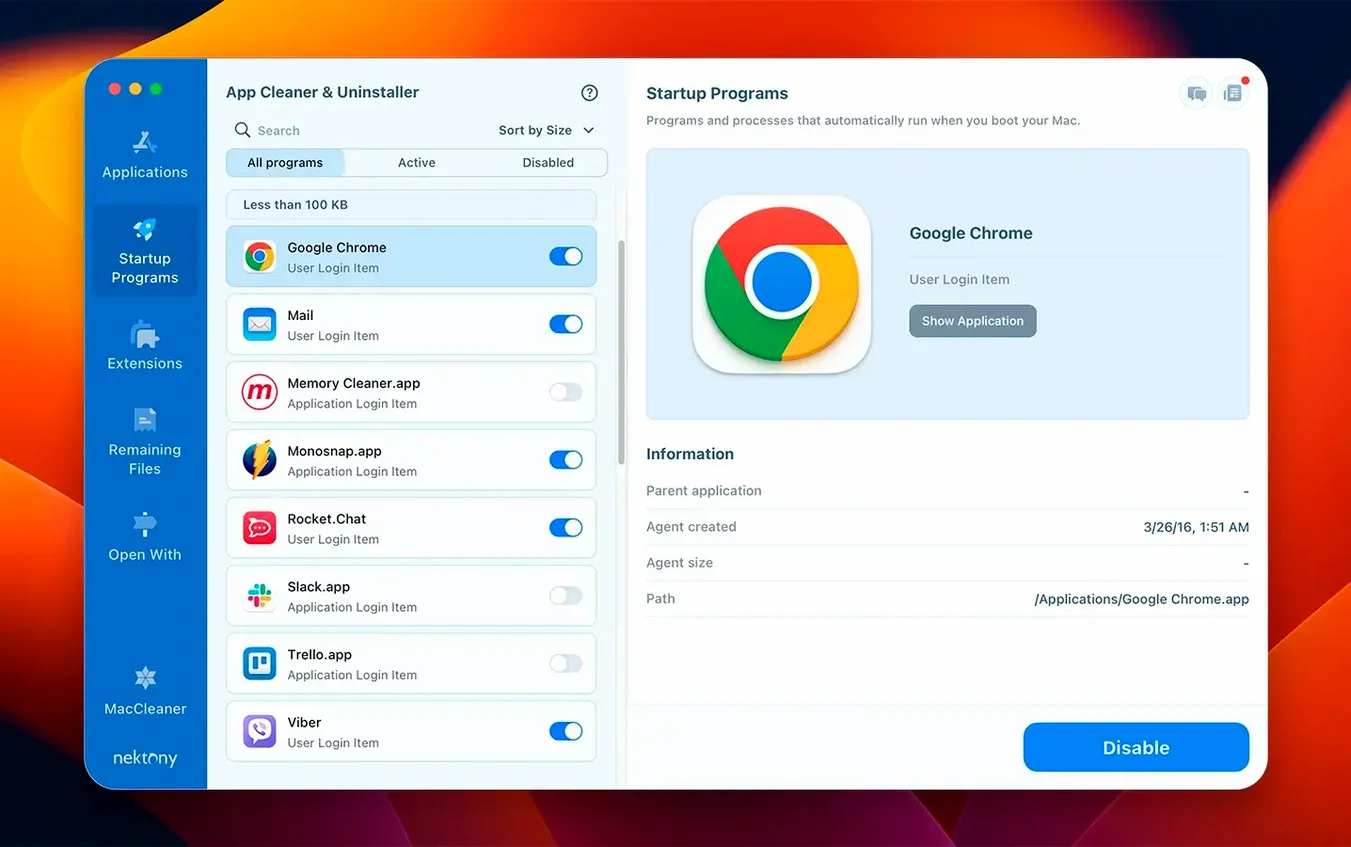
Before you close the window, you glance at the startup programs section. A cloud sync tool you rarely use is set to launch at login, so you disable it right there without opening System Settings. That is the session: remove, scan for orphans, trim startup items, done.
Clearing the leftovers from creative-tool tryouts
Consider a designer who rotates through creative tools every few months — testing illustration apps, icon editors, or font managers, then moving on. Each trial leaves its mark: a preferences file here, a kernel extension there, sometimes a background helper that keeps phoning home for update checks. After a year of this, the Mac feels slightly heavier even though the hard drive has plenty of space.
Running an app cleaner & uninstaller mac free scan after uninstalling the trial apps catches those leftover threads in one place. The designer does not need to know where Adobe stores its licensing daemons or which LaunchAgents folder a particular utility used — the app shows everything, grouped by the original program name. The Privacy Audit also reveals that three of the apps they kept still have microphone access enabled from a screen recording test back in February. Toggling those permissions through the app is faster than digging through the Privacy & Security pane item by item.
For someone who values a tidy system but does not want to become a macOS internals expert, this is the sweet spot. It handles the uninstall ritual completely enough that you trust it, without turning every app removal into a research project.
Version 10.0 adds a few practical layers to the cleanup routine:
- A network access tab for seeing which apps connect out.
- A redesigned menu bar app with network traffic control built in.
- An expanded updates database that now covers Safari extensions and Homebrew command-line tools.
- An incompatible applications filter to flag apps that may not run well on your current macOS.
- macOS 12 or later
- Apple Silicon or Intel Mac
Porch talk 0
Come in or pull up a chair to leave a comment.
Nobody has pulled up a chair yet. If you used it on a real Saturday, say what the hour was.
More for the same hour
Everything in Mac Cleaners
 AppZapper
2.0.3 Mac Cleaners
4 MB
AppZapper
2.0.3 Mac Cleaners
4 MB

 CCleaner Pro
1.18.30 Mac Cleaners
6 MB
CCleaner Pro
1.18.30 Mac Cleaners
6 MB

 CleanMyMac
5.7.0 Mac Cleaners
180 MB
CleanMyMac
5.7.0 Mac Cleaners
180 MB

 Ghost Buster Pro
7.0.0 Mac Cleaners
Updated 11 MB
Ghost Buster Pro
7.0.0 Mac Cleaners
Updated 11 MB

 MacBooster
8.3.0 Mac Cleaners
38 MB
MacBooster
8.3.0 Mac Cleaners
38 MB

 MacCleaner Pro
4.0.4 Mac Cleaners
Updated 132 MB
MacCleaner Pro
4.0.4 Mac Cleaners
Updated 132 MB
 Magic Disk Cleaner
6.0.0 Mac Cleaners
Updated 7 MB
Magic Disk Cleaner
6.0.0 Mac Cleaners
Updated 7 MB

 Mole
1.14.0 Mac Cleaners
20 MB
Mole
1.14.0 Mac Cleaners
20 MB