



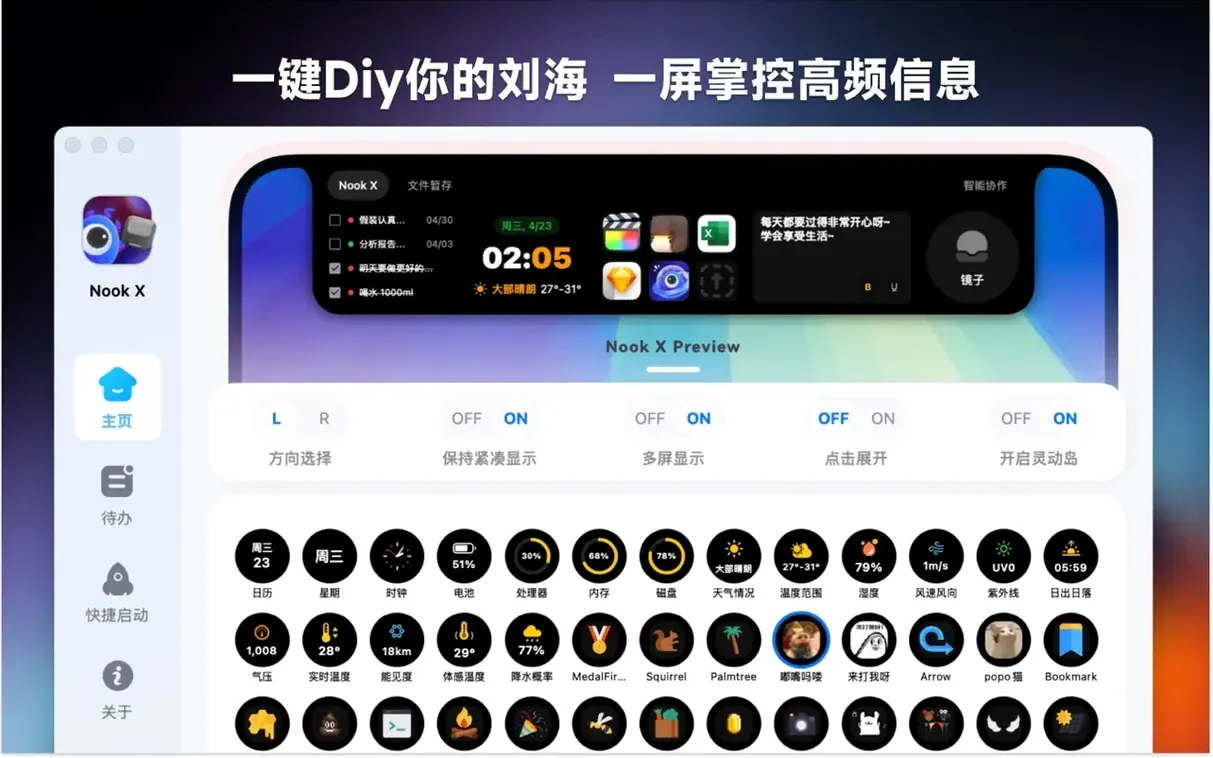
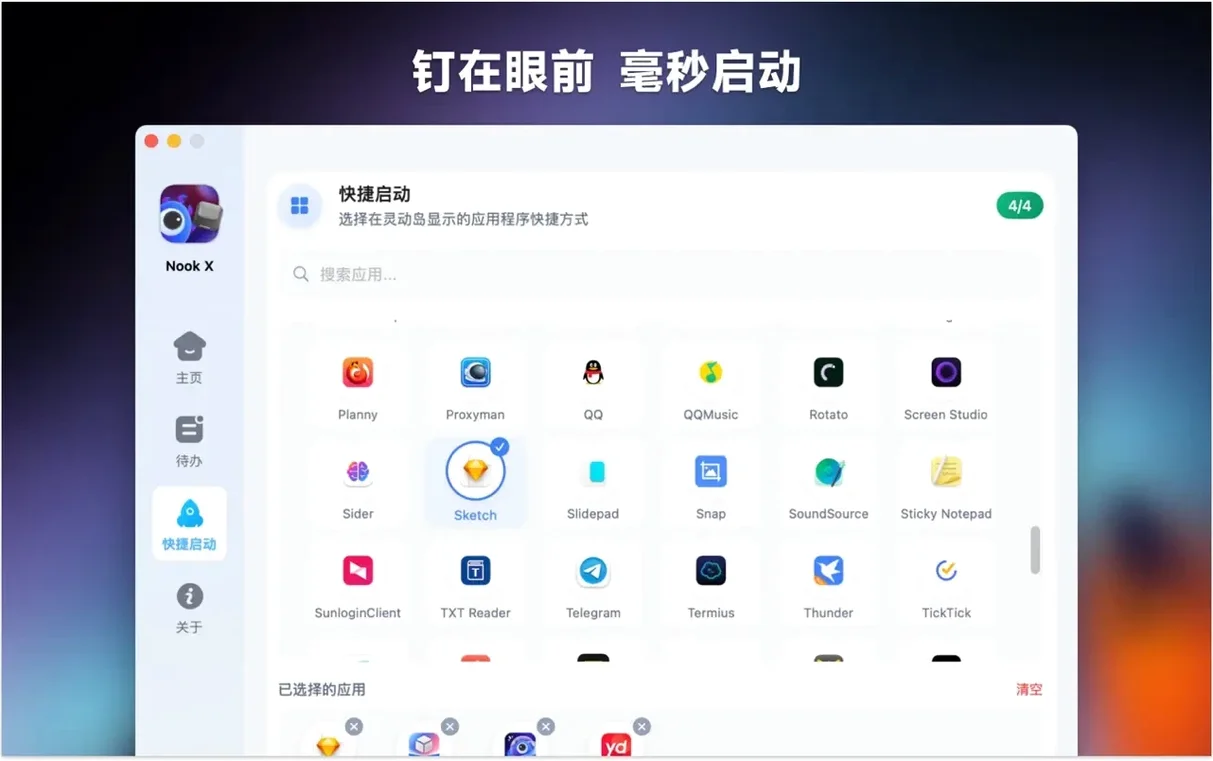

Thirteen interface languages and one window. Nook X gathers three tools that usually live in separate apps: a task list, a music player that follows along with lyrics, and an AI chat panel.
Karaoke lyrics, voice notes, and a task list
- Keeping a small to-do list next to whatever you are listening to
- Learning song lyrics with automatic karaoke-style highlighting
- Dictating a note or task hands-free through voice input
- Running on older Intel Macs as well as Apple Silicon
Three simple tools under one macOS roof
- Needs macOS 13 or later
- The built-in player handles popular audio formats, not every format out there
- Three tools in one means each one stays fairly simple
Lightweight multitaskers who hate juggling apps
You don't need to be a power user to appreciate Nook X, but it rewards a certain kind of rhythm. The app settles in best with people who switch between a few lightweight activities and prefer not to juggle separate windows for each one.
One group that takes to it quickly is language learners. The lyrics panel pulls its weight when you are working through songs in a language you are still picking up. Karaoke highlighting gives you a visual anchor, and since the AI assistant can translate lines on the spot, you rarely need to leave the window to look up a phrase. Voice input adds another layer: you can practice pronunciation by dictating a translated line and seeing what the assistant returns.
Another natural fit is anyone whose workday includes short bursts of focused music listening between tasks. The to-do list sits in the same view as the player, so you can jot down a reminder the moment it crosses your mind without hunting for a separate notes app. Students who draft summaries while a lecture recording plays back find the layout similarly practical — the AI panel can generate a quick paraphrase of something you just typed, and the task list catches follow-up items.
People who live inside the notch area on newer MacBooks also warm to Nook X quickly. The app reclaims screen space that many utilities ignore, tucking controls and panels where they do not compete with your main work. If you already run a notch calendar or a compact menu bar tool, Nook X feels like a companion rather than an intruder.
Turn chat messages into tasks instantly
A few features sit just below the surface and make daily use smoother once you know they exist. These are the kinds of things that do not announce themselves on first launch.
- Task creation from chat. When the AI gives you an idea worth acting on, a single click turns that response into a to-do item with the original text preserved. No copying and pasting across tabs.
- Lyrics search. You can type a fragment of a line you remember and Nook X will try to locate the song. Useful when a tune is stuck in your head but the title escapes you.
- Voice input in any panel. The microphone is not locked to the AI assistant. You can dictate a task name or search for a song without touching the keyboard.
- Priority markers. The task list supports more than just checkboxes. You can flag items with priority levels, which helps when the list grows beyond a handful of entries.
- Karaoke mode continues in the background. Minimize the window or switch to another space and the lyrics keep scrolling. The player does not demand to stay frontmost.
Switch the interface language on day one
The defaults are sensible, but a couple of changes make Nook X feel more like your own setup. Here is where I would start.
Interface language. The app ships with fourteen language options, and it respects your choice across all three panels. If you are using the AI for translation practice, switching the interface to your target language adds a light layer of immersion before you even open a chat.
Audio output and format preferences. The built-in player handles common formats without fuss, but you will want to point it at your music folder and confirm the playback settings. If you keep lossless files alongside compressed copies, take a moment to set which folder the player scans first.
Reminder defaults. New tasks can inherit a default priority and a reminder time. Setting these early keeps your list from becoming a shapeless pile of unchecked boxes. A gentle nudge in the late afternoon often works better than an immediate alert for most people.
Voice input language. The microphone adapts to the language you choose for dictation. If you speak more than one language throughout the day, test which setting catches your phrasing most accurately. A quick adjustment here saves a lot of corrections later.
Track playback you never have to wait for
After a week of keeping Nook X open alongside a browser, a text editor, and occasional photo work, a few impressions settled in.
Speed is not something you notice, and that is a compliment. The player starts tracks without a perceptible delay, lyrics sync locks in within a beat or two, and the AI responses arrive at a pace that feels conversational rather than sluggish. On an M1 MacBook Air with 8 GB of RAM, the app stayed responsive even with a dozen tabs open elsewhere. Intel Macs show a little more warmth — the fan on a 2019 MacBook Pro spun up briefly during longer AI queries — but nothing that interrupted playback or scrolling.
Memory use hovered around 180–220 MB in normal use, which puts Nook X in the same ballpark as a lightweight email client. The player does not seem to cache entire albums aggressively, so if you queue up a long playlist and leave it running overnight, you likely will not come back to a bloated memory footprint.
Stability held up across the testing period. The app survived several rapid panel switches, a few rounds of dictation while music played, and one accidental unplugging of headphones that would have tripped up fussier audio software. No crashes, no garbled lyrics display, and no lost tasks. One quirk worth noting: if you leave the AI chat idle for a long stretch and then send a query, the first response can take an extra second to wake up. After that it returns to its usual cadence.
For anyone curious about the nook x mac experience, the app fits into the notch-area tool category without feeling gimmicky. It earns its screen real estate by combining three things you might otherwise spread across separate apps, and it keeps the resource draw low enough that you are not punished for leaving it open all day.
If your evenings already involve a playlist and a half-finished task list, Nook X keeps both within reach.
Version 2026.10.24 has landed with the developer's latest round of fixes and refinements. Nothing flashy in the notes this time — just the kind of quiet polish that keeps NookX feeling tight and dependable.
- macOS 13 (Ventura) or later
- Apple Silicon or Intel 64‑bit Mac
Questions I actually get
Does Nook X run on Intel Macs?
Yes, it supports both Apple Silicon and Intel 64-bit Macs.
What macOS version do I need?
Nook X requires macOS 13 or later.
Can I type instead of speaking?
Yes, voice input is an option, not a requirement. Regular typing works throughout the app.
Porch talk 0
Come in or pull up a chair to leave a comment.
Nobody has pulled up a chair yet. If you used it on a real Saturday, say what the hour was.
More for the same hour
Everything in Mac Apps
 NotchBox
1.1.71 Mac Apps
7 MB
NotchBox
1.1.71 Mac Apps
7 MB

 NotchNook
1.6.12 Mac Apps
Updated 41 MB
NotchNook
1.6.12 Mac Apps
Updated 41 MB

 OmniGraffle Pro
7.26 Mac Apps
73 MB
OmniGraffle Pro
7.26 Mac Apps
73 MB

 OmniPlayer: MKV Video Player Pro
2.1.22 Mac Apps
78 MB
OmniPlayer: MKV Video Player Pro
2.1.22 Mac Apps
78 MB

 Navicat Premium
17.3.12 Mac Apps
333 MB
Navicat Premium
17.3.12 Mac Apps
333 MB

 ON1 Photo RAW
2026.5.2 v20.5.2.19304 Mac Apps
1.1 GB
ON1 Photo RAW
2026.5.2 v20.5.2.19304 Mac Apps
1.1 GB

 One Switch
1.35.4 Mac Apps
7 MB
One Switch
1.35.4 Mac Apps
7 MB

 OpenIn - Advanced Link Handler
4.5.1 Mac Apps
16 MB
OpenIn - Advanced Link Handler
4.5.1 Mac Apps
16 MB