
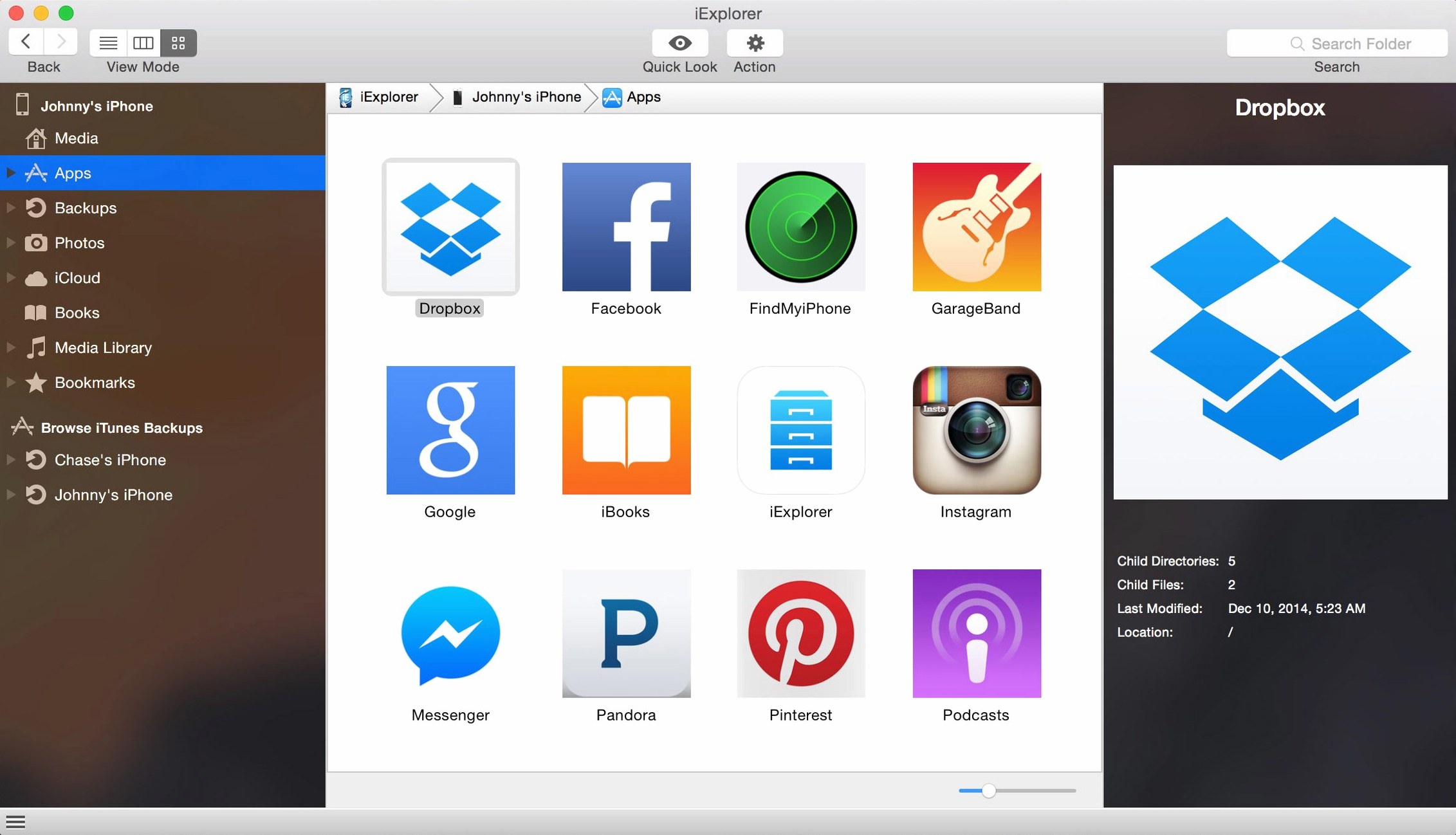
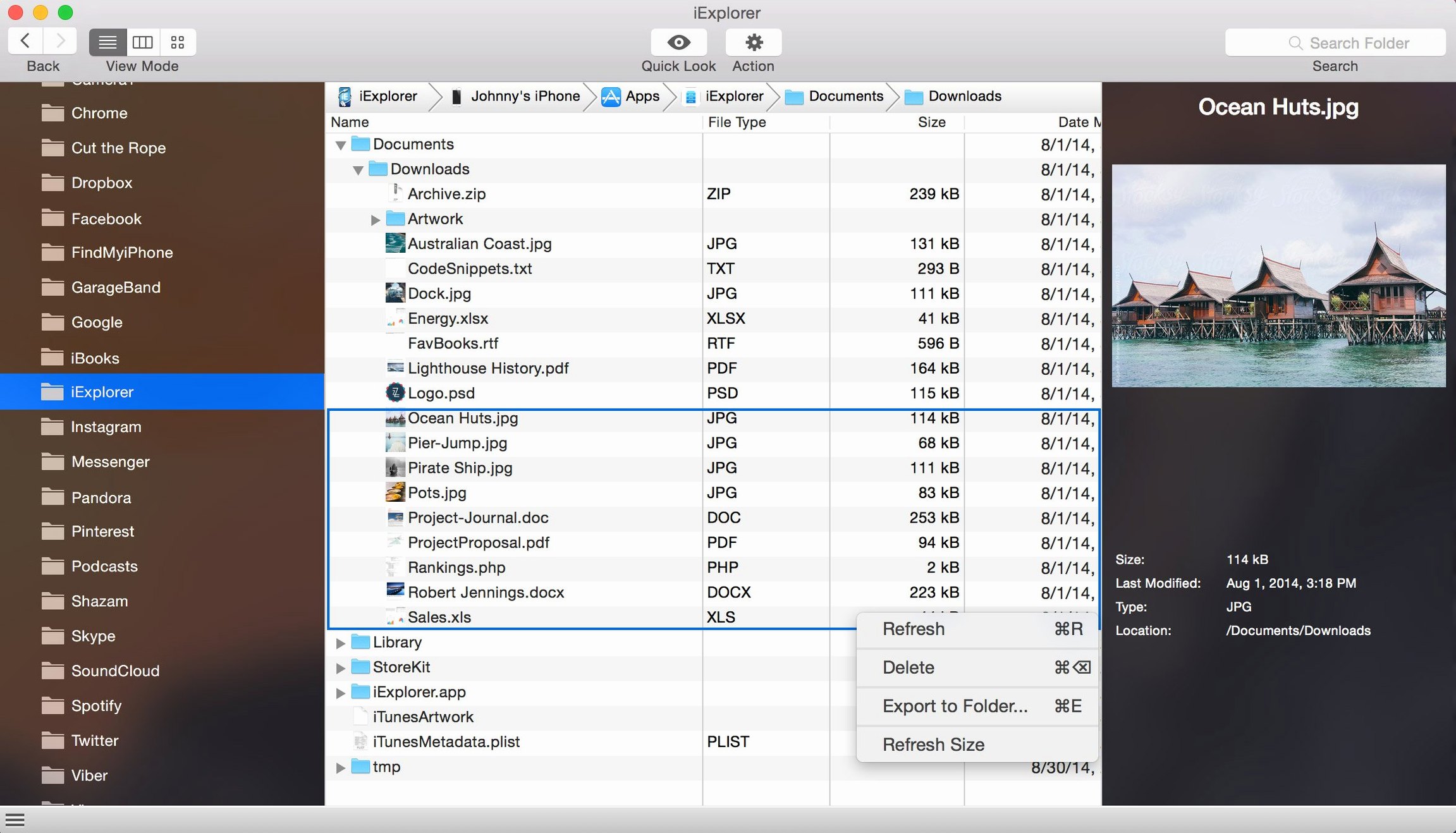
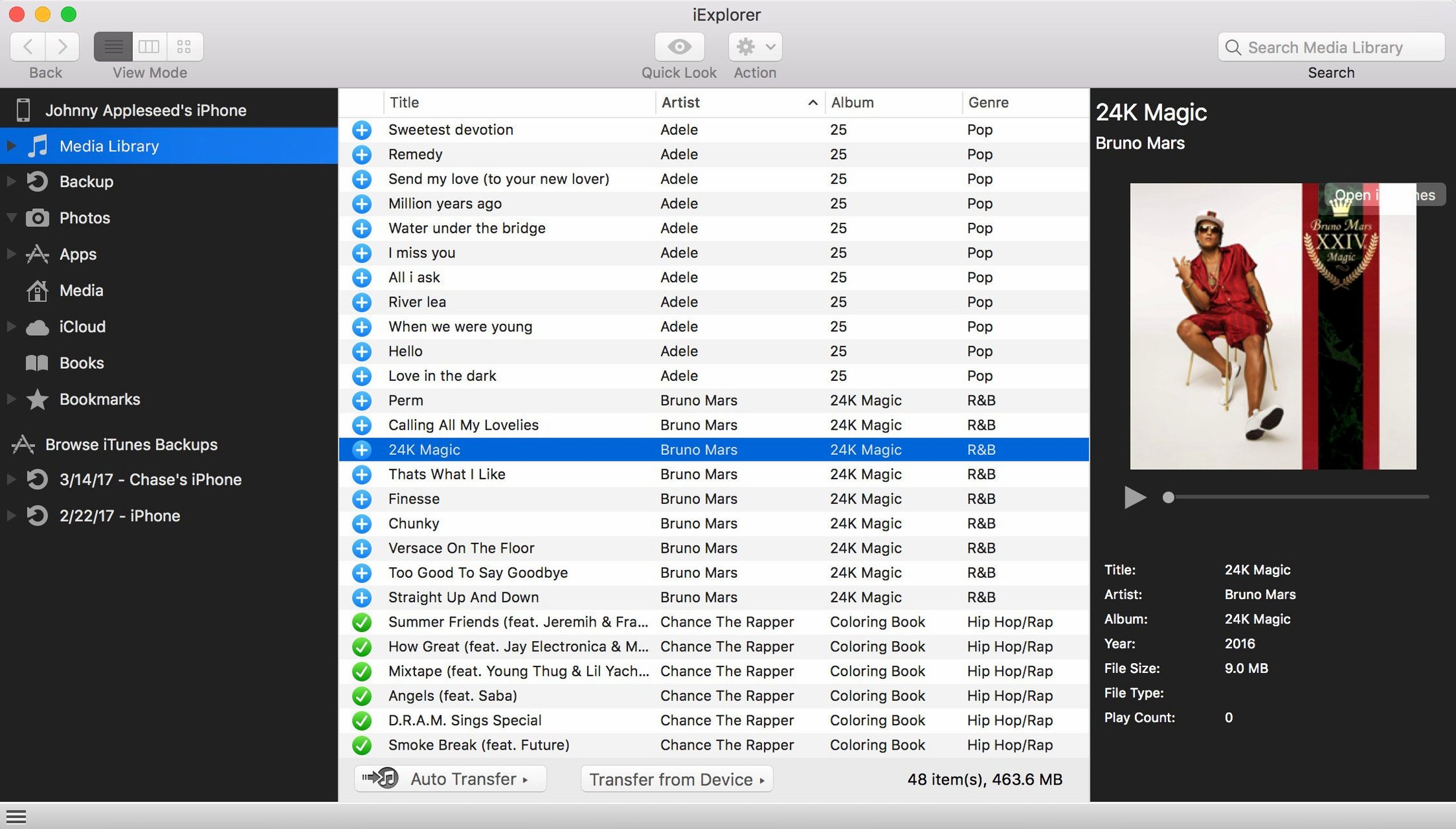
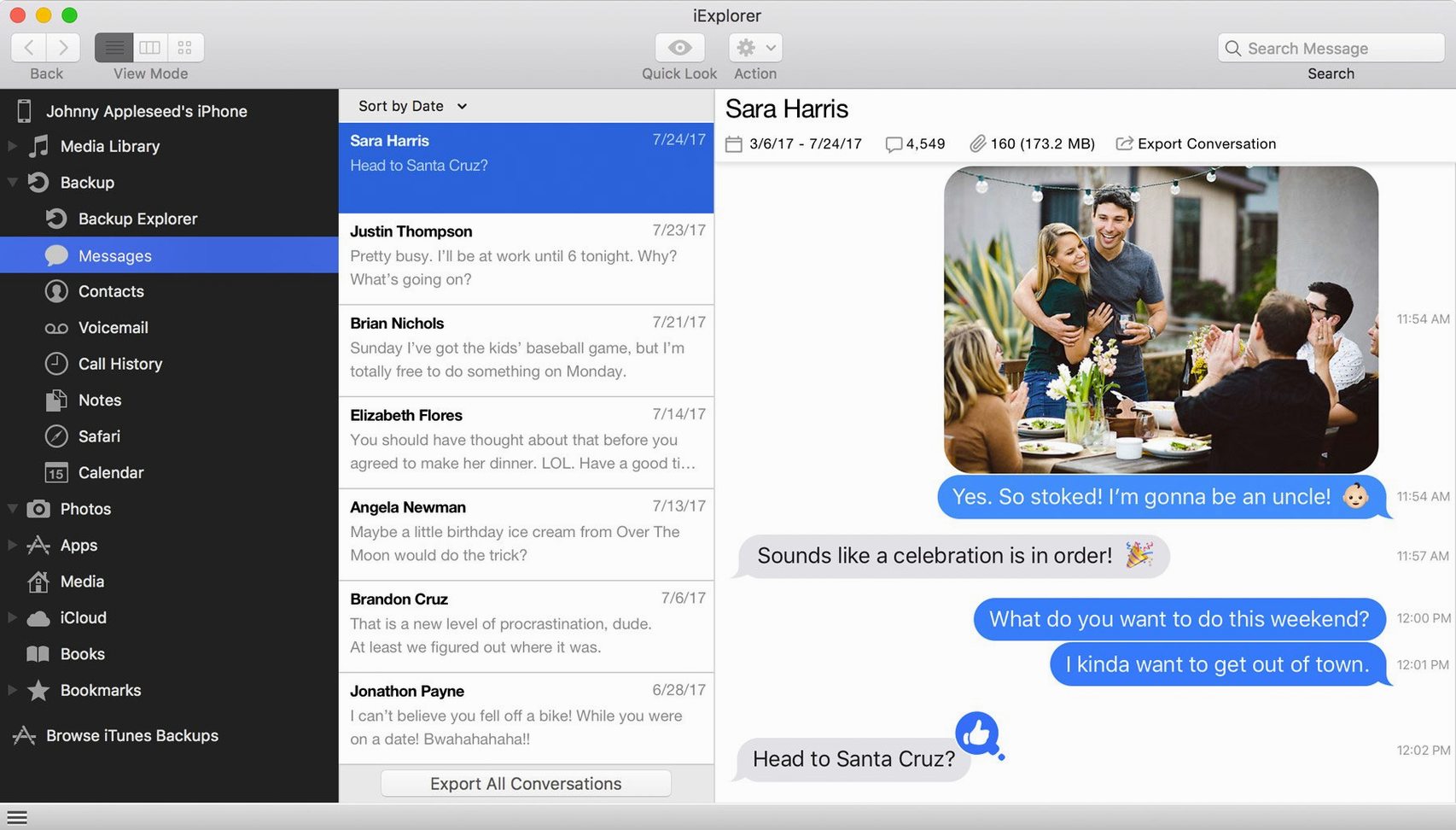
iExplorer is for the person who wants to reach directly into their iPhone or iPad without waiting for a cloud sync or digging through a labyrinth of backup files. It turns a USB connection into a straightforward browsing session, making your device’s media, messages, and even app documents feel as accessible as an external drive.
- Grab photos and messages the direct way. Drag a batch of full-resolution images to a folder on your desktop, or save a text conversation as a PDF so nothing gets lost when you upgrade your phone.
- Reach into your apps. Browse the documents and data tucked inside individual apps—handy for pulling a project file from a drawing app or finding a stray audio recording.
- Export contacts and call history. Turn your address book into a clean vCard file or get a human-readable list of recent calls without touching a confusing web interface.
- Peek at iCloud content. The app lets you access photos and other data stored in your iCloud account, giving you another window into what lives off the device.
No jailbreak is necessary, and the current version plays nicely with iOS 16 on any Mac running 10.10 or later. If you have ever felt that your iPhone keeps its own files just a little too private, iExplorer offers a friendly, no-nonsense key.
Park Your Go-To Panes in the Preferences Window
Out of the box, iExplorer does plenty, but a few quick adjustments make it feel more like your own tool. Open the preferences window right after the first launch and park two or three things where they suit you best.
- Default export location. The app will happily dump everything into a generic folder unless you point it somewhere sensible. Set this to a dedicated "Phone Exports" directory in your Documents or on the desktop so you never hunt for a stray contacts file again.
- Auto-launch behavior. If you plug in your iPhone several times a day and don't always need iExplorer to jump up, turn off the automatic launch. The device still mounts quietly in the sidebar, and you open the app only when you actually have a transfer in mind.
- Backup snapshot naming. In the backup section, switch from the default date-based names to something that includes a short label—think "Pre-iOS-update" or "Before-trade-in." A year from now, a plain timestamp won't tell you much.
- Hidden files visibility. If you know your way around an app's directory structure, enable the option to show hidden items. It reveals cache folders and preference plists that casual browsing keeps out of sight, useful when troubleshooting a misbehaving app on the device.
Offloading iPad Photos Before a Sunday Cleanup
Imagine it's a quiet Sunday morning and you want to pull a few things off your iPad before clearing space. Here is how thirty minutes might unfold.
You grab the Lightning cable, connect the iPad, and unlock it with your passcode. iExplorer opens to a clean device overview showing storage breakdown by category. You notice that Voice Memos are eating more room than expected, so you start there.
Click into Media, then Voice Memos. The list populates with every recording, complete with durations and dates. You select the five longest ones, right-click, and choose "Export to Folder." They land as m4a files in the folder you set up earlier—no conversion, no iTunes sync, no waiting.
Next, you switch to the Messages section. A threaded conversation view appears, and you scroll to a chat with a friend who sent half a dozen photos of a shared trip. Rather than saving them one by one on the phone, you highlight the whole thread, pick "Export as PDF," and watch a tidy document appear with images embedded inline. That goes straight into an archive folder for the trip.
Before unplugging, you hop into the Apps tab and peek inside a note-taking app's Documents folder. A JSON file you had been editing on the iPad sits there. You drag it to your Mac, open it in a text editor, and make a quick tweak before dropping the revised file back onto the device. The app refreshes, and the change is already live.
The whole session took less time than brewing a second cup of coffee, and not once did you open Finder, Photos, or the Music app.
For Anyone Who Treats an iOS Device as a Drive, Not an Appliance
Certain Mac users will find themselves reaching for this utility far more often than others, and it has little to do with technical skill. The common thread is a desire to treat an iOS device less like a sealed appliance and more like a storage endpoint you control.
People who juggle multiple devices across upgrades. If you tend to keep an old iPhone around for music or use an iPad alongside a newer phone, iExplorer simplifies pulling select files from one and placing them on another without restoring a full backup onto the wrong hardware. A few users hunting for an iExplorer full download are usually in exactly this situation—they need the complete feature set to manage several generations of devices.
Anyone who archives conversations seriously. Journalists, researchers, or just meticulous family historians benefit from the message export tools. Saving a long text thread as a searchable PDF is a quiet superpower when you need to reference details months later. Some folks who look for an iExplorer Mac crack assume they need to pay for that capability upfront, but the core export functions work right after a clean install.
App tinkerers and sideloading fans. If you use apps that store data in non-standard ways—think synthesizers with custom patch files, drawing apps with layered project formats, or game emulators with save states—the direct file system access turns iExplorer into a bridge. You can back up an app's entire documents directory, experiment with a file on the Mac, then push it back. The disk mount feature makes this feel like working with a USB stick.
iTunes avoiders. Plenty of people simply do not want iTunes managing their media library. iExplorer sidesteps that relationship for music and playlist transfers. If you stumbled across an iExplorer torrent while searching for a way to grab songs from an old iPod Classic, the app handles that scenario gracefully—drag playlists out as folders of properly named audio files, no sync required.
In short, the people who love it most are the ones who like to see what is actually on their device, move things around with intention, and keep their own tidy archives outside of any cloud ecosystem.
- macOS 10.10 or later
- Intel 64-bit processor
- iTunes installed on the Mac
Porch talk 0
Come in or pull up a chair to leave a comment.
Nobody has pulled up a chair yet. If you used it on a real Saturday, say what the hour was.
More for the same hour
Everything in Mac Apps
 iDownerGo
10.15.0 Mac Apps
76 MB
iDownerGo
10.15.0 Mac Apps
76 MB
 IDA Pro
9.4.260713.a97520e5 Mac Apps
947 MB
IDA Pro
9.4.260713.a97520e5 Mac Apps
947 MB
 Image Resizer - Resize Photos
4.3 Mac Apps
Updated 6 MB
Image Resizer - Resize Photos
4.3 Mac Apps
Updated 6 MB

 IconJar
2.11.4 Mac Apps
10 MB
IconJar
2.11.4 Mac Apps
10 MB

 iMazing
3.6.5 Mac Apps
242 MB
iMazing
3.6.5 Mac Apps
242 MB

 Infuse Pro
8.5.5 CRACKFIX Mac Apps
90 MB
Infuse Pro
8.5.5 CRACKFIX Mac Apps
90 MB

 HitPaw Watermark Remover
2.4.7 Mac Apps
290 MB
HitPaw Watermark Remover
2.4.7 Mac Apps
290 MB

 HitPaw Video Converter
4.5.0 Mac Apps
577 MB
HitPaw Video Converter
4.5.0 Mac Apps
577 MB