

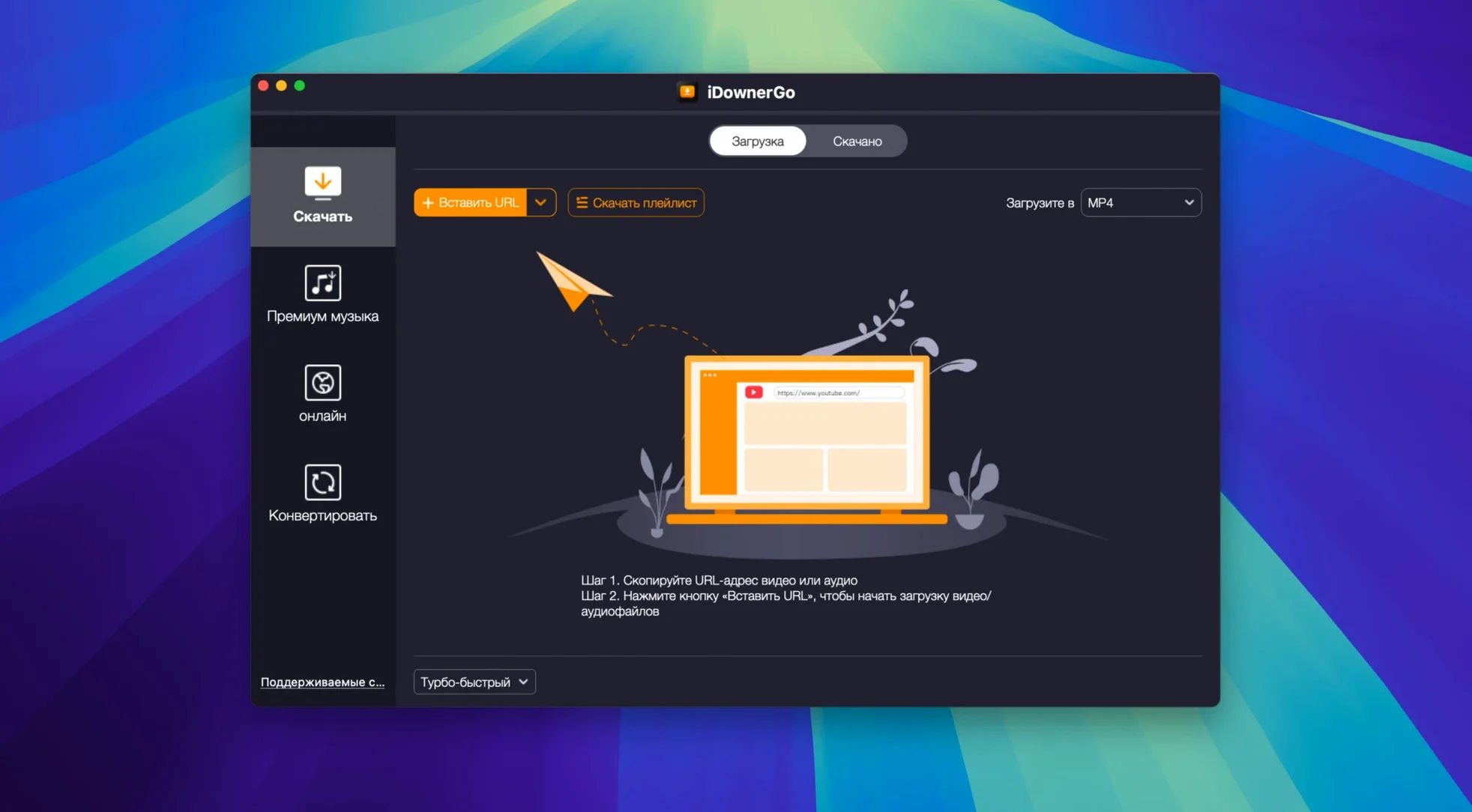
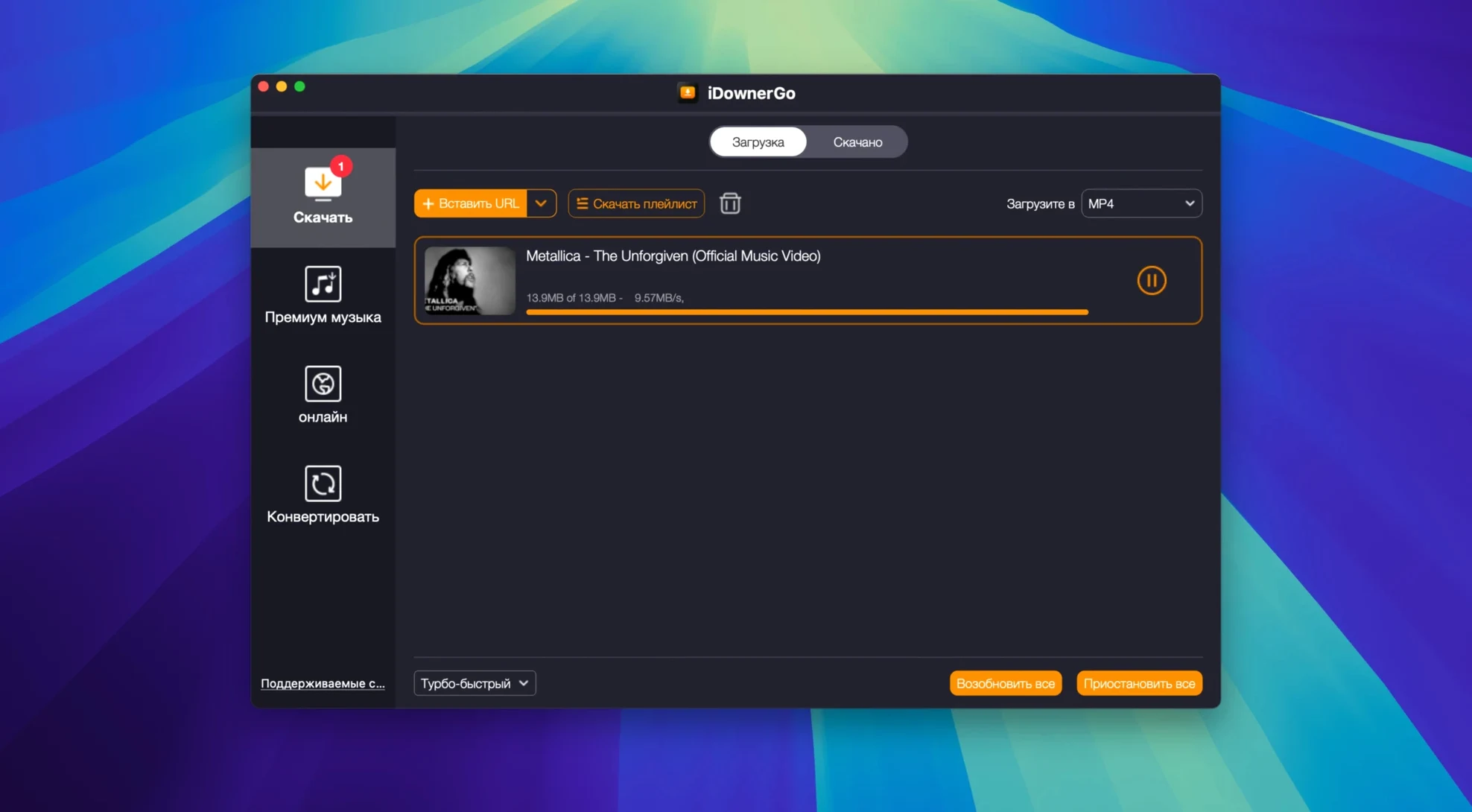
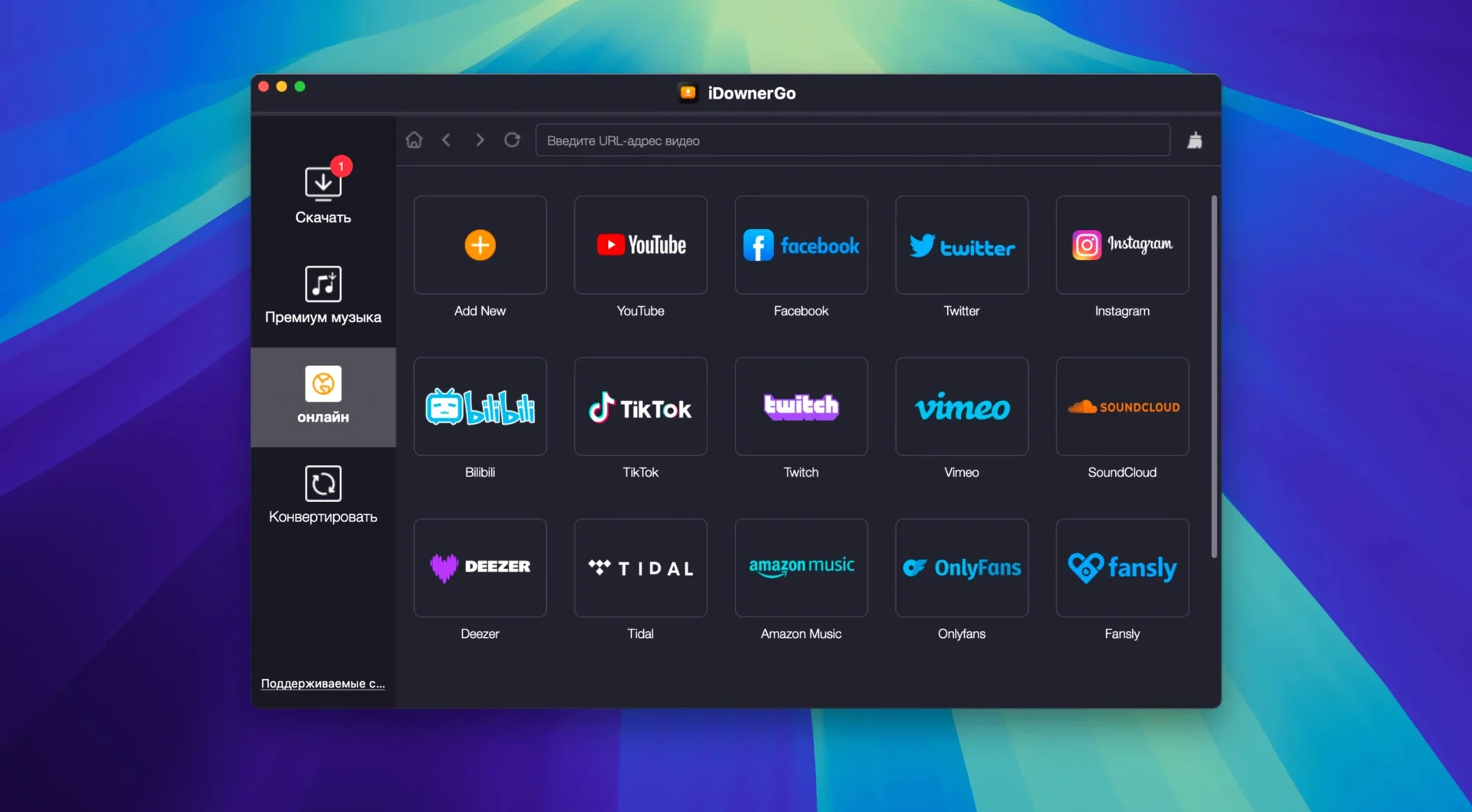
iDownerGo is a Mac app that pulls videos and music off the web and converts them to the formats you actually need. It speaks to more than 10,000 sites, from the big video platforms to smaller, niche ones, so you are not locked into a single source.
Say you have a playlist of interviews you want to listen to on an old MP3 player while you work in the yard. You grab the playlist URL, drop it into iDownerGo, and tell the app to extract just the audio. It churns through each entry, pulling the video stream in real time and saving the spoken words as a clean MP3 file for each one. The whole run lives in one compact window—no bouncing between tools.
The app handles full videos, single songs, or entire playlists without making you pick a format ahead of time. You can decide after the download whether you keep the original MP4 or save only the sound. On an older Intel Mac running macOS 10.10 or later, the x86 64-bit build stays light and responsive even when you queue up a long list.
If you need a focused downloader that strips away the filler and gets a local copy of something playing in your browser, iDownerGo fits the bill.
Thirty-second preference tweaks worth doing first
The defaults are sensible, but a few tweaks make the app feel more like yours. Open the preferences panel right after the first launch—it takes thirty seconds and you will not have to think about it again.
- Output folder. By default, everything lands in a generic Downloads subfolder. Point it at a dedicated directory, maybe one that syncs with your music library or an external drive you use for archival work. It keeps your desktop clean and saves you from hunting for files later.
- Post-download action. You can tell iDownerGo to add converted tracks to iTunes (or Music, depending on your macOS version) automatically. If you live in playlists, this is the one setting that stops the extra drag-and-drop step.
- Concurrent downloads. The app can pull several videos at once. On a machine with limited RAM—say an older Intel MacBook Air—dial it back to two or three simultaneous jobs. The queue still moves, but the fan stays quiet.
- Preferred audio format. Head into the conversion section and set MP3 at 320 kbps if you care about fidelity. The default bitrate is lower to keep file sizes small, but for music you plan to keep, the bump is worth it.
- Interface language. With over twenty localizations packed in—Japanese, French, Arabic, and more—you can switch the menus to whatever you read most naturally. The setting lives right at the top of the first preferences tab.
Those five changes turn iDownerGo from a generic tool into something that works the way you do. You set them once and forget they exist.
Straight answers before you install
A few things come up every time someone hears about iDownerGo. Here is the straight talk, no marketing fluff.
Grabbing content behind a login with your browser cookies
Yes, for the platforms where that matters. The app can use your browser’s cookies to reach content behind a sign-in wall, as long as you have already logged into that site in your default browser. A quick preference toggle lets iDownerGo read the session, grab the video, and close its handshake. It does not store your credentials, and it does not keep the connection open afterward.
Will it handle a long playlist without crashing?
Folks routinely queue fifty or sixty items, and the app stays stable. The trick is memory management—iDownerGo processes one item at a time unless you raise the concurrent-download limit, and it streams directly to disk rather than holding large chunks in RAM. On an Intel Mac with 8 GB, a full evening playlist finishes without a hiccup.
Can I save 4K or 8K footage without losing quality?
When the source offers it, iDownerGo pulls the raw stream and writes it untouched. You get exactly the resolution and bitrate the site served, no re-encoding step. If you need a smaller file afterward, the conversion tools let you downscale, but the default is lossless.
Is it safe to run on an older macOS version?
The download page for iDownerGo Mac lists OS X 10.10 as the floor, and the x86 64-bit architecture means it runs natively on Intel machines that are well over a decade old. People still using High Sierra or Mojave report smooth operation. There is no artificial version lockout.
Crate diggers turn Bandcamp browsing into a library
iDownerGo is not a one-size-fits-all tool, but a few groups consistently find it indispensable.
Music collectors and crate diggers. If you spend evenings on Bandcamp, SoundCloud, or smaller artist pages, the app turns browsing into building a library. You can grab a whole album’s worth of streams, extract MP3s, and have them sitting in your collection before the coffee gets cold. The playlist support means you do not click through track by track.
Language learners. People who study with YouTube lessons or TikTok explainers often want the audio stripped out for repeated listening. iDownerGo makes that a one-click job. Save the spoken portion, load it onto a phone, and drill vocabulary on the bus without burning through mobile data.
People with spotty internet. Rural users, travelers, and anyone who shares bandwidth with a busy household know the pain of buffering. Downloading a batch of videos overnight means smooth playback the next day. The real-time streaming capture works even on slow connections because it does not try to accelerate beyond what the line can handle.
Folks hunting for a specific old release. The search phrase idownergo torrent pops up in forums when someone is trying to locate a version that runs on a particular setup—maybe iDownerGo 10.14.0 or iDownerGo 10.3 for a machine that never got updated. The app’s broad compatibility and long version history make it a quiet favorite in those circles.
If you fall into one of those camps, the tool makes sense. If
- macOS 10.10 or later
- Intel x86 64-bit processor
Questions I actually get
Can iDownerGo save just the audio from a video file?
Yes, it can extract the audio track from a downloaded video and save it as a separate MP3 file, which is handy for turning long talks or music videos into a portable listening library.
Porch talk 0
Come in or pull up a chair to leave a comment.
Nobody has pulled up a chair yet. If you used it on a real Saturday, say what the hour was.
More for the same hour
Everything in Mac Apps
 IDA Pro
9.4.260713.a97520e5 Mac Apps
947 MB
IDA Pro
9.4.260713.a97520e5 Mac Apps
947 MB

 iExplorer
4.6.0 Mac Apps
30 MB
iExplorer
4.6.0 Mac Apps
30 MB

 IconJar
2.11.4 Mac Apps
10 MB
IconJar
2.11.4 Mac Apps
10 MB
 Image Resizer - Resize Photos
4.3 Mac Apps
Updated 6 MB
Image Resizer - Resize Photos
4.3 Mac Apps
Updated 6 MB
 iMazing
3.6.5 Mac Apps
242 MB
iMazing
3.6.5 Mac Apps
242 MB

 HitPaw Watermark Remover
2.4.7 Mac Apps
290 MB
HitPaw Watermark Remover
2.4.7 Mac Apps
290 MB

 HitPaw Video Converter
4.5.0 Mac Apps
577 MB
HitPaw Video Converter
4.5.0 Mac Apps
577 MB

 Infuse Pro
8.5.5 CRACKFIX Mac Apps
90 MB
Infuse Pro
8.5.5 CRACKFIX Mac Apps
90 MB