The timer can wait up to a few seconds before the capture fires — long enough to line up a menu or a hover state. That small detail says a lot about who CleanShot X is built for.
Daily annotators and scrolling-capture teams on any Mac
- People who take screenshots daily and annotate them on the spot
- Anyone who needs scrolling captures, not just what fits on screen
- Teams sharing quick video or GIF walkthroughs
- Mac users on Apple Silicon or Intel running macOS 11 or newer
Paid Mac app, macOS 11+, no free tier
- It is a paid Mac app — there is no free tier
- Requires macOS 11 or later
- English-only interface
- Best value comes from using the editor and recording tools, not just basic captures
Pixel-precise arrows and clean blurs for client comps
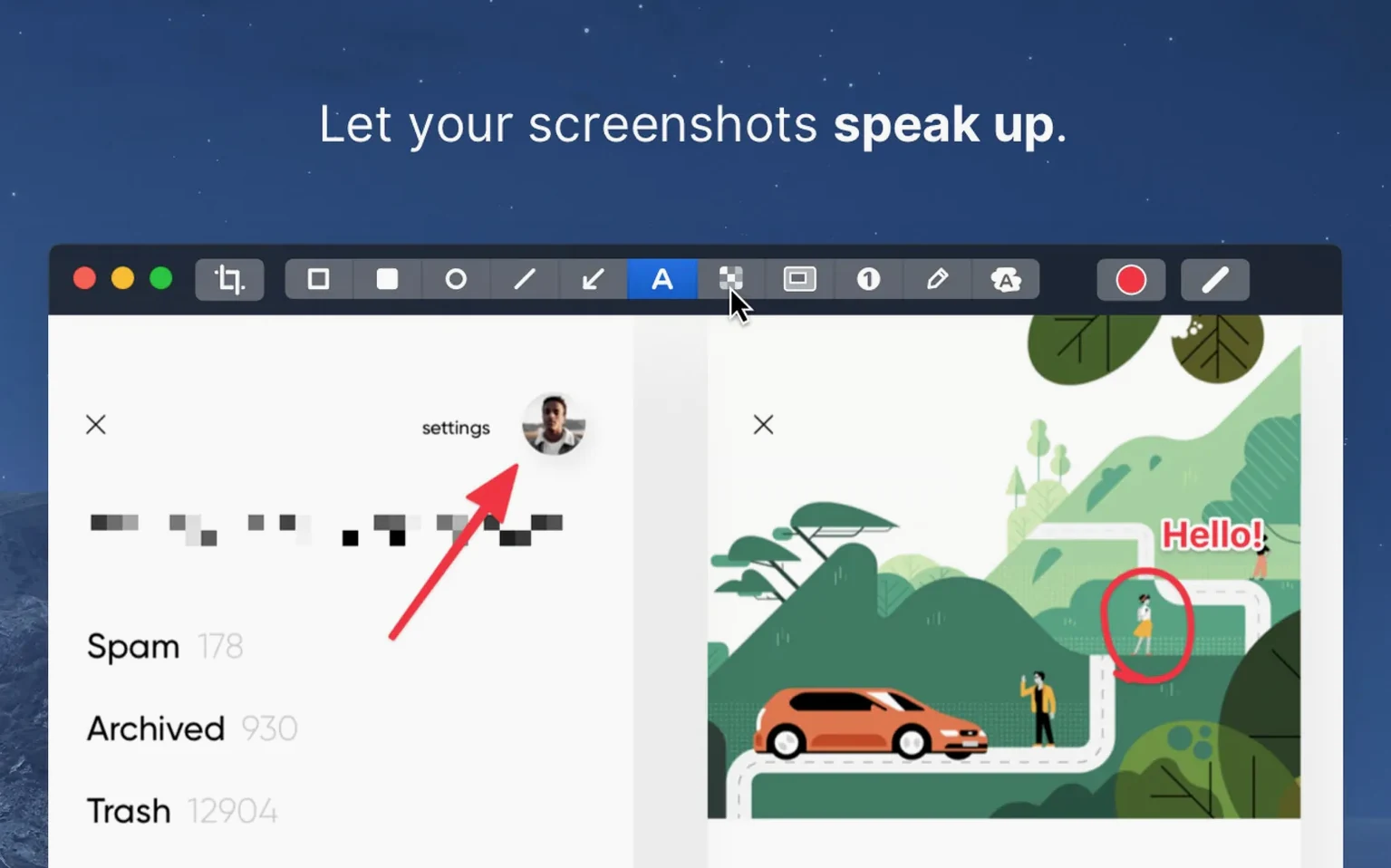
Designers sending comps to a client tend to live inside the annotation editor. They need arrows that land exactly on a padding edge and blur tools that obscure an old logo without looking sloppy. CleanShot X gives them that precision without a round trip to Figma.
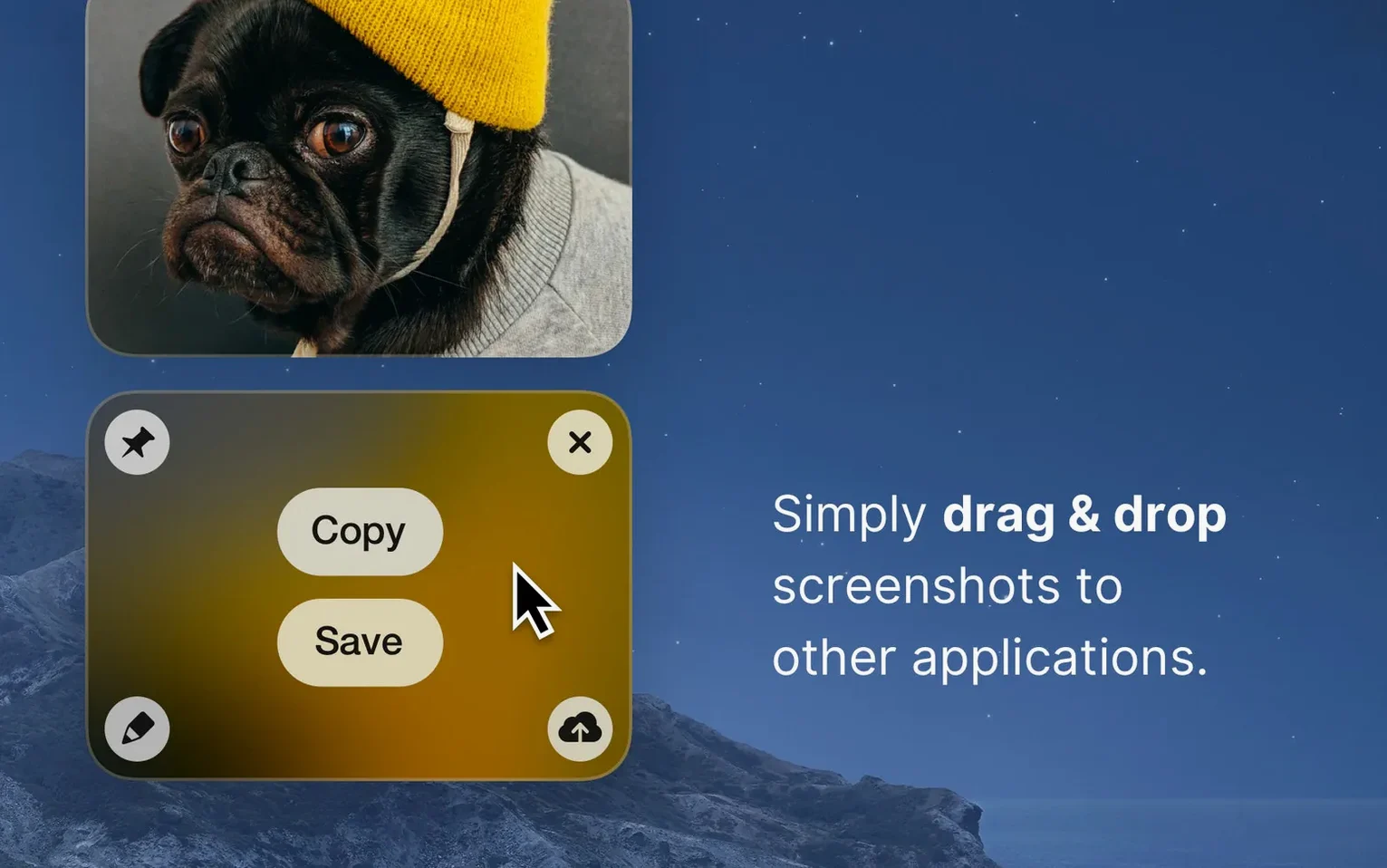
Developers writing pull request descriptions or bug reports are another group that keeps the app warm. Instead of typing “the button on the third screen,” they grab a quick scrolling capture of the whole page, draw a red box around the broken element, and drop the screenshot into the ticket. The pin feature stays on screen while they type the description, so nothing gets lost switching windows.
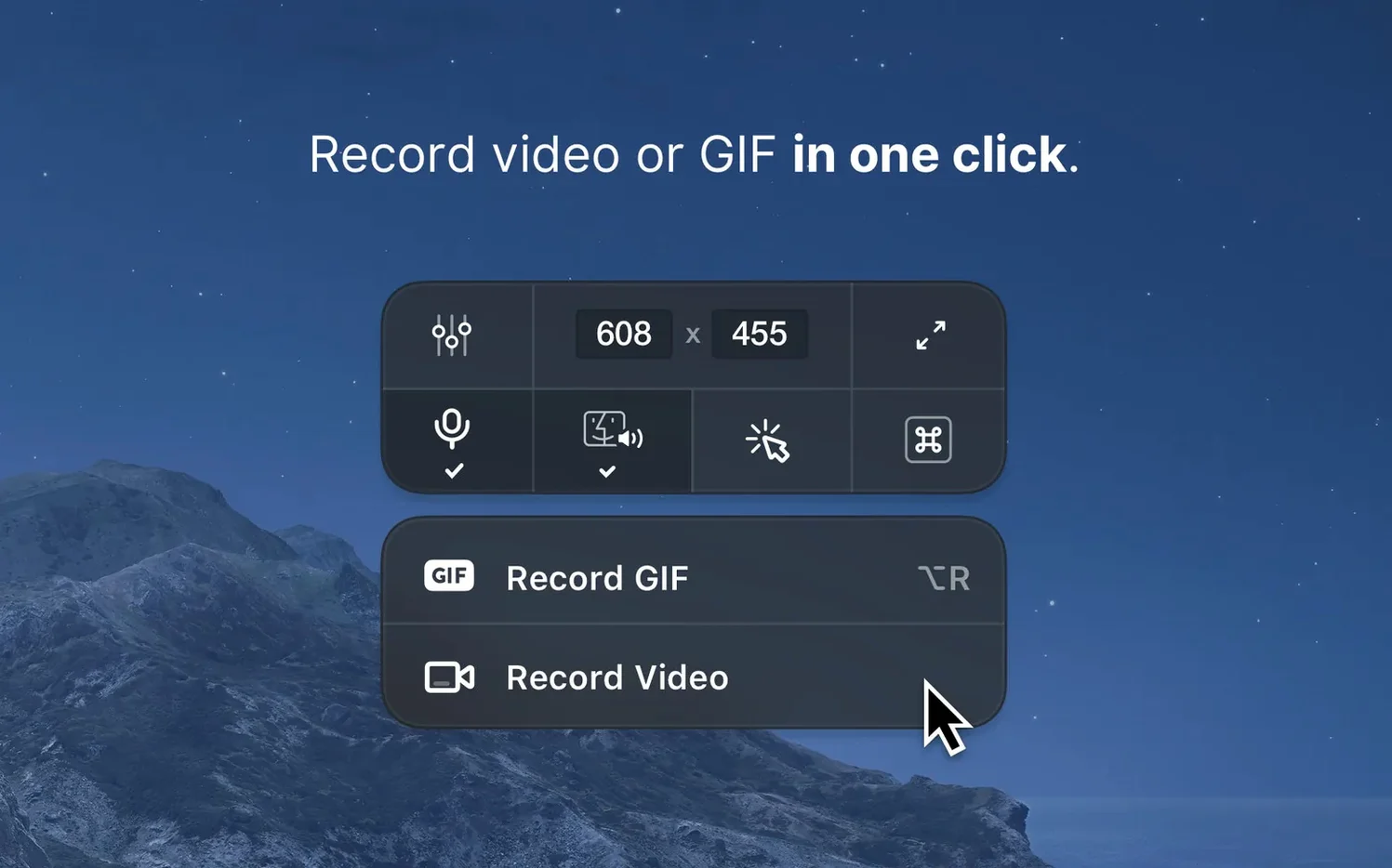
Support teams and customer success folks lean hardest on the recording tools. A ten-second GIF of a menu path answers a question faster than a paragraph of text ever could. Do Not Disturb during recording means no Slack toast pops up mid-demo, a detail they appreciate after the first week.
Weekend hobbyists — photographers sharing a Lightroom before-and-after, tinkerers documenting a Home Assistant setup — benefit from the same toolkit without the clutter of a pro video editor. They grab a window, hide the desktop icons, maybe switch to a solid background, and post something that looks clean with two clicks.
Overrides Command-Shift-4 by default
Does CleanShot X replace the built-in macOS screenshot shortcuts? By default, yes — it overrides the system shortcuts so Command-Shift-4 opens the CleanShot crosshair instead of the stock tool. Some people keep it that way and never look back. Others remap CleanShot to different keys because they still want the system grabber for quick no-annotation captures. The preferences panel lets you pick which approach fits your muscle memory.
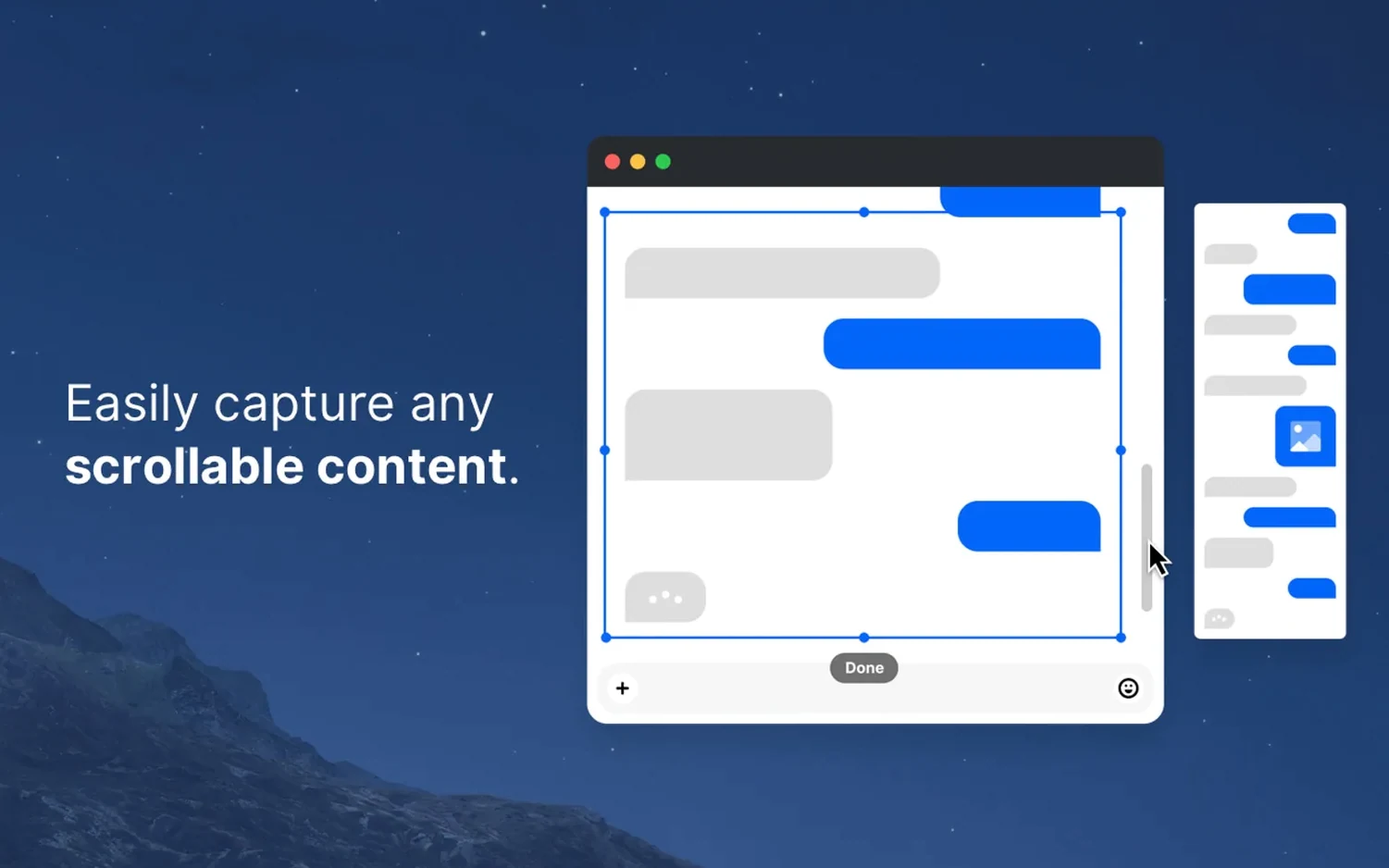
Will a scrolling capture actually work with my app? For most native Mac windows, yes — Safari, Finder, Notes, Xcode, and similar standard views scroll cleanly. Electron apps and some browser-based tools can hiccup, especially if they use custom scroll containers. The app does its best to stitch what it can, but a long Slack thread with lazy-loaded content won't always land perfectly.
How heavy are the video files? A ten-second screen recording at standard resolution runs surprisingly lean. GIFs grow bigger with color and motion, but the default settings lean conservative. You can switch between Retina and standard resolution before recording, and that one toggle makes a noticeable difference in file size when you are emailing the result.
Does the editor work on existing images I drag in? Yes — you can open any image on your Mac, annotate it with the same tools, and save or share. It does not only work on captures taken inside the app.
Two-click share sheet and built-in cloud links
CleanShot X plays well with the share sheet, so sending a screenshot to Messages, Mail, or AirDrop takes the same two clicks you already know. The cloud upload feature ties into the developer's own hosting, and the link lands on your clipboard ready to paste into Slack, Notion, or a Linear ticket. No extra sign-in dance beyond the initial setup.
On the recording side, a quick video can drop straight into a Finder folder or onto a Raycast script if you chain things together. Some users keep a “screenshots” folder in their Dock and set CleanShot to save there, then drag recordings into Final Cut or Premiere for heavier editing later. The app itself does not try to be a timeline editor — it captures, trims, and gets out of the way.
Do Not Disturb during recording is a macOS integration worth calling out. When it works, it silences notifications system-wide for the duration of the capture, then restores them afterward. On macOS Ventura and newer, Focus modes make this smoother than on older releases, but the basic behavior holds up across supported versions.
Scrolling captures that work in Safari also work in WebKit-based views across the system. If you spend time in Apple Mail, Preview, or the built-in Help Viewer, the scrolling grabber handles those the same way it handles a browser window.
Choose system shortcut takeover or separate hotkeys
Open preferences and decide whether you want CleanShot to own the system shortcuts or sit alongside them. The default takeover makes sense if you reach for annotations constantly. If you only annotate every third screenshot, binding CleanShot to its own hotkey saves frustration.
Next, pick your default save location. The app can dump every capture to the desktop, but after a week that gets noisy. A dedicated folder — maybe inside Documents or synced to iCloud — keeps things searchable.
Check the background options early. Solid white, solid black, or a custom wallpaper change the feel of window captures without extra editing. If your screenshots always end up on a dark-mode website or a light-mode newsletter, setting the right background here saves a trip to the editor later.
For anyone recording video, toggle between Retina and standard resolution before the first session. Standard resolution keeps file sizes manageable for email and chat. Retina looks sharper in a presentation or documentation page but produces larger files. Pick the one that matches where the recording will live.
Finally, if you download a cleanshot x free alternative to compare, know that the trial from the developer's site gives full access for a limited window. Many people cleanshot download the trial first, run through a few captures, and then decide whether the annotation editor and scrolling capture justify keeping it. A cleanshot x mac download takes about a minute, and the disk image installs the way any standard Mac app does.
Version 5.0.1 is a quiet one — minor bug fixes and small improvements after the 5.0 major update.
- macOS 11 or newer
- Apple Silicon and Intel Macs
Questions I actually get
Can CleanShot X record a GIF during capture?
Yes, the app can record video or GIF while capturing, so you can share short animated clips without a separate tool.
Porch talk 0
Come in or pull up a chair to leave a comment.
Nobody has pulled up a chair yet. If you used it on a real Saturday, say what the hour was.