

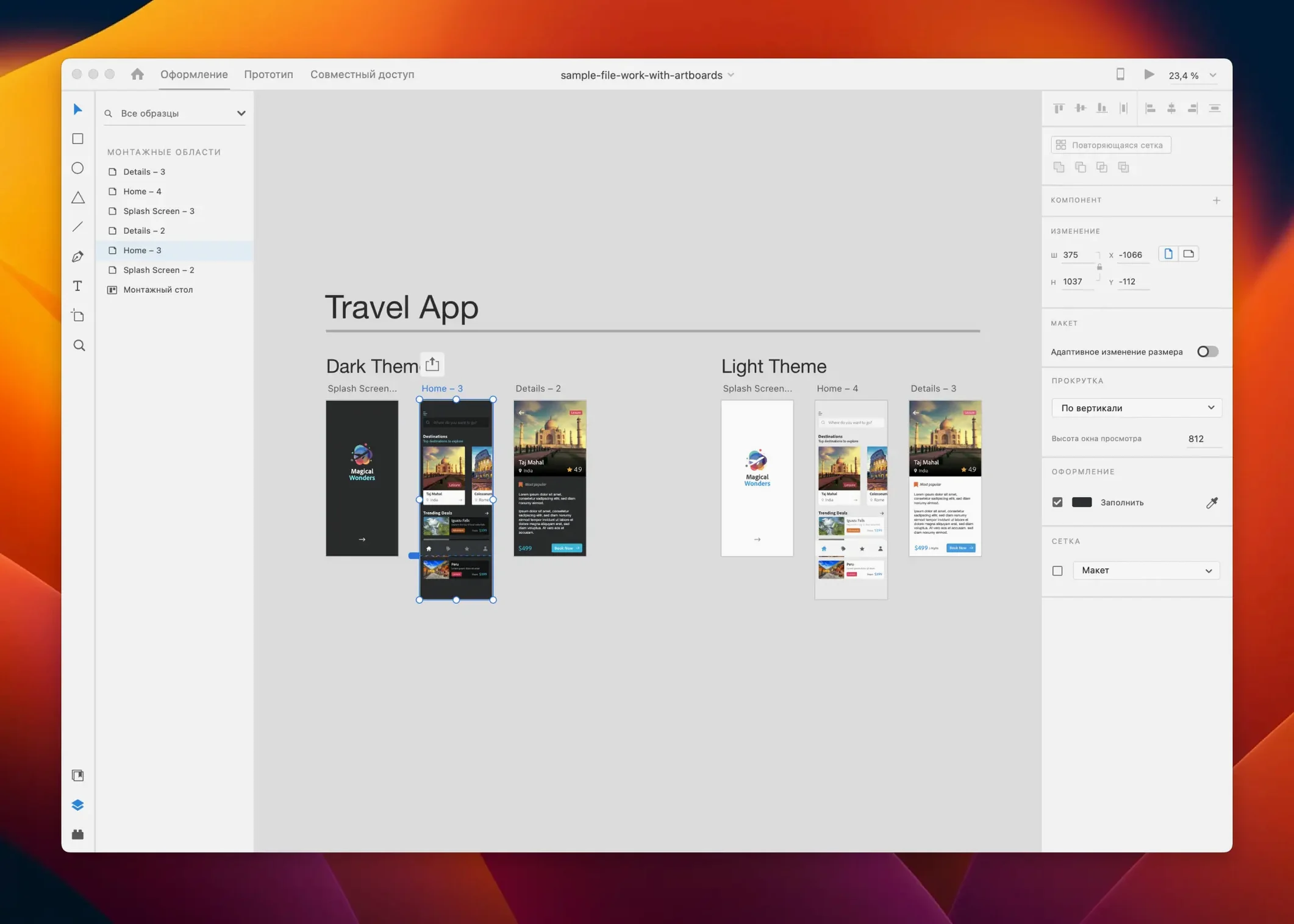
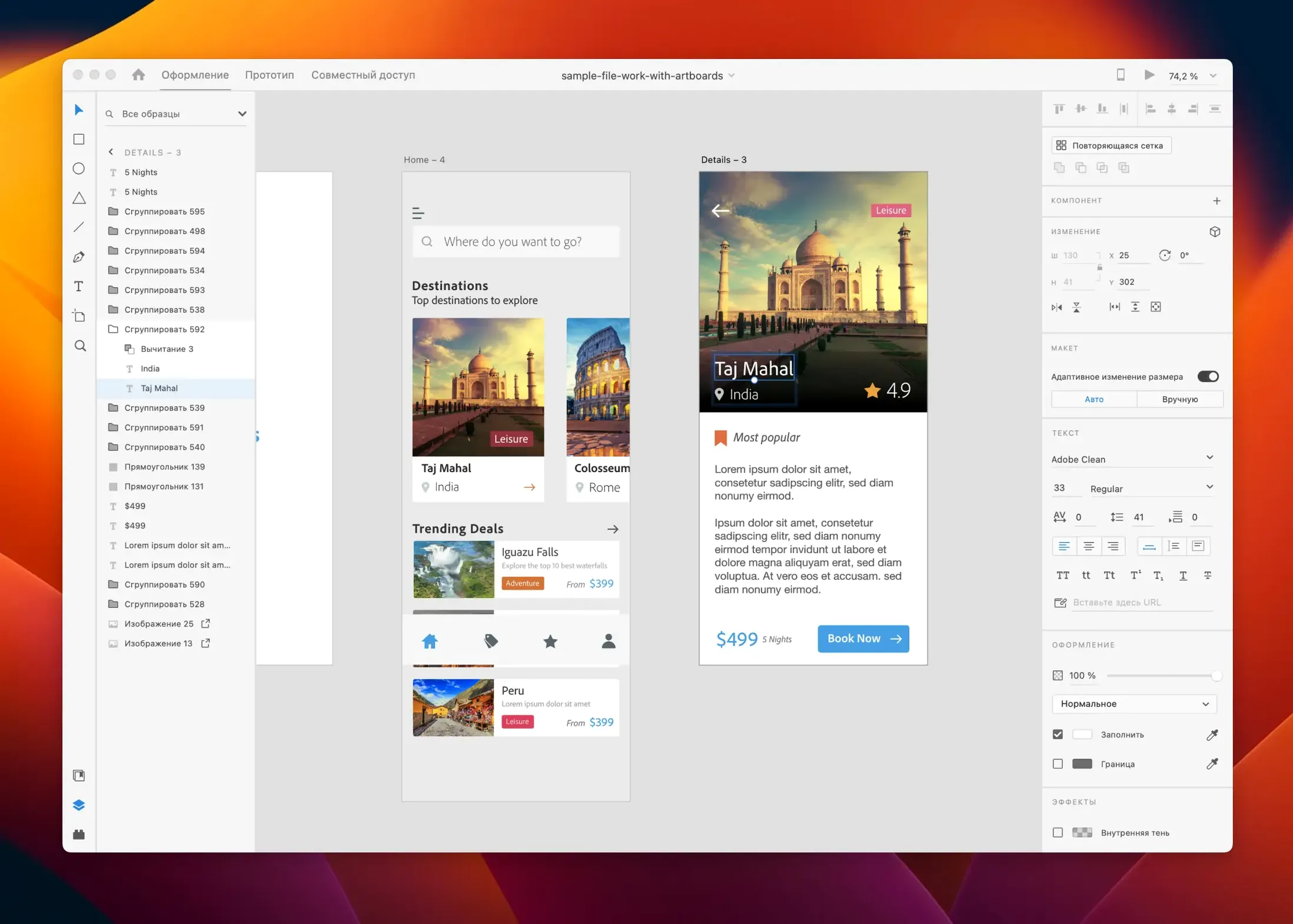
Adobe XD is a UI/UX design and prototyping tool for creating websites, mobile apps, and other interactive experiences. It handles the whole process—from wireframes and high-fidelity designs to clickable prototypes you can share for feedback—inside a single app on your Mac or Windows machine.
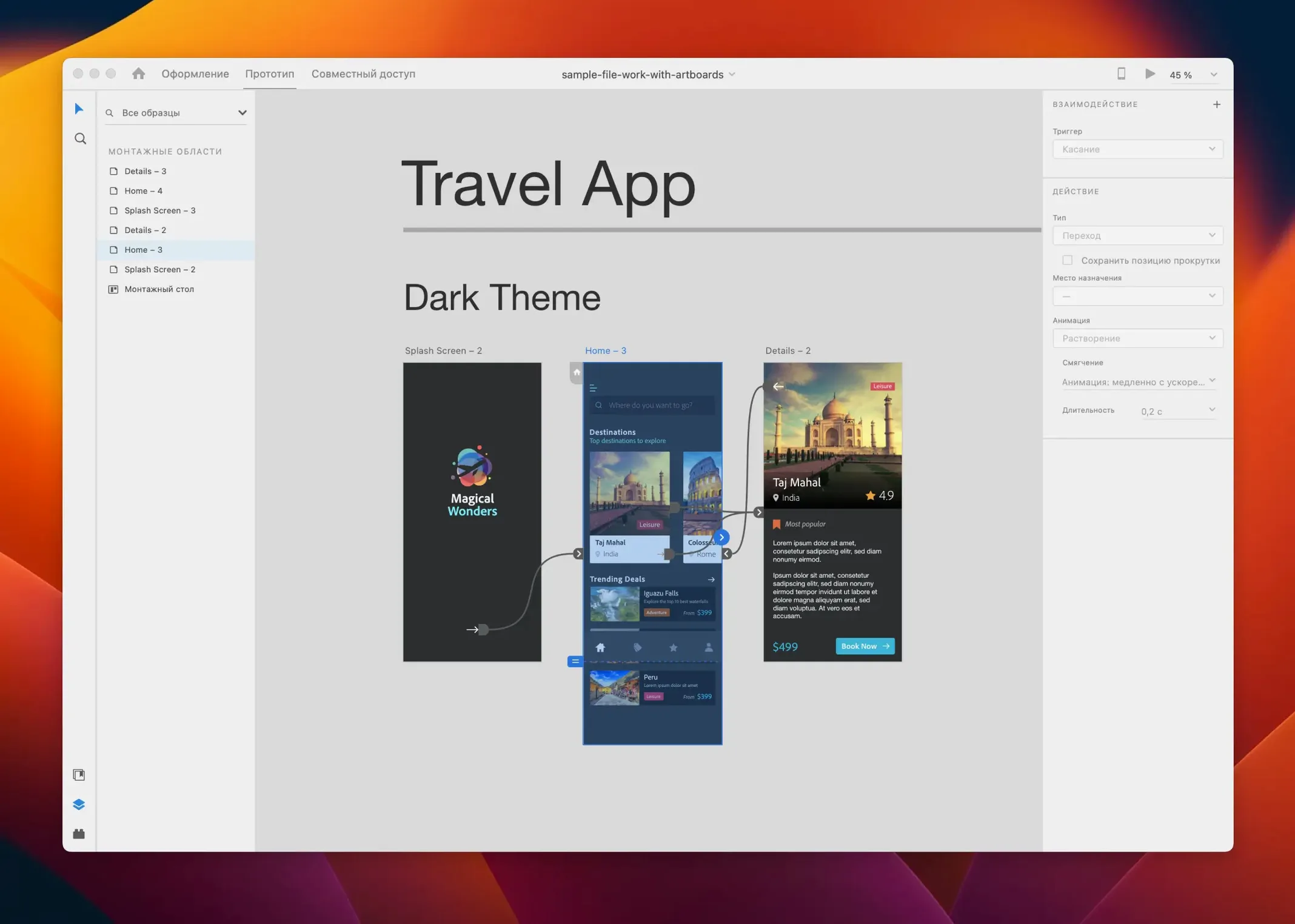
The app is built around a few key features that speed up design work. Responsive resize adjusts your elements when you scale a group, while repeat grid lets you drag to populate lists and galleries without copying and pasting every item. Auto-animate handles micro-interactions and transitions between artboards, so you can prototype a swipe or a menu animation without a separate motion tool.
XD works solo or with a team. You can co-edit files in real time, leave comments, and hand off specs to developers. The app also plays well with third-party tools through a healthy plug-in ecosystem, covering everything from stock photos to accessibility checkers.
Adobe moved XD into maintenance mode, so the current version 59.0.12 focuses on bug fixes and minor workflow improvements rather than major new features. It remains a solid pick for designers who want a straightforward, all-in-one environment for screen design and prototyping without jumping between multiple apps.
Starting with an Open, Uncluttered Canvas
When you fire up XD for the first time, the canvas feels open and uncluttered—almost too quiet if you're coming from other Adobe apps. A few habits make the transition smoother.
Start by pinning the Assets panel. It lives on the left side by default, but collapsing it hides the colors, character styles, and components you'll reuse constantly. Keeping it pinned saves you from hunting for the same button style six times in an afternoon.
Set up a small component library early, even for personal projects. Grab any rectangle, hit Cmd+K to make it a component, and drop it into the assets panel. Changing the main component updates every instance across your artboards. That alone cuts down the revision scramble when a client decides the primary button should be green instead of blue on a Thursday evening.
The repeat grid takes about ten minutes to really click. Draw a single card or list item, select it, click the repeat grid handle, and drag. Hold Option while dragging to adjust the gap between items. Once you've populated the grid, drag in a folder of images and XD distributes them across the repeated elements automatically. It's one of those features that changes how you approach layout-heavy screens like directories or photo galleries.
For the first week, keep the tutorial artboard that ships with the welcome screen open on a separate page. It's a quiet reference—a few button states, some sample interactions—and it's easier to peek at than digging through menus when you forget a keyboard shortcut.
Wireframing Tuesday’s Whiteboard Sketch
Imagine a Tuesday morning. You've got coffee, a rough sketch from yesterday's whiteboard session, and a blank canvas.
You start in wireframe mode. Low-fidelity rectangles and placeholder text, no color beyond grayscale. XD's artboard tool lets you pick from preset device sizes—iPhone, Pixel, common web breakpoints—so you're not guessing at dimensions. You lay out three screens in under twenty minutes, just blocking the flow: login, a list view, a detail panel that slides up.
By mid-morning you're ready for visual design. You pull brand colors from a shared Creative Cloud Library; they appear in the color picker without downloading or importing anything. Character styles come next—heading, body, caption—applied by selecting text and clicking the style name. The consistency holds across every artboard without thinking about it.
After lunch comes prototyping. You switch to the Prototype tab, and the canvas shifts into interaction-design mode. Dragging a wire from the login button to the dashboard artboard sets up the first transition. Tapping the trigger dropdown gives you options—tap, drag, voice, gamepad input—but today you keep it simple: tap, auto-animate, ease out, 0.3 seconds. You repeat the process for the list-to-detail connection, this time setting the destination artboard to overlay so the panel doesn't replace the screen underneath.
By three o'clock you hit Share and generate a link. The prototype opens in a browser, fully clickable, nothing to install. A developer on the team opens the same link, switches to the Specs view, and grabs measurements and CSS snippets without asking you a single question. You close the laptop feeling like the day had a shape to it.
How a Brand Designer Might Use XD
Consider someone who doesn't live in UX full-time—a brand designer who occasionally needs to mock up a marketing landing page or present a visual concept for a client's app refresh.
They already have a full style guide in Adobe Illustrator: logo files, color palettes, typography scales, icon sets. Opening XD doesn't mean rebuilding all of that. They drag the Illustrator file straight onto the canvas; vector layers stay editable. Colors from the brand palette are already in a Creative Cloud Library, so they apply them with two clicks. Within an hour they've got a polished landing-page mockup with proper type hierarchy, brand-accurate colors, and a hero image pulled from Adobe Stock without leaving the app.
The real payoff comes when the client asks to see how the page flows. Instead of exporting flat PNGs and writing an email explaining what each screen does, the designer wires up a few artboards in the Prototype tab. A sticky header, a scrollable gallery section, a CTA button that pulses on hover—built with auto-animate in minutes. They share a link, the client clicks through on their phone during a coffee break, and feedback lands that same afternoon without a single PDF attachment.
For this kind of occasional prototyping work, XD's shallow learning curve matters. A brand designer doesn't need to master a complex motion tool or learn a separate handoff platform. The core loop—design, wire up interactions, share—stays tight enough that they can dip in every few weeks and still remember where everything lives.
Small Details Worth Knowing
Some of the best features in XD sit just below the surface, easy to overlook if you're moving fast.
- Padding controls in the Property Inspector. Select a group or component and look below the alignment tools. Setting background padding means a text label inside a button automatically expands the button shape when you edit the copy—no manual resizing.
- Layers panel grouping by drag. Most people right-click and choose Group, but you can select objects and drag them onto each other in the Layers panel. It feels more like organizing a folder structure and keeps your head in the canvas.
- Masking with a shape. Drop an image, place a circle or rounded rectangle on top, select both, and right-click to choose Mask with Shape. It's the fastest way to get circular avatars or rounded image cards without cropping in another app.
- The
Cmd+Returnpreview shortcut. While prototyping, you don't need to switch tabs to test an interaction. Select the starting artboard, hitCmd+Return, and a preview window pops up with the prototype live. TappingEscapedrops you right back into design mode. - Stacks for flexible layouts. In the Property Inspector, the Stack option turns a group into a layout that reflows when you add new items. It's subtle, but combined with components, it makes building navigation bars or card lists far more adaptable.
The July 2025 release of Adobe XD keeps things tidy with a handful of bug fixes and small workflow tweaks. No flashy additions—just stability improvements that make the daily grind a little smoother.
- macOS 10.15 or later
- Runs natively on Intel and Apple Silicon Macs
Questions I actually get
Can I still use Adobe XD for new projects?
Yes, XD is fully functional, though Adobe has placed it in maintenance mode. You can design, prototype, and share work as before, but no major feature releases are planned for the immediate future.
Does Adobe XD work with other design tools?
It does. XD supports a range of third-party plug-ins and integrations, so you can connect it to tools like Slack, Jira, or stock asset libraries to fit it into your existing workflow.
Porch talk 0
Come in or pull up a chair to leave a comment.
Nobody has pulled up a chair yet. If you used it on a real Saturday, say what the hour was.
More for the same hour
Everything in Mac Apps
 Adobe Substance 3D Painter
12.1.5 Mac Apps
3 GB
Adobe Substance 3D Painter
12.1.5 Mac Apps
3 GB

 Adobe Premiere Rush
1.5.62 Mac Apps
1.6 GB
Adobe Premiere Rush
1.5.62 Mac Apps
1.6 GB
 Affinity Designer
2.6.5 Mac Apps
779 MB
Affinity Designer
2.6.5 Mac Apps
779 MB

 Affinity Photo
2.6.5 Mac Apps
789 MB
Affinity Photo
2.6.5 Mac Apps
789 MB

 Adobe Premiere Pro
26.5.2 Mac Apps
4.1 GB
Adobe Premiere Pro
26.5.2 Mac Apps
4.1 GB

 Affinity Publisher
2.6.5 Mac Apps
783 MB
Affinity Publisher
2.6.5 Mac Apps
783 MB

 Adobe Photoshop
27.11 Mac Apps
3.5 GB
Adobe Photoshop
27.11 Mac Apps
3.5 GB

 Adobe Media Encoder
26.5.0 Mac Apps
3.4 GB
Adobe Media Encoder
26.5.0 Mac Apps
3.4 GB