
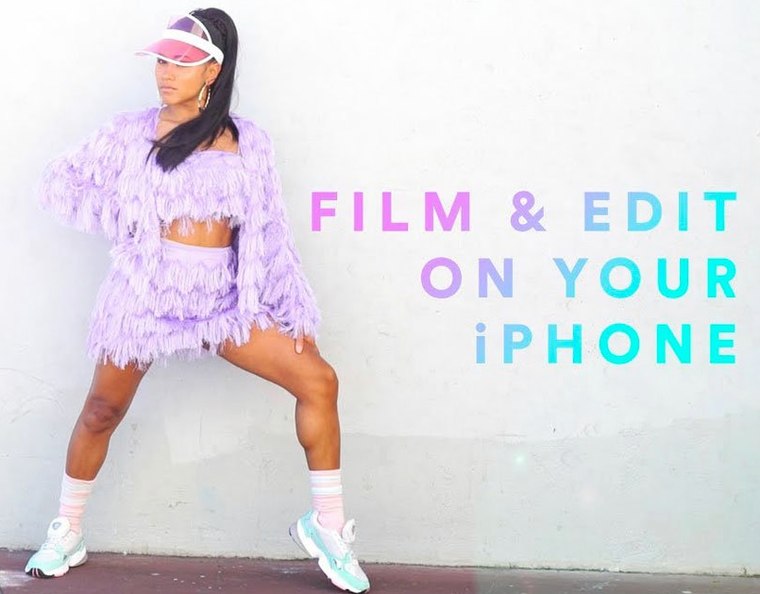



People who shoot on a phone but finish on a laptop are exactly who Premiere Rush was built for. You get a simple timeline, color and audio adjustments, and title templates that look finished without much fuss.
Is it a full video editor?
It covers capture, editing, and sharing in one place. The toolset includes audio balancing, noise reduction, and auto-ducking, plus voiceover recording when you want to talk over a clip.
Drop in Adobe Stock footage and animated titles
It sits in the cross-device family, and Adobe Stock is built in for extra footage or graphics. Animated title templates are ready to drop onto the timeline.
Required macOS for running Rush
Who clicks with Rush the most
Not everyone needs a timeline that can hold a dozen layers of keyframed adjustment masks. A few groups of Mac users consistently find themselves right at home with Premiere Rush, and it’s usually tied to speed and a short path from idea to upload.
Social media managers and small-team marketers who have to turn around a clip for Instagram or YouTube the same afternoon. The built-in publishing to social channels cuts out the export-upload-wait dance, and the motion graphics templates mean a branded intro doesn’t require a trip into After Effects.
Educators and workshop presenters who record a quick explainer, trim the top and tail, and want to overlay a title or two. Voiceover recording inside the app means you can narrate a screen recording or a demo without opening a separate audio tool. The noise reduction gets a room with a little echo surprisingly listenable.
Mobile-first shooters who start projects on an iPhone or iPad and then move to a Mac to fine-tune. Rush was designed around that handoff, so the edit decisions you make on the couch carry over to the desktop without rebuilding anything. The simple timeline feels familiar on both sides of the screen.
People learning to edit who find full Premiere Pro intimidating. The drag-and-drop scene placement and the limited but intentional set of color and audio controls teach fundamentals without burying them in panels. Four video tracks and three audio tracks are enough to layer B-roll, a title, and some music without the temptation to overcomplicate.
Option-drag a clip edge for a hidden trim trick
After spending a few afternoons with Rush, a handful of quiet conveniences start to stand out. None of them are headline features, but they change how the editing rhythm feels.
Hold Option while dragging a clip edge and Rush performs a slip edit — the clip duration doesn’t change, but the in and out points shift inside the source footage. It’s a precise way to adjust timing without nudging everything downstream, and it works the same on the Mac as it does on the mobile version.
The audio ducking isn’t just an on-off switch. You can dial in how much the music dips under a voiceover and how quickly it fades back up, which matters when you want the background to breathe rather than just disappear. It’s the kind of control that usually lives in dedicated audio panels, tucked here into a single clean slider.
Custom motion graphics templates from Adobe Stock can be recolored right on the timeline with the color picker — no need to jump into a separate template editor. That’s a small touch that keeps the momentum going when you’re building out a consistent look across a series of posts.
When you’re assembling a project with footage from different devices, the color adjustment panel’s auto-match does a decent first pass at evening out skin tones and white balance. It’s not a full grading suite, but for quick turnaround it saves a lot of manual tweaking.
Mix DSLR and phone footage in one project
A few things tend to surface when people are deciding whether to give Rush a try. These aren’t the spec-sheet questions — they’re the practical ones.
Does it handle footage from a DSLR and a phone in the same project? Yes. Rush accepts a range of formats and frame rates, and the timeline doesn’t demand everything match before you start cutting. You might see a slight performance dip scrubbing through mixed 4K footage on an older Intel Mac, but playback generally holds up once the clips are cached. The app doesn’t transcode everything on import the way some heavier editors do, which keeps project sizes manageable.
What happens to projects if I stop using Rush? Projects saved locally stay on your machine. Rush also supports project syncing across devices through your account, so a project started on a Mac can be opened on a phone and vice versa. If you later move to Premiere Pro, Rush projects can be opened there for deeper editing — it’s a one-way street, but it means you’re not locked into the lighter toolset forever.
Does it need an internet connection? For offline editing, no — you can cut, adjust, and export without a connection. Publishing to social channels and browsing Adobe Stock require being online, naturally.
iMovie’s guided templates versus Rush’s timeline
Rush occupies a specific slice of the editing landscape that’s worth mapping against a few familiar neighbors.
Compared with iMovie: iMovie is free and tightly woven into macOS, with a more guided template structure and a timeline that nudges beginners toward a finished movie. Rush feels less opinionated. It gives you manual audio tools like ducking and noise reduction that iMovie doesn’t surface, and the direct social publishing skips the export step entirely. Where iMovie leans toward polished home movies, Rush is built for quick-turnaround content meant for a feed. On the flip side, iMovie’s trailer templates and animated maps are slick for personal projects, and Rush doesn’t try to compete in that lane.
Compared with DaVinci Resolve: Resolve is a grading and finishing powerhouse with a free version that far outstrips Rush in color tools, node-based compositing, and multi-track audio. But it’s heavy. Rush starts in seconds, doesn’t demand a beefy GPU, and doesn’t present a hundred buttons on first launch. If you’re color grading a short film, Resolve is the tool; if you’re trimming a two-minute product walkthrough and pushing it to YouTube before lunch, Rush fits the afternoon better.
Compared with CapCut: CapCut has surged in popularity for its trend-aware effects, auto-captions, and template ecosystem that mirrors what’s trending on TikTok. Rush is less trend-chasing and more toolkit-steady. The motion graphics templates feel more corporate and less viral, and the audio tools are deeper than CapCut’s basic adjustments. CapCut wins on meme-ready speed; Rush wins when you need consistent, export-ready branding without the effect-of-the-week feeling.
Version 1.5.62 lists macOS 10.12 or later, running on Intel Macs.
- macOS 10.12 or later
- Intel architecture
Questions I actually get
Can I record a voiceover directly in Premiere Rush?
Yes, the app includes voiceover recording alongside its audio balancing and noise reduction tools.
Does Premiere Rush include title templates?
It comes with built-in professionally designed animated title templates that you can drop onto the timeline.
Porch talk 0
Come in or pull up a chair to leave a comment.
Nobody has pulled up a chair yet. If you used it on a real Saturday, say what the hour was.
More for the same hour
Everything in Mac Apps
 Adobe Substance 3D Painter
12.1.5 Mac Apps
3 GB
Adobe Substance 3D Painter
12.1.5 Mac Apps
3 GB
 Adobe Premiere Pro
26.5.2 Mac Apps
4.1 GB
Adobe Premiere Pro
26.5.2 Mac Apps
4.1 GB

 Adobe XD
59.0.12 Mac Apps
2.6 GB
Adobe XD
59.0.12 Mac Apps
2.6 GB
 Adobe Photoshop
27.11 Mac Apps
3.5 GB
Adobe Photoshop
27.11 Mac Apps
3.5 GB
 Adobe Media Encoder
26.5.0 Mac Apps
3.4 GB
Adobe Media Encoder
26.5.0 Mac Apps
3.4 GB
 Affinity Designer
2.6.5 Mac Apps
779 MB
Affinity Designer
2.6.5 Mac Apps
779 MB
 Adobe Lightroom Classic
15.6.0 Mac Apps
3.7 GB
Adobe Lightroom Classic
15.6.0 Mac Apps
3.7 GB
 Adobe InDesign
21.6.0 Mac Apps
1.5 GB
Adobe InDesign
21.6.0 Mac Apps
1.5 GB