
A bass line that sounds massive soloed can turn muddy the moment the kick drum joins in. You pull up an instance of the EQual processor on the bass track to carve out space, then drop the Dyna-Mu across the drum bus to glue the kick and snare together. Later, when the mix is printed, you open the standalone console to sequence the album and check the final level on the meters.
| Detail | Info |
|---|---|
| Developer | IK Multimedia |
| Version | 6.3.2 |
| Formats | AU, VST 3, AAX |
| Architecture | 64-bit, Intel & Apple Silicon |
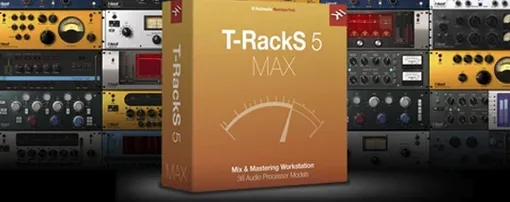
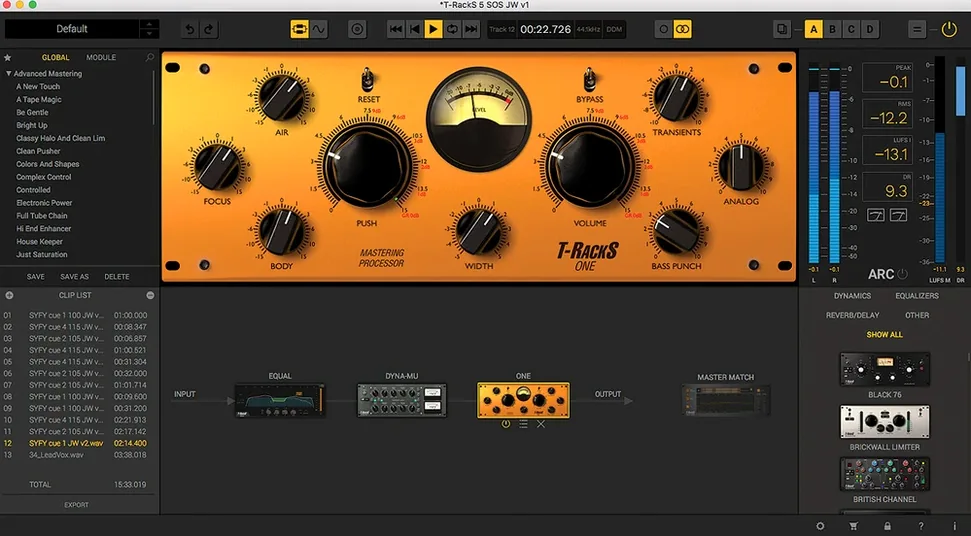
T-RackS 6 doesn't live in just one spot. Its nine processors—including the new Master Match X, EQual, and ONE—work as individual plug-ins on tracks and buses, or together inside the standalone Mastering Console. The console handles sequencing, metadata embedding, and album assembly, but the modules feel equally at home on a snare bottom track as they do across the stereo bus. You get the same high-resolution metering and analog-modeled tone whether you're shaving off 2 dB of low-mid mud or setting the final ceiling for a record. If you bounce between single-knob fixes and hands-on tweaking, the module set covers both ends of that spectrum without forcing you into a single workflow.
Mistakes That Sneak Up on Beginners
Grabbing a preset called "Punchy Master" and slapping it across a mix with no further adjustment is the number one trap. The preset might have been built around a rock track with a tight kick, while your song has a boomy 808 and a vocal that sits three decibels lower. You end up fighting a curve that was never designed for your material. Instead, start with the ONE processor on its default setting and move one control at a time. Listen for what the knob actually does before stacking anything else.
Another common stumble is loading modules into the chain in the wrong order. An EQ after a compressor changes the tonal balance the compressor already reacted to. If you cut 3 dB at 400 Hz before the Dyna-Mu hits it, the compressor never sees that energy and grabs differently. There is no universal rule, but a good habit is to ask yourself: do I want the dynamics to respond to the full signal, or do I want to clean up what the compression leaves behind? Move the modules around. The difference is not subtle.
Parallel processing in the modular chain catches people off guard too. The slots let you route signal in parallel, which is powerful, but if you blend a heavily limited signal with an uncompressed duplicate you can create phase issues that collapse in mono. Solo each parallel branch and check the correlation meter built into the console before committing. Beginners also tend to ignore dithering altogether or leave it on the default for every export. The four dithering options are there for a reason—pick one that suits the destination bit depth and stop guessing.
An Evening with the Mastering Console
You have bounced a six-song EP from your DAW. The files sit in a folder, each peaking around -6 dBFS, unmastered. You open the T-RackS standalone console and drag all six tracks into the album assembly panel.
First, you listen to the quietest song all the way through without touching anything. The acoustic guitar intro feels thin, the bridge gets congested around 300 Hz, and the overall level is noticeably lower than the reference track you loaded into the Master Match X slot earlier. You instantiate EQual after Master Match in the chain and dial a gentle high-shelf boost starting at 8 kHz for air, then pull 2 dB at 350 Hz with a medium Q to clear the congestion. A second instance of EQual sits before the compressor chain to notch out a 60 Hz hum you only noticed now.
Dyna-Mu follows, set to a slow attack and a 2:1 ratio, barely moving the needle. You switch the metering to show gain reduction and watch it catch only the loudest snare hits by about 1.5 dB. You add ONE at the end of the chain with the ceiling set to -0.3 dBFS and the input pushed until the loudest section of the song hovers around -10 LUFS integrated. You toggle between the processed version and the bypassed signal using the console's global bypass. The difference is not louder—it is fuller, more controlled, closer to the reference.
After dialing in the chain for the first song, you copy it to the remaining tracks and adjust thresholds per song. The album assembly panel lets you set gaps, crossfades, and track metadata. You type in the artist name, album title, and ISRC codes, then export the whole sequence as 24-bit WAV files with MBIT+ dithering. One folder, six finished masters, no DAW needed.
Your DAW’s Dedicated Final-Polish Layer
T-RackS does not try to be a DAW. It sits alongside Logic Pro, Ableton Live, or Reaper as a dedicated processing layer—individual plug-ins during tracking and mixing, the standalone console for the final polish. You can keep your usual channel strip plug-ins and just reach for the EQual when you want a specific analog curve, or you can build entire bus chains from T-RackS modules and treat your DAW as the routing hub.
It also pairs naturally with macOS features. The console reads and writes files directly to the Finder, so you can bounce a mix, drop it into a folder watched by an Automator script for backup, and open the same file in T-RackS without importing anything into a session. Core Audio handles the routing when you use the plug-in versions inside a DAW; the standalone app addresses your interface directly through the system output. If you use Quick Look in Finder, the metadata you embed during album assembly shows up when you highlight a mastered file and press the space bar.
Integration with third-party measurement tools works cleanly. You can insert a loudness meter plug-in downstream of the T-RackS modules in your DAW, or load the console and a separate metering app side by side on a Mac with multiple monitors. Dragging a mastered file from T-RackS into an audio editor like DSP-Quattro or TwistedWave for final trimming keeps the roundtrip simple—the console outputs standard broadcast WAVs that any editor reads without conversion.
A Vocal Bus Workflow, Start to Finish
You have three lead vocal takes comped and panned center, two harmony tracks panned wide. The raw tracks are dynamic, with the singer moving closer to the mic on quieter sections. You want the vocals to sit steadily above a dense arrangement without sounding squashed.
In your DAW, you route all five vocal tracks to a bus and insert the T-RackS EQual as the first plug-in. You engage the high-pass filter at 80 Hz—nothing musical lives below that in this performance—and dip 3 dB at 2.5 kHz with a narrow Q to tame a sharp resonance that only appears when the singer pushes. A broad boost of 1.5 dB at 10 kHz opens the air band without adding sibilance.
Dyna-Mu follows on the same bus. You set the attack around 30 ms so the transients of the consonants pass through before the gain reduction kicks in, and release around 100 ms to let the compression breathe with the tempo. The ratio sits at 3:1, threshold pulled down until the loudest phrases trigger 4 dB of reduction. The output gain compensates so the perceived level matches the unprocessed signal when you toggle bypass.
Finally, you insert ONE as a brick-wall safety limiter with the ceiling at -1 dBFS, catching only the stray peaks that Dyna-Mu let through. The chain processes the entire vocal blend as a unit, and the gain staging between modules keeps the noise floor inaudible. When the mix goes to the mastering console later, the vocals already feel like a finished record before any two-bus processing touches them.
- macOS 10.15 Catalina or later
- 64-bit Intel or Apple Silicon processor
- 64-bit operating system
Questions I actually get
Can T-RackS processors be used on individual tracks or only for mastering?
Yes, every processor can be loaded as an individual plug-in on tracks and buses inside a DAW, or used together in the standalone Mastering Console.
Porch talk 0
Come in or pull up a chair to leave a comment.
Nobody has pulled up a chair yet. If you used it on a real Saturday, say what the hour was.
More for the same hour
Everything in VST Plugins Synapse Audio The Legend HZ v2.0.2.R1
2.1 VST Plugins
472 MB
Synapse Audio The Legend HZ v2.0.2.R1
2.1 VST Plugins
472 MB
 Supertone Air
1.0.1 VST Plugins
408 MB
Supertone Air
1.0.1 VST Plugins
408 MB
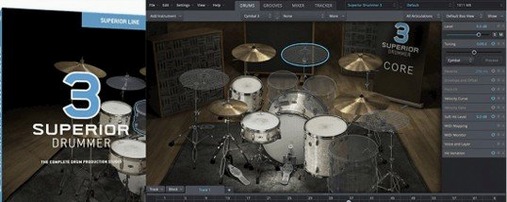 Superior Drummer
3.4.4 VST Plugins
625 MB
Superior Drummer
3.4.4 VST Plugins
625 MB
 Strymon Plugin Bundle
2026.02 VST Plugins
427 MB
Strymon Plugin Bundle
2026.02 VST Plugins
427 MB
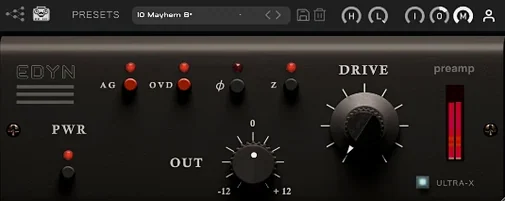 Tone Empire EDYN
1.0.2 VST Plugins
198 MB
Tone Empire EDYN
1.0.2 VST Plugins
198 MB
 Steinberg SpectraLayers Pro
13.0.20-All-in-One VST Plugins
3.9 GB
Steinberg SpectraLayers Pro
13.0.20-All-in-One VST Plugins
3.9 GB
 Toontrack EZkeys
2.1.5 VST Plugins
707 MB
Toontrack EZkeys
2.1.5 VST Plugins
707 MB
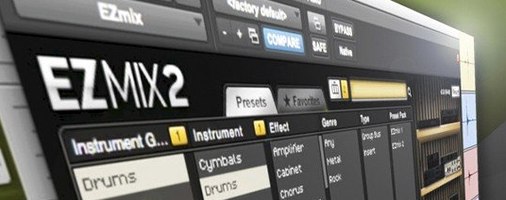 Toontrack EZmix Bundle
3.2.2 VST Plugins
977 MB
Toontrack EZmix Bundle
3.2.2 VST Plugins
977 MB