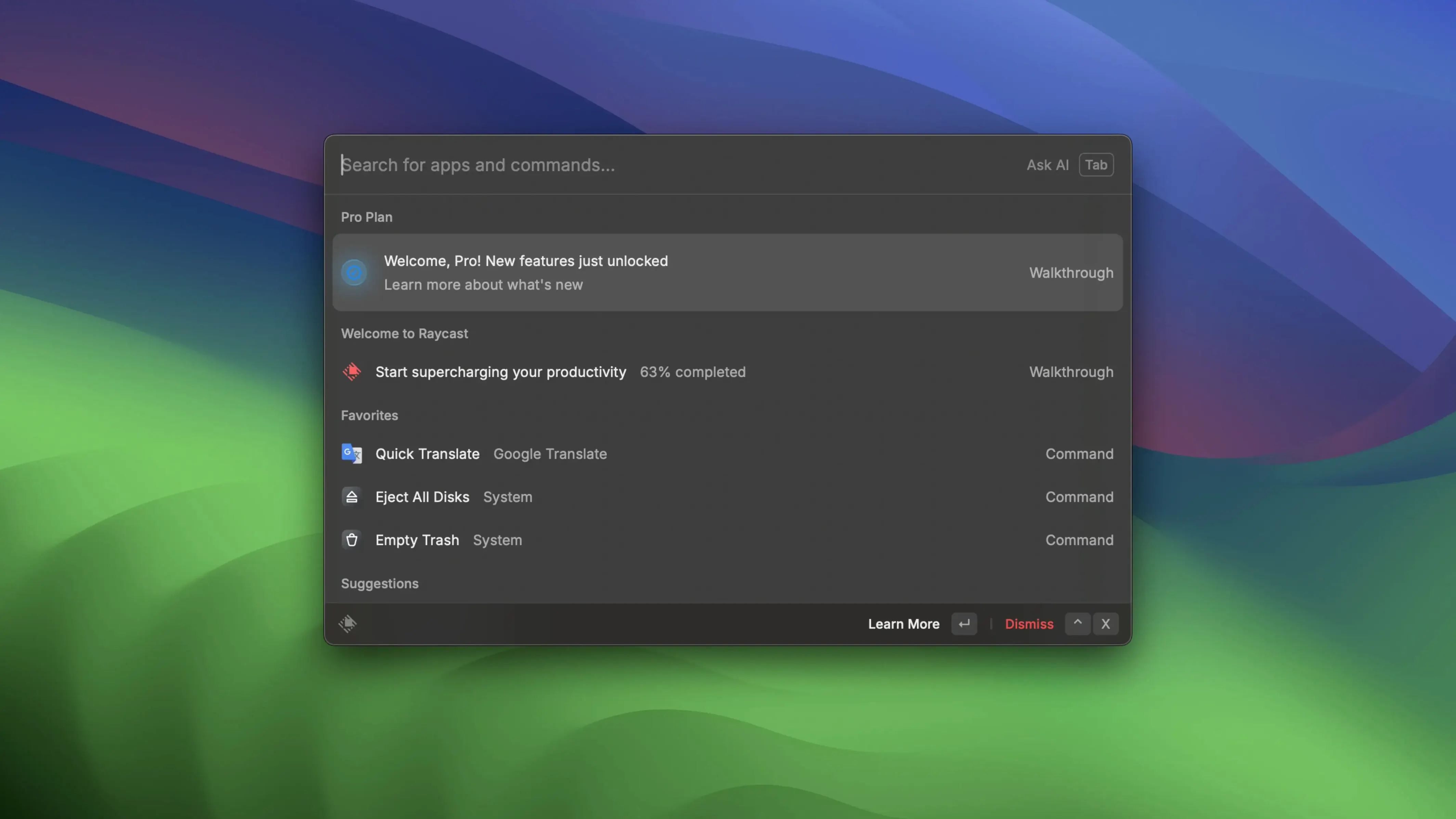
Designers use it to pull up Figma files without touching the mouse. Developers fire off Git commands from a single bar. Writers search local folders, drop a floating note, and get back to the page before the thought fades. Raycast is what happens when the macOS command palette grows up and learns to talk to the other apps you live in.
Launch Apps and Link Your Calendar with a Few Keystrokes
- Keyboard-first workflows — launch apps, search files, and run built‑in Mac commands from one place
- Connecting your tools — schedule Zoom meetings, start a call, or peek at your upcoming day after a quick setup
- Custom quick links — open any web page by typing a few letters
- Google Drive and Docs commands — run actions without opening a browser tab
- Floating notes — jot something down and keep it hovering above other windows
Calendar and Meetings Require a Live Connection
- Online functions need a connection — features like calendar and meeting scheduling won't work offline
- English interface only — the app and its built‑in commands speak one language
- It's a launcher at heart — it won't replace dedicated project management or deep‑editing tools
Drag, Drop, and You’re Typing in Seconds
One moment you are reading about Raycast and the next you are typing raycast dmg into a search bar, wondering if the setup is going to fight you. It doesn’t. Mount the disk image, drag the app into Applications, and you are seconds away from pressing Option+Space. The installer does not nag you for an account and there is no activation key to copy and paste.
The next question is usually about safety and where the files end up. Raycast lives in your Applications folder like any other Mac app. Its command database and preferences sit in the usual Library locations. Uninstalling means dragging it to the trash; no hidden daemons stay behind.
People also ask whether it phones home constantly. The online features—Zoom scheduling, calendar peeks, Google Drive commands—need the internet to do their job. The core launcher, file search, quick links, and floating notes all work fine offline. If you never connect an online account, Raycast never asks for one.
The most common worry is memory. A launcher that sits in the background can feel like a luxury you do not want to pay in RAM. The current build is lean. The host process keeps a small footprint after startup, and each extension uses less memory than earlier versions. A slow leak that grew over long sessions was patched, so leaving it open all day is no longer a gamble.
A Command Palette That Acts on Files, Not Just Finds Them
Spotlight is the obvious neighbor. It searches files, launches apps, and does quick math. Raycast wraps that same core in a command palette that understands verbs. Instead of just finding a file, you can act on it—copy the path, open it in a specific editor, or hand it to a script. Spotlight does one thing well; Raycast strings several things together.
Alfred is the comparison that comes up in every coffee-shop conversation. Both use a hotkey, both run workflows, both search files. The difference shows up in how they talk to other software. Raycast ships with deeper built‑in ties to Zoom, Google Drive, and a handful of services that Alfred reaches through community workflows. Alfred’s clipboard history is richer out of the box, but Raycast’s floating notes and quick links feel more immediate for quick capture. If you already own a pile of Alfred workflows, the switch is a considered move. If you are starting fresh, Raycast feels more conversational with the tools you already use.
LaunchBar is the third name that echoes around forums. It indexes files with a different engine and has a loyal following among people who navigate deep folder trees by muscle memory. Raycast leans the other direction—it wants you to type an action, not a path. Both reward keyboard fluency, but Raycast’s extension ecosystem spreads wider into third‑party apps, while LaunchBar stays closer to the file system.
Developers Who Automate Morning Setup with Script Commands
Developers who live in a terminal but resent typing the same setup commands every morning. They wire up script commands that run npm tasks, toggle dark mode, or jump straight to a Jira ticket from a shortcut. The memory improvements mean it does not elbow aside Docker containers or local servers.
Designers and writers who bounce between apps. A floating note stays above Figma or Ulysses while you sketch or draft. Quick links shrink a research step down to three keystrokes. The Zoom integration cuts out the ritual of opening the app, waiting for it to load, and hunting for the meeting link.
People who have tried raycast crack or raycast torrent searches and realized they just want the thing working without a circus. The build here is straightforward: mount the DMG, copy the app, launch it. No patching, no terminal hacks, no crossing fingers at login.
If you already think of your Mac as a collection of verbs—search, open, schedule, note—rather than a folder of icons, Raycast fits the way your hands already want to move. It rewards the moment you stop reaching for the mouse and start typing what you mean.
The latest 2.5.1.0 update rolls in a handful of stability tweaks and subtle speed-ups fresh from the developer.
- macOS 12 or later
- Works on both Apple Silicon and Intel 64-bit Macs
Questions I actually get
What's the default shortcut to open Raycast?
It opens with Option+Space, and you can change that to whatever feels natural.
Can Raycast help with Zoom meetings?
Once Zoom is connected, you can schedule meetings, start them, and view upcoming ones right from the command bar.
Porch talk 0
Come in or pull up a chair to leave a comment.
Nobody has pulled up a chair yet. If you used it on a real Saturday, say what the hour was.