



Create-a-Sim pulls you in first — sculpting a frown, picking a walk style, giving someone the goofball trait — before you ever touch a house or a job. The game thrives on that kind of quiet detail, handing you dozens of overlapping systems (relationships, careers, life goals, town travel) and then stepping back. You’re not chasing a final score here. You’re nudging a household through daily life, watching grudges form over a bad grilled cheese or a promotion slip by because someone refused to practice charisma.
- You enjoy directing personalities more than conquering objectives — the reward is the story that unfolds, not a victory screen.
- Building and decorating homes feels like a creative hobby; you can spend an entire session on floor plans and wallpaper.
- You prefer consequences that come from social friction, neglected needs, or career choices rather than twitch reflexes.
- You’re comfortable with occasional aimlessness — some of the best moments happen when no goal is pinned.
- You like managing many plates at once: a household of Sims, each with different wants, schedules, and simmering conflicts.
- You may drift away if you need a tight narrative, clear win conditions, or crisp performance on older Macs when the lot fills up.
It’s a sandbox for anyone who loves tinkering with character dynamics more than racing through a campaign. If that sounds like your evening, you’ll feel right at home. If not, the open structure might leave you restless.
Scratches a Different Itch Than Stardew and Skylines
When someone asks what else scratches the same itch, three names usually come up: The Sims 2 Super Collection, Stardew Valley, and Cities: Skylines. They orbit the same constellation but pull in different directions.
The Sims 2 Super Collection runs natively on modern Macs thanks to Aspyr’s 64-bit overhaul, and it carries a certain weight that Sims 4 deliberately shed. Where Sims 4 pushes emotions, multitasking, and a more fluid build mode, The Sims 2 feels denser in its consequences — aspirations are harder to satisfy, relationships decay faster, and the want/fear system creates tension without needing a moodlet to explain it. The tradeoff is stiffness. Sims 2 Sims can’t hold a conversation while cooking, and building tools lack the drag-and-push ease of Sims 4. If you crave friction and long-term payoff, Super Collection delivers; if you want expressive Sims who gesture mid-sentence and pivot between tasks without a loading screen inside a lot, Sims 4 is the smoother ride. Both live on your Mac without fuss, though the sims 2 super collection mac download free crowd tends to be chasing nostalgia as much as gameplay.
Stardew Valley shares almost no surface DNA — pixel art, a single farmer, no life-stage progression — but it satisfies the same daily-rhythm pleasure. You wake up, check the weather, tend crops, chip away at a cave floor, give a loved item to a villager, sleep. Sims 4 stretches that loop across a household, replacing farm chores with career promotions and social scheming. Stardew’s tighter economy and clear seasonal calendar appeal if you want structure; Sims 4 works better when you want to set your own priorities across eight Sims and let simmering drama carry the afternoon.
Cities: Skylines sits further out, swapping individual lives for infrastructure. But the build-mode satisfaction is cousin to Sims 4 — laying out roads, zoning districts, and watching tiny citizens use what you designed. If you spend more time decorating houses than directing the Sims inside them, Skylines may pull you toward city-scale tinkering. Sims 4 stays personal, with every wallpaper choice tied to a specific Sim’s taste rather than traffic flow.
Apple Silicon Handles a Medium Household Fine
Will it run smoothly on my Mac? On an Apple Silicon machine, the game holds its own even with a few expansions loaded. The tested build on an M1 MacBook Air handled Create-a-Sim, build mode, and a medium household without stuttering. Intel Macs with integrated graphics from the 2016–2019 era feel the weight sooner — especially on densely furnished lots or during town festivals. Keeping the Documents > The Sims 4 folder lean by archiving old saves helps. The splash-screen freeze mentioned in the install notes usually means the folder needs a clean, nothing more sinister.
Do I need all the packs to enjoy it? The base game gives you the full simulation engine: aging, careers, relationships, build mode, and two towns. Packs add flavor — seasons, pets, specific career paths, a city-living vibe — but they don’t fix a missing core. Someone new to the series can play for weeks before feeling a gap. Add packs when a particular theme (university, fame, snowy escapes) pulls you in, not because you feel behind.
Is the language easy to switch? The game supports over a dozen languages, and the process is straightforward: open EA App without the unlocker, change the language in game properties, and let the update patch the files. You can flip between English and, say, Portuguese in a few minutes.
How does it handle mods and custom content? Sims 4 has one of the most active modding communities around, and the Mac version reads the same .package and .ts4script files. Drop them into the Mods folder inside Documents, enable script mods in game options, and restart. The only wrinkle: after a big update like 1.127.41.1030, some mods lag a few days behind. The Tray folder holds your saved Sims and lots — backing that up before a patch is a habit worth forming.
A Build-and-Move-in Workflow, Step by Step
Picture this: you want a young couple, one an aspiring chef and the other a freelance programmer, sharing a small Willow Creek home that feels lived-in before they’ve even unpacked.
Start in Create-a-Sim. Roll the chef’s traits toward foodie and perfectionist; give the programmer the geek and bookworm pairing. Pick a walk style for each — confident stride for the chef, a goofy shuffle for the coder — and assign casual outfits that feel like clothes they’d actually own, not a catalog spread. Save the household.
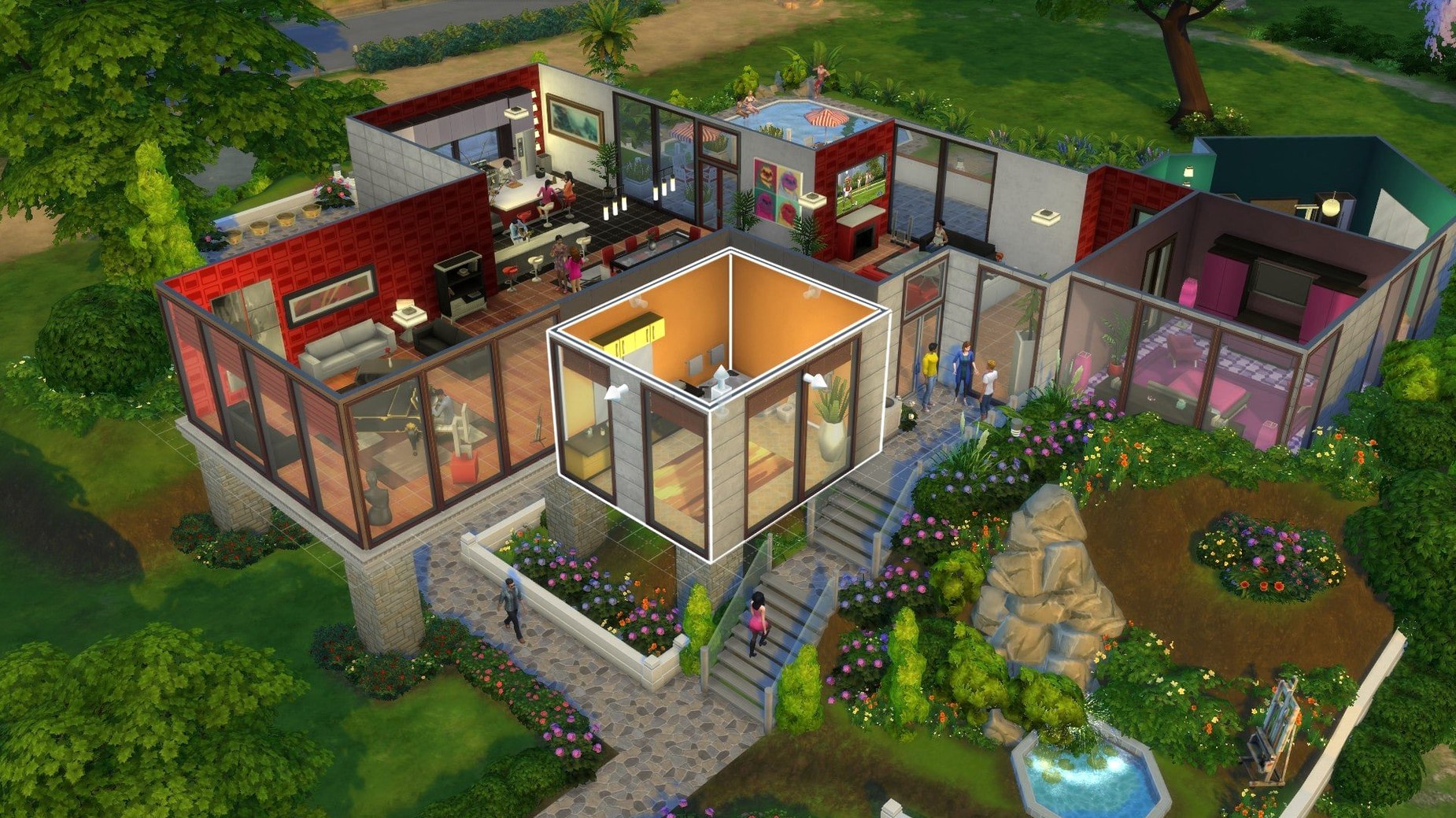
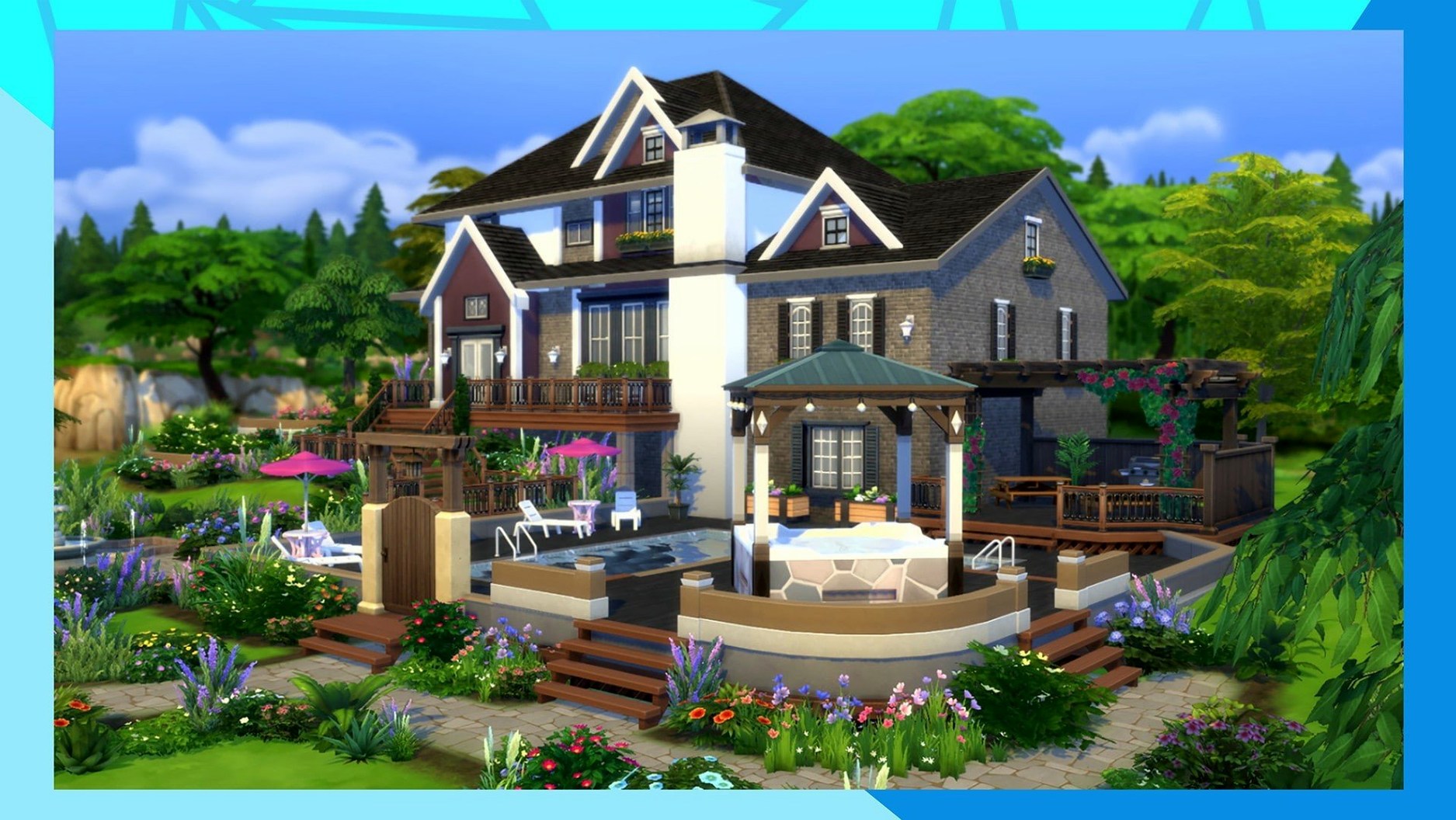
Move to build mode on an empty residential lot. Drag out a modest rectangle, pop in a half-wall to separate the kitchen from the living area, and place mismatched secondhand-looking furniture (the base game’s worn wood tones do the heavy lifting). Add clutter sparingly: a stack of books near the programmer’s desk, a spice rack above the stove. Use the eyedropper tool to keep wood finishes consistent across the counter and dining table. Before you exit build mode, switch to live view and walk the Sim through the sightlines — that’s where you catch a lamp blocking the fridge or a rug clipping through the sofa.
Save the lot, move the couple in, and set their first-day priorities. Pause immediately. Queue up the chef reading a cooking skill book, the programmer introducing themselves to a neighbor across the street, and both grabbing leftovers when hunger dips. Unpause at normal speed and let the first morning unroll. By lunchtime you’ll have a skillet-level-one chef, a new acquaintance in the relationship panel, and a house that already carries the fingerprints of its occupants.
A Small-Town Storyteller’s Afternoon
Consider someone who doesn’t care about career ladders or skill charts — they use Sims 4 like a diorama. They spend Thursday evening crafting a corner of Brindleton Bay where a retired lighthouse keeper lives alone with a border collie. The keeper has the loner and cat-lover traits (close enough), a grey beard, and a wardrobe stuck in the 1980s. The house is a converted boathouse with a single stove, nautical bric-a-brac on every surface, and a porch that faces the water.
No one’s chasing promotions here. The pleasure comes from small rituals: the collie waiting by the door at 7 a.m., the keeper brewing coffee and staring at the bay, the occasional townie jogging past who gets politely ignored. When winter arrives — if a seasons-type pack is present — the porch gathers snow, and the keeper develops a cabin-fever moodlet that the player resolves by lighting the fireplace and playing a guitar. The whole session might span two in-game days and feel fuller than a month of grinding a career track. That’s Sims 4 at its quietest, and for a certain kind of player it’s the only way to play.
Where Sims 4 Meets the Rest of Your Mac
The game lives comfortably alongside creative tools. Many builders keep a reference photo open in Preview or Photos while decorating — a real Craftsman interior, a Parisian café — and switch spaces with a three-finger swipe. The Tray folder in Documents is plain text underneath; you can zip a household file and share it with a friend over AirDrop or Messages, no exporter needed. Mods and custom content sit in a standard Finder folder, so organizing them with colored tags or a simple naming convention (script mods in one folder, CAS items in another) becomes second nature after a few additions.
Screen recording with QuickTime Player (or the Screenshot app’s video mode) captures build-process walkthroughs or chaotic dinner-party moments without extra software. If you keep a notes app like Stickies or a plain text file open on another desktop, jotting down story beats or build ideas while your Sims sleep keeps the thread intact between sessions. The game doesn’t lock you out of the rest of the Mac — it runs in a window or fullscreen, and on Apple Silicon the system stays responsive enough to flip between the game and a browser without a beach ball.
For players who’ve searched around for The Sims 4 Mac torrent or a Sims 4 macOS torrent before landing here, the build at hand slots right into that same Finder-and-folder workflow — drag it where you want it, launch from EA App, and treat the Documents folder as your ongoing save-library. No activation friction, just a clean start and the same mod-and-tray compatibility the community runs on everywhere else.
Version 1.127.41.1030 tidies things up around the Marketplace.
- Marketplace browsing feels smoother now.
- Marketplace images cache after the first download, so browsing gets snappier over time.
- A handful of bug fixes round out the update.
- Architecture: both ARM and 64-bit Intel Macs
- Tested on macOS Sonoma with a MacBook Air (M1, 2020)
Questions I actually get
Does The Sims 4 run on Apple Silicon Macs?
Yes, the build supports both ARM and 64-bit Intel Macs, and it was tested on an M1 MacBook Air running macOS Sonoma.
Can I travel between different towns in the game?
Yes, you can travel to various towns and meet other Sims, which keeps relationships and social opportunities expanding beyond your home neighborhood.
Porch talk 0
Come in or pull up a chair to leave a comment.
Nobody has pulled up a chair yet. If you used it on a real Saturday, say what the hour was.
More for the same hour
Everything in Games
 The Medium
1.1.22 Games
35 GB
The Medium
1.1.22 Games
35 GB

 The Long Dark
2.55 Games
9.5 GB
The Long Dark
2.55 Games
9.5 GB

 Timberborn
1.1.2.8.ffc2de0.gm Native Games
Updated 1.1 GB
Timberborn
1.1.2.8.ffc2de0.gm Native Games
Updated 1.1 GB
 The Forest
1.12 Games
4 GB
The Forest
1.12 Games
4 GB

 The Drifter
1.1.5 Games
669 MB
The Drifter
1.1.5 Games
669 MB

 The Colonists
1.9.30.1 Native Games
Updated 379 MB
The Colonists
1.9.30.1 Native Games
Updated 379 MB

 The Classrooms
Build 20618086 Games
5.3 GB
The Classrooms
Build 20618086 Games
5.3 GB

 Total War: PHARAOH DYNASTIES
2.0.2 Games
50 GB
Total War: PHARAOH DYNASTIES
2.0.2 Games
50 GB