

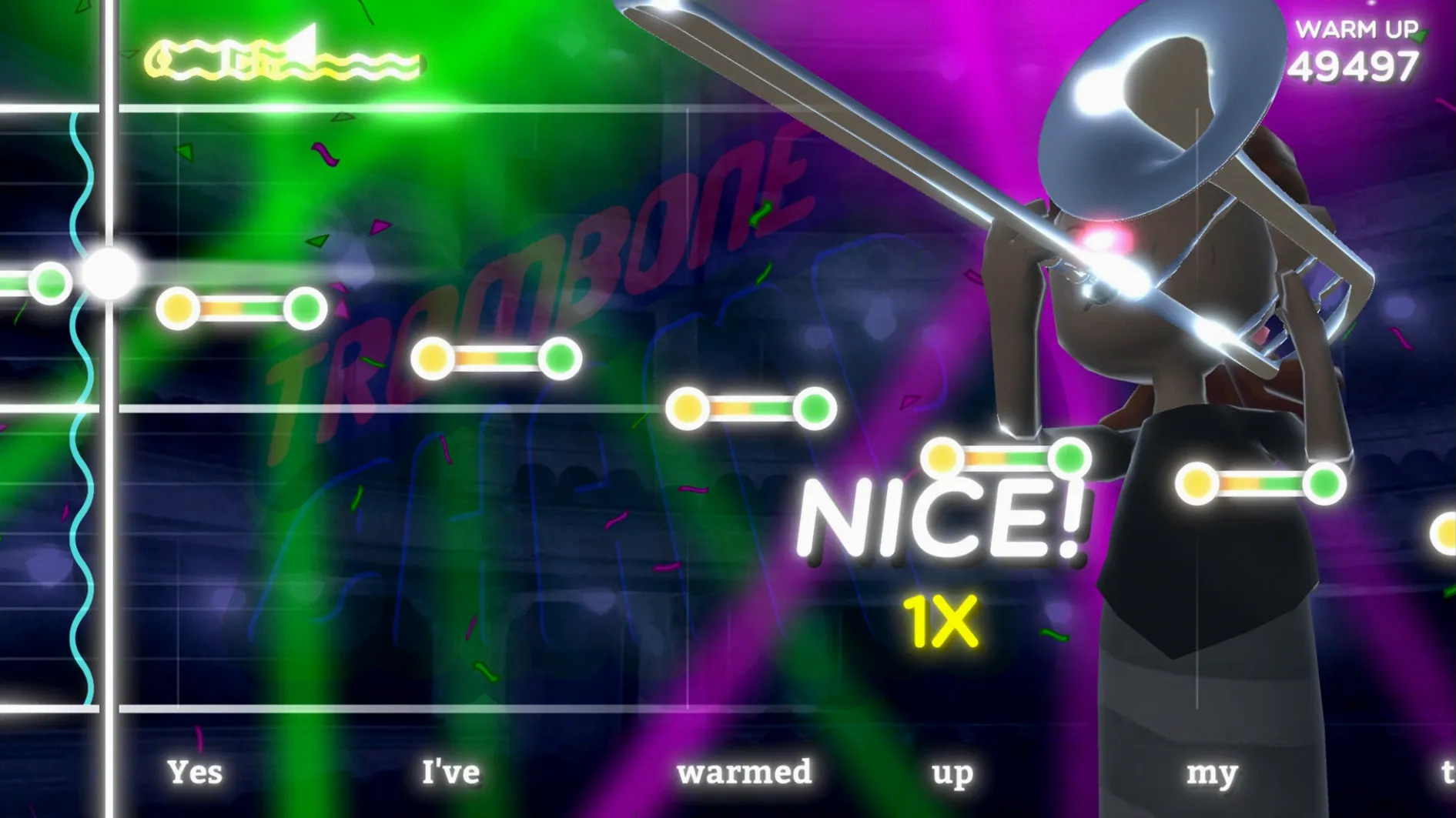
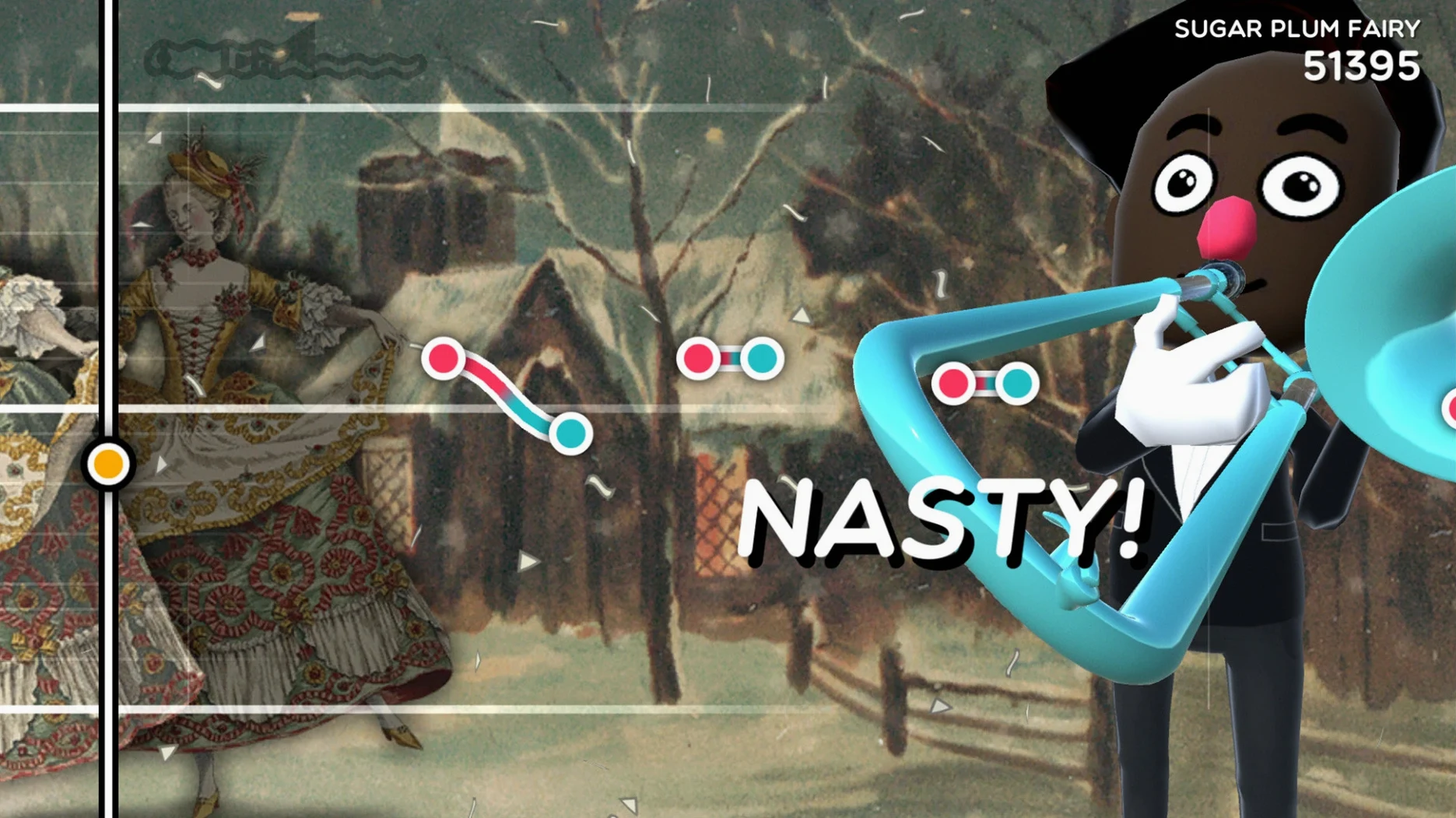
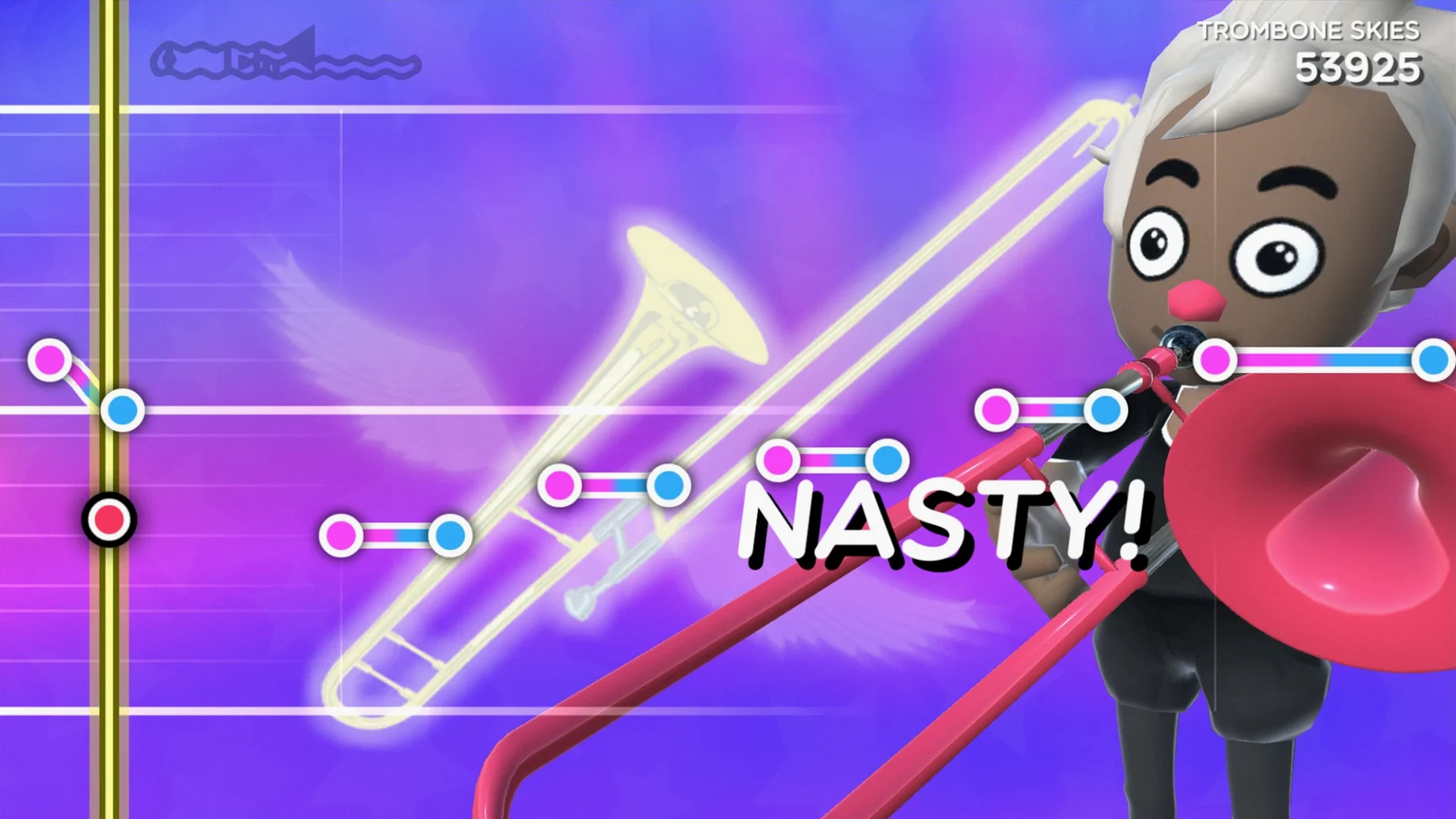

This one's for the folks who look at a rhythm game and think, "Sure, but can I make it sound completely unhinged?" Trombone Champ hands you the slide and never tells you to play it straight. You're not following a rigid note highway in the usual sense; you can play any note at any time, which means the gap between a triumphant classical fanfare and a flatulent honk is entirely up to you.
| Key Detail | Info |
|---|---|
| Release | 2022-09-16 |
| Track Count | Over 60 |
| Developer | Holy Wow Studios LLC |
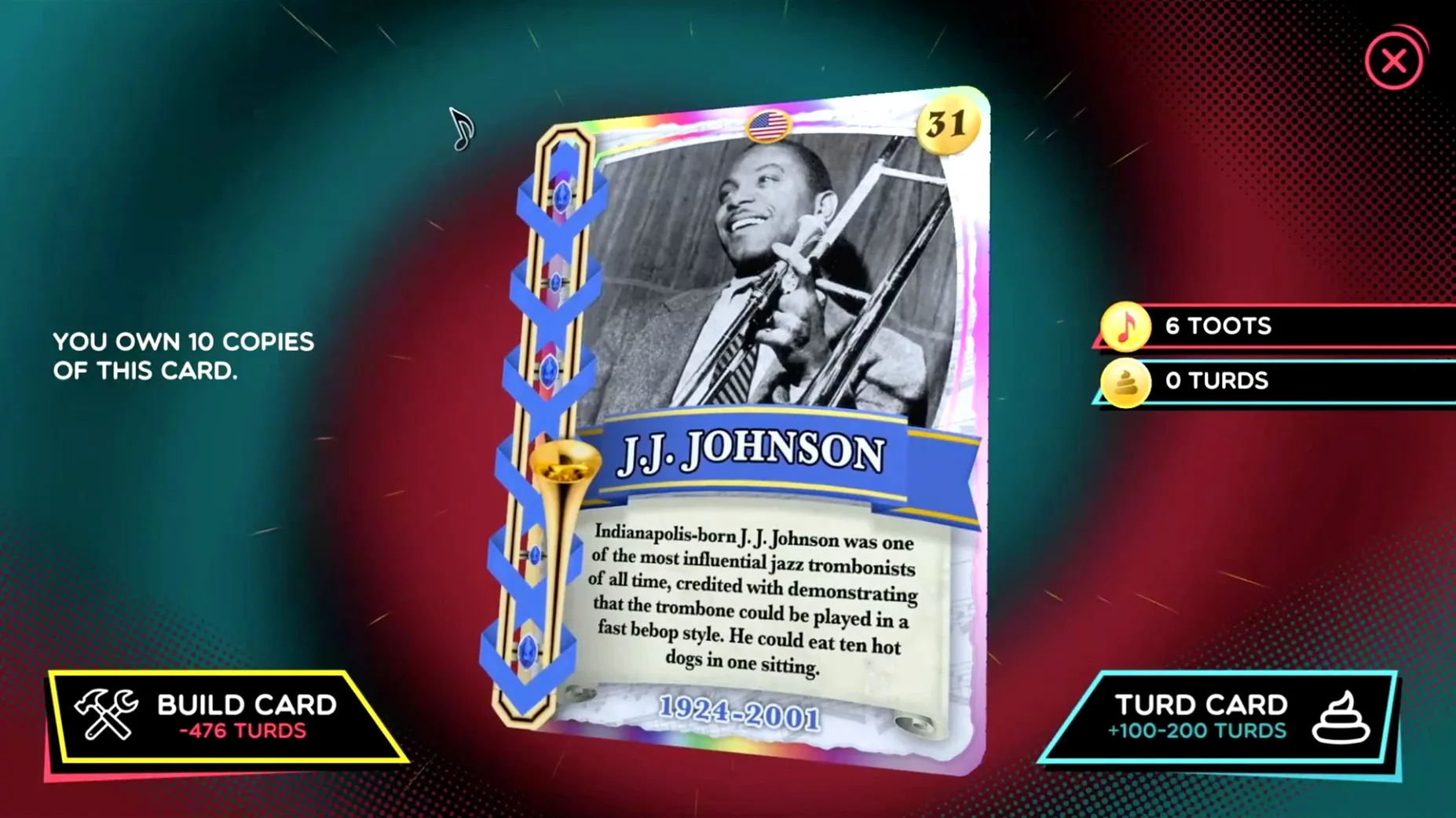
Minute to minute, you're staring down a scrolling parade of notes while your mouse movement controls the slide position and pitch. A tiny nudge can bend a note into a soulful vibrato; a wild swing produces the kind of noise that clears a room. The real joy is in the tension between nailing the melody of a folk classic and then deliberately botching a hymn just to see the confetti fly anyway. Each track plays out against its own unique animated background, and you'll collect one of the fifty Tromboner cards as you go. There's a Freeplay mode for zero-pressure practice, and the music library stretches from electronic beats and marches right through to classical pieces, so you can ruin a little bit of everything.
One of the first things you notice after a few rounds is how many tiny shortcuts are just sitting there, waiting to be discovered. The spacebar restarts a track instantly when you want another shot at a leaderboard score, and tapping the Tab key cycles through the Tromboner card collection without pulling you out of the game. Right-clicking lets you back out of menus quick—handy when you’re deep in Freeplay and want to jump to a different genre without hunting for a back arrow.
A few other small conveniences worth knowing:
- The mouse sensitivity for slide control is calibrated in the settings, and dialing it down a notch can turn a wild session into something surprisingly precise.
- Holding a key down sustains the trombone sound, so you can drag out a single note across multiple beats for comedic effect.
- You can mute the background music in the audio menu while keeping your own trombone wails front and center.
- Track progress saves automatically after each song, so closing the game mid-session won’t cost you newly unlocked cards.
Chaos-friendly rhythm playgrounds
People who treat rhythm games as playgrounds rather than precision exams get the most mileage out of Trombone Champ. If you’ve ever wished Guitar Hero let you miss notes on purpose and still rewarded you with a laugh, this is your territory. Mac users looking for a local-play music game that doesn’t demand a subscription or an online connection find a lot to love here, especially since the whole thing runs offline without any microtransactions hanging over your head.
It’s also a quiet hit among folks who don’t normally play rhythm games at all. The simple premise—move the mouse, press a key, make a sound—means someone who just wants to goof around with hymns and classical pieces can jump in without tutorials. And because the library covers electronic, folk, and marching music, it doesn’t get stuck in one mood. You can chase a clean performance of a Sousa march one minute, then deliberately butcher an EDM track the next.
A typical session, note by note
You launch the game from your Applications folder, and the title screen greets you with its brass-heavy fanfare. After a quick click, you’re staring at the track list. Let’s say you pick a classical piece you halfway recognize from some cartoon decades ago. The animated background fades in, and the notes start scrolling.
Your hand finds the mouse. A slight push forward, and the pitch climbs. You press a key to sound the note. Too sharp. You pull back a millimeter, and suddenly it locks into place. The next bar arrives faster than expected, and your slide hand overcorrects, producing a sound that can only be described as a goose in a wind tunnel. You laugh, the track keeps going, and the game doesn’t penalize you with a fail screen. It just lets the moment hang there.
By the end of the song, you’ve earned a new Tromboner card. You tap Tab to check the collection, where a goofy illustration stares back. Then it’s on to the next track—maybe a folk classic this time. Somewhere around the third song, you realize you’ve stopped worrying about the score and started treating the trombone like a silly instrument you actually want to get better at. For Mac rhythm-game fans who want a break from relentless perfectionism, a trombone champ for mac free download like this one scratches an itch nothing else quite reaches.
The tracklist keeps growing. Version 1.28E pushes the library past 60 tracks and tosses in the full set of 50 Tromboner cards to collect while you play.
- macOS (runs natively on both Intel and Apple Silicon Macs)
Questions I actually get
How do you actually control the trombone in the game?
You move your mouse to change the slide position and pitch, allowing you to hit, bend, or completely miss any note at any time.
Porch talk 0
Come in or pull up a chair to leave a comment.
Nobody has pulled up a chair yet. If you used it on a real Saturday, say what the hour was.
More for the same hour
Everything in Games
 Tropico 5
1.11 Games
4 GB
Tropico 5
1.11 Games
4 GB

 Tropico
t6 1290 Games
40 GB
Tropico
t6 1290 Games
40 GB

 Tower of Babel: Survivors Of Chaos
1.12.2 Games
173 MB
Tower of Babel: Survivors Of Chaos
1.12.2 Games
173 MB

 Total War: THREE KINGDOMS
1.7.1 Games
27 GB
Total War: THREE KINGDOMS
1.7.1 Games
27 GB

 Two Point Museum
12.0.244870 Native Games
Updated 4 GB
Two Point Museum
12.0.244870 Native Games
Updated 4 GB

 Total War: ROME REMASTERED
2.0.5 Games
35 GB
Total War: ROME REMASTERED
2.0.5 Games
35 GB

 Total War: ROME II - Emperor Edition
2.4.1 Games
20 GB
Total War: ROME II - Emperor Edition
2.4.1 Games
20 GB

 Total War: PHARAOH DYNASTIES
2.0.2 Games
50 GB
Total War: PHARAOH DYNASTIES
2.0.2 Games
50 GB