

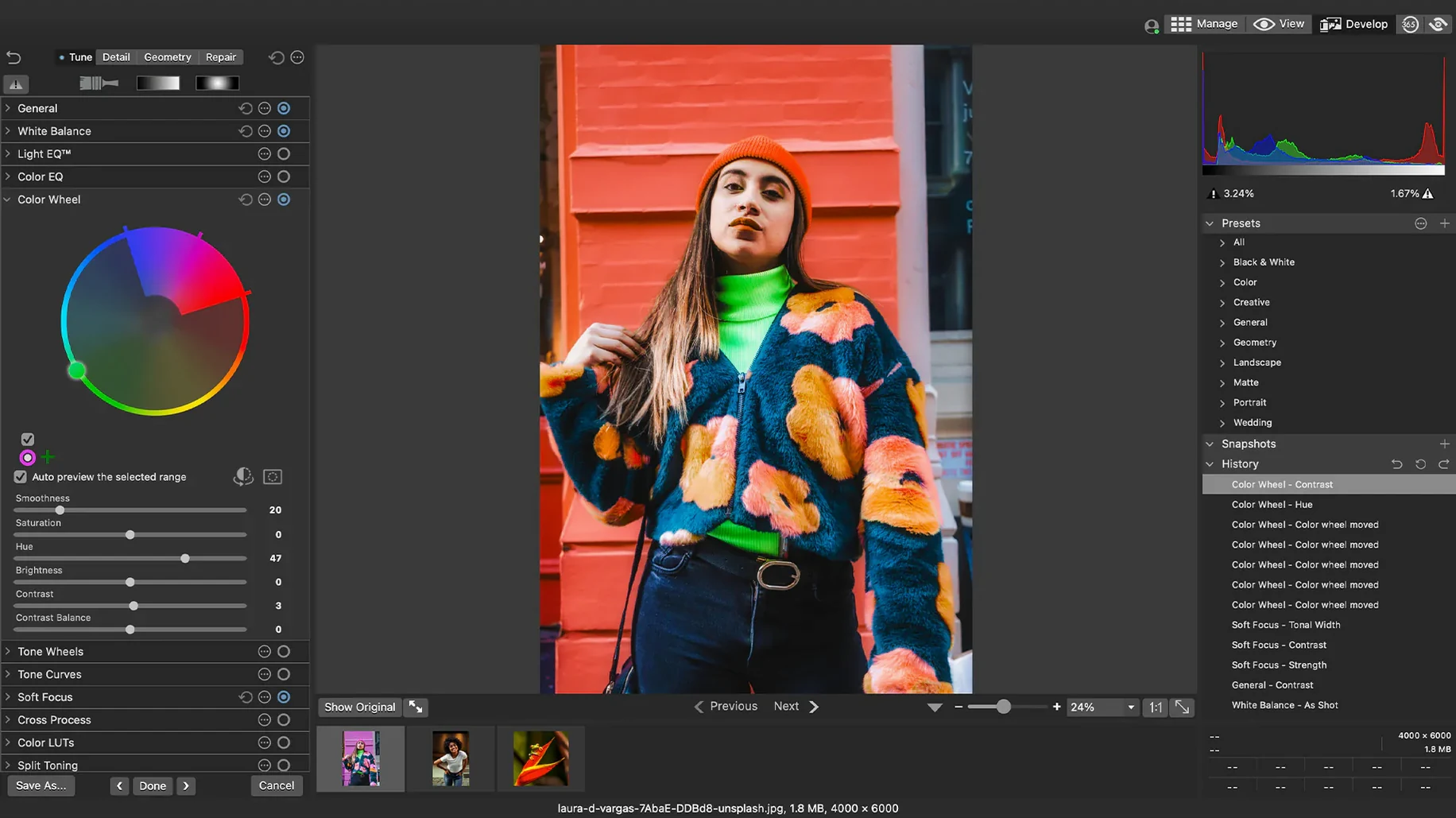
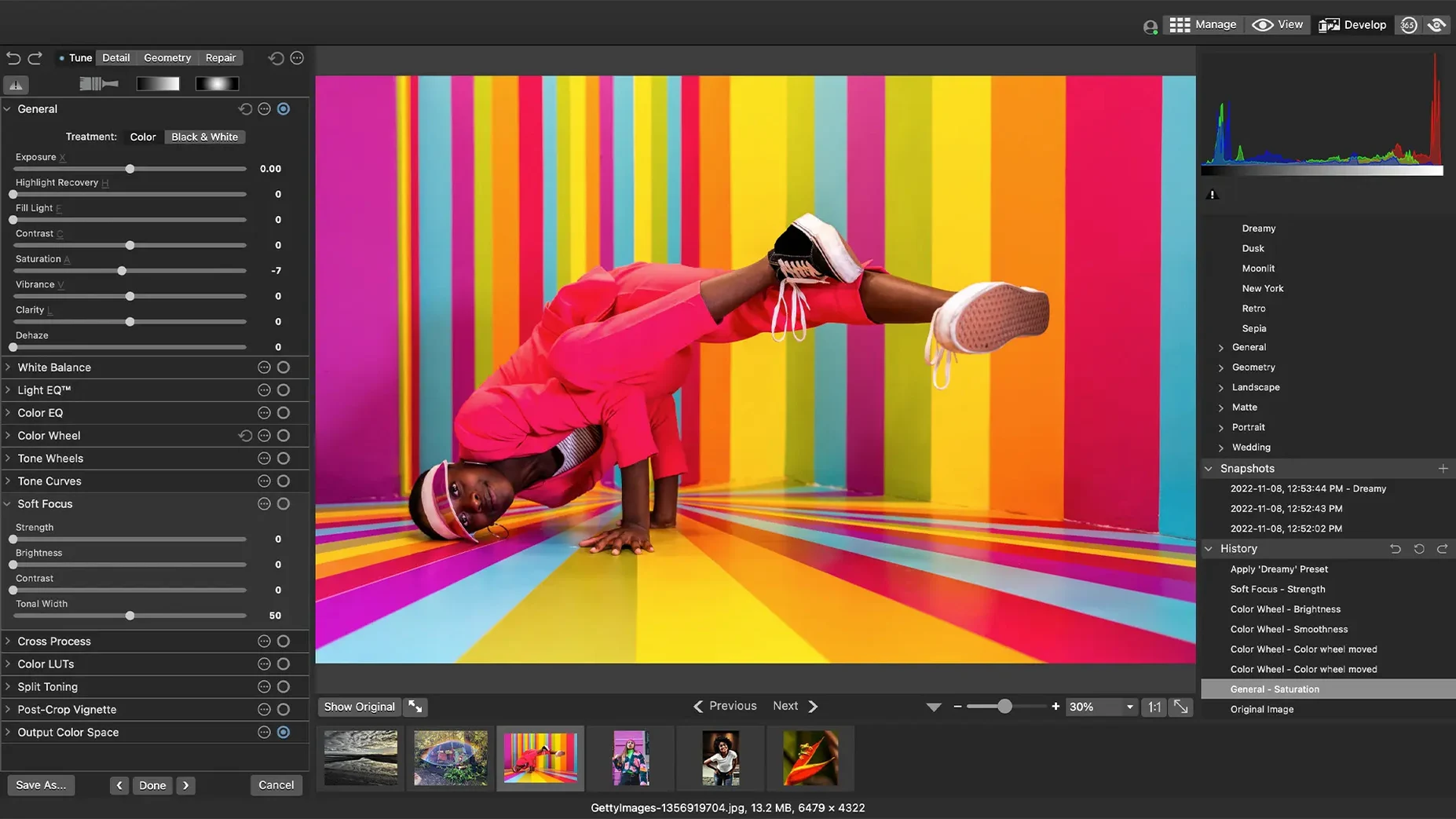
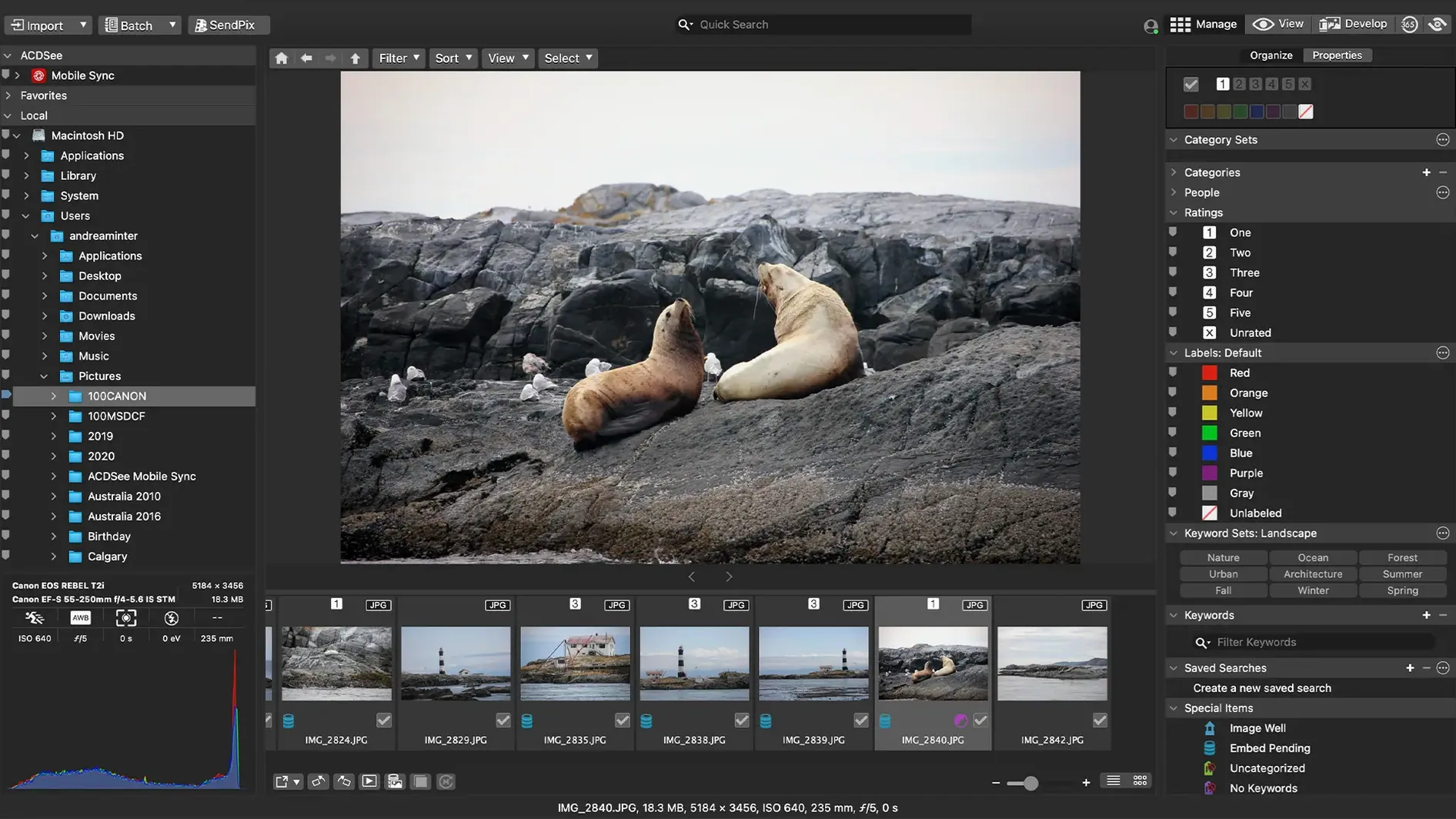
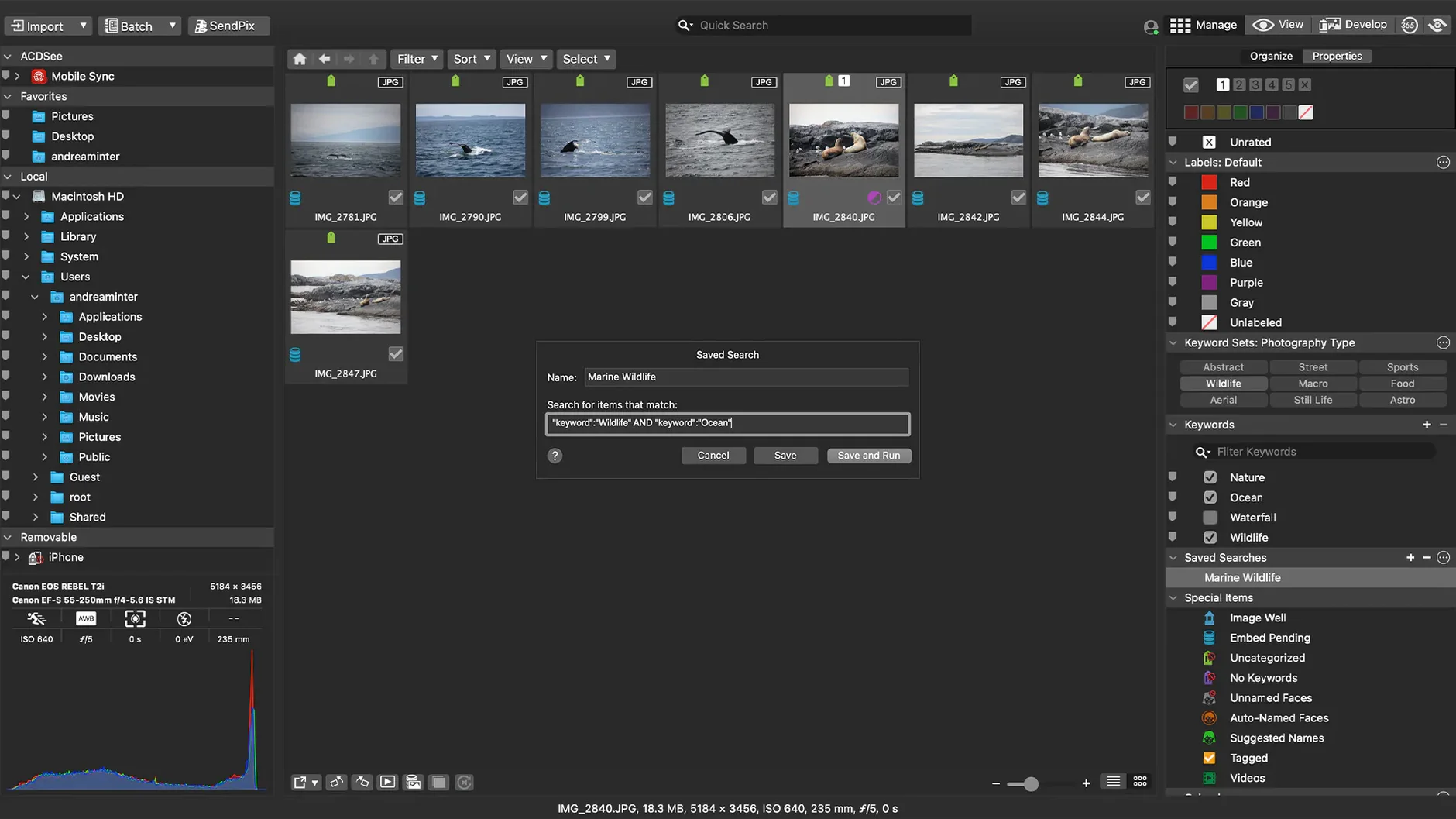
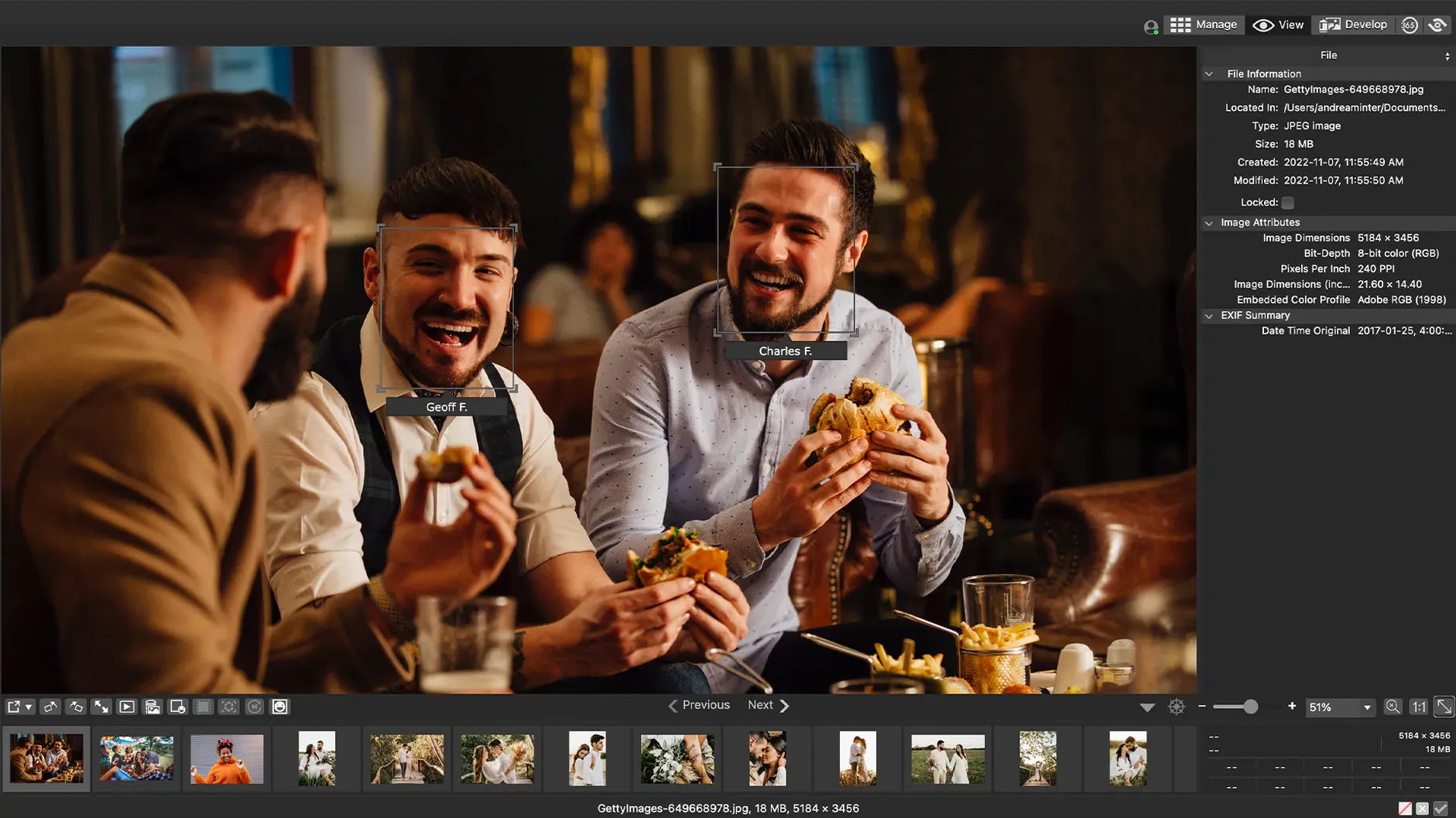
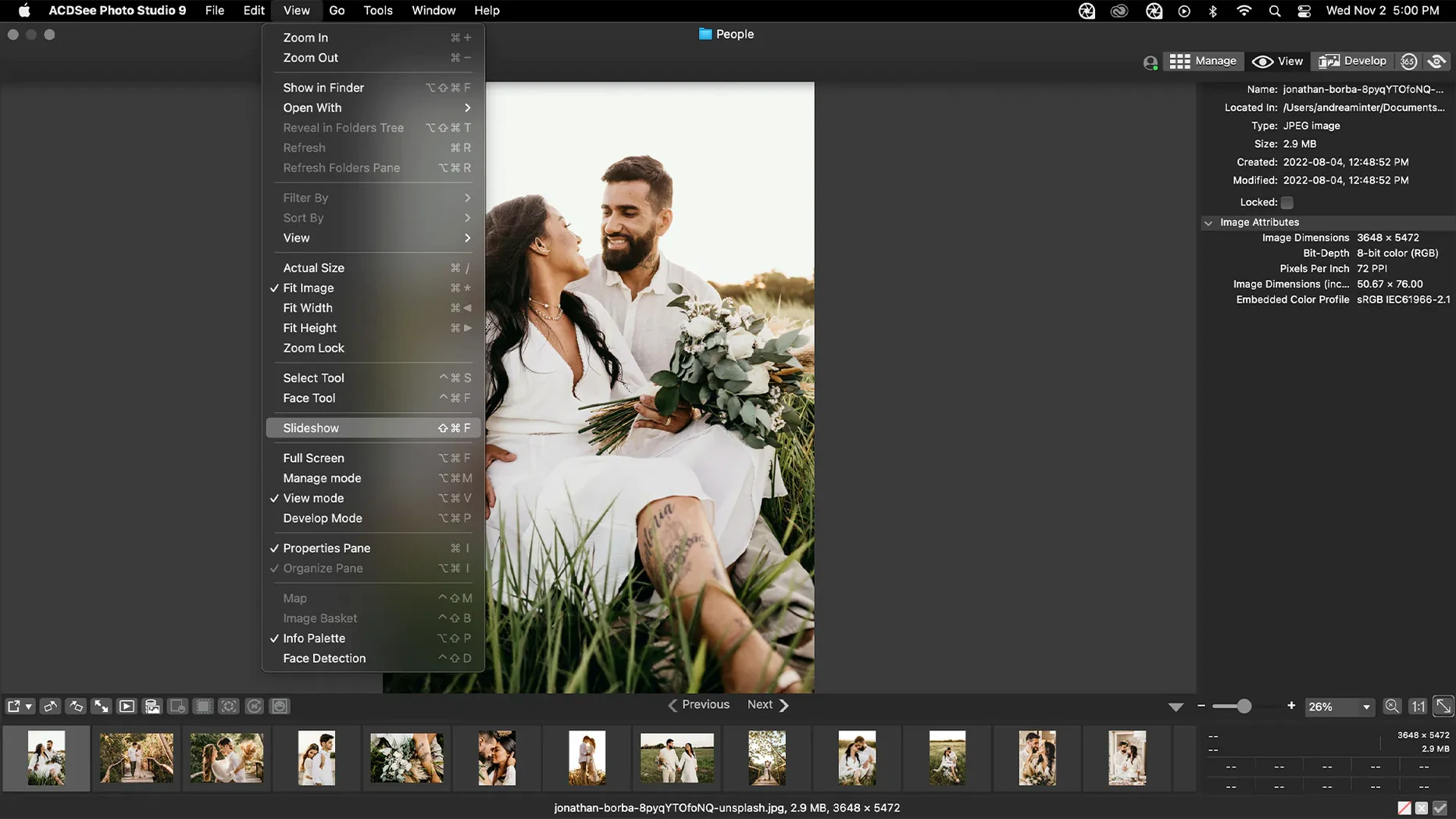
If you spent any time on a Windows PC in the early 2000s, you probably remember ACDSee as the speedy image viewer that just got out of your way. That same spirit is alive on the Mac, but the app has grown into a full photo management and editing workspace. It's for photographers who want one place to cull a shoot, apply metadata, and make non-destructive adjustments without jumping between five different tools.
- Rating, categories, and keywords — tag keepers as you browse so a weekend's worth of photos doesn't become a digital pile of laundry.
- Drag-and-drop search — pull a folder right onto the search bar and the app filters to just that batch.
- Duplicate file finder — hunts down copies that are quietly eating drive space.
- Customizable batch presets — apply your go-to adjustments, watermarks, or resizes to a whole set at once.
- EXIF and IPTC editing — view and tweak the metadata that matters for your archive and copyright.
- Non-destructive adjustments — tweak exposure and color knowing the original RAW or JPEG sits untouched underneath.
It runs natively on Apple Silicon and Intel Macs, so the interface stays snappy whether you're scrolling through a hundred RAWs or filtering by last month's five-star picks. If you're looking for a straightforward organizer that also handles basic edits, this one's worth a look.
A real-world culling workflow
You come back from a morning walk with 400 raw shots and no desire to import all of them into a heavy catalog. Here's a path that works well inside ACDSee Photo Studio.
Drag the memory card folder directly onto the app window. The thumbnails populate quickly, and you can start rating with single keystrokes — tap 1 through 5 as you move down the grid. I like to do a fast pass where anything compositionally dead gets a 1, then filter those out and never look at them again. The drag-and-drop search bar sits at the top; if you shot two different lenses, pull just the subfolder onto it and the view narrows instantly.
Next, select the keepers and open the batch preset panel. Apply a gentle clarity bump and a lens-specific crop ratio to the whole set in one go. While the adjustments write, open the metadata pane and add a location keyword and a copyright line to everything selected. By the time you walk away, the cull is done, the edits are non-destructive, and the IPTC tags are embedded — all without leaving a single window.
Switch the RAW engine to match your editing flow
Out of the box, a few defaults are worth a second look so the app matches how you actually work.
- RAW rendering engine. Head into preferences and check whether the app is using the embedded preview or doing a full decode. On Apple Silicon Macs, the full decode is fast and gives you more accurate color to judge sharpness, but embedded previews fly when you're just rating.
- Metadata write behavior. Decide early whether you want ratings and keywords saved to sidecar XMP files or written directly into the file. If you move folders between apps, sidecars are safer; if you live entirely in ACDSee, direct writes keep things tidy.
- Batch preset defaults. The app ships with a few presets, but building your own — say, a "web export" preset with long-edge resize, sRGB color space, and a subtle output sharpen — saves you from re-creating the same stack every time.
- Thumbnail cache location. If your photo library lives on an external drive, point the cache to your internal SSD. Browsing stays snappy without constant disk chatter.
Nested keyword crashes are finally gone
Version 26.0.3 landed as a maintenance release, and the changes are the kind you notice mostly when they stop annoying you. A crash tied to adding keywords in a specific nested-category scenario is gone — if you build deep, branching keyword trees, that one probably bit you. The fix for clicking away from a new keyword without the edit sticking makes tagging feel less fragile; you can be a bit less deliberate and the app keeps up.
RAW file ratings now read correctly in edge cases where the camera wrote non-standard metadata, which matters if you've already rated images in-camera and don't want to redo that work. And the iCloud integration patch resolves a sync hiccup where files stored in iCloud Drive could get stuck during a browse session. None of these are flashy, but together they make the daily rhythm — open, rate, tag, edit, close — a little more transparent. If you've been sitting on an older build, the stability bump alone is worth the update.
Version 26.0.3 smooths out a few rough edges that could interrupt a tagging session.
- Fixed a crash that sometimes occurred when adding a new keyword or category.
- Clicking away from a new keyword or category now properly stops editing, instead of leaving the field in a stuck state.
- RAW file ratings are read accurately now, so the star ratings you set in-camera show up as expected.
- Resolved an issue with iCloud integration that could cause hiccups when accessing synced folders.
- macOS 14 or later
- Apple Silicon or Intel Mac
Porch talk 0
Come in or pull up a chair to leave a comment.
Nobody has pulled up a chair yet. If you used it on a real Saturday, say what the hour was.
More for the same hour
Everything in Mac Apps
 AceMovi Video Editor
5.8.0.34 Mac Apps
200 MB
AceMovi Video Editor
5.8.0.34 Mac Apps
200 MB

 A Better Finder Attributes
7.53 Mac Apps
Updated 13 MB
A Better Finder Attributes
7.53 Mac Apps
Updated 13 MB

 Adguard
2.20.2.2629 Mac Apps
Updated 3 MB
Adguard
2.20.2.2629 Mac Apps
Updated 3 MB

 Adobe After Effects
26.5.0 Mac Apps
8.8 GB
Adobe After Effects
26.5.0 Mac Apps
8.8 GB

 4K YouTube to MP3
26.3.5 Mac Apps
218 MB
4K YouTube to MP3
26.3.5 Mac Apps
218 MB

 Adobe Animate
24.0.15 Mac Apps
6.5 GB
Adobe Animate
24.0.15 Mac Apps
6.5 GB

 4K Video Downloader
26.3.5 Mac Apps
247 MB
4K Video Downloader
26.3.5 Mac Apps
247 MB

 1Password
7.9.4 Mac Apps
70 MB
1Password
7.9.4 Mac Apps
70 MB