



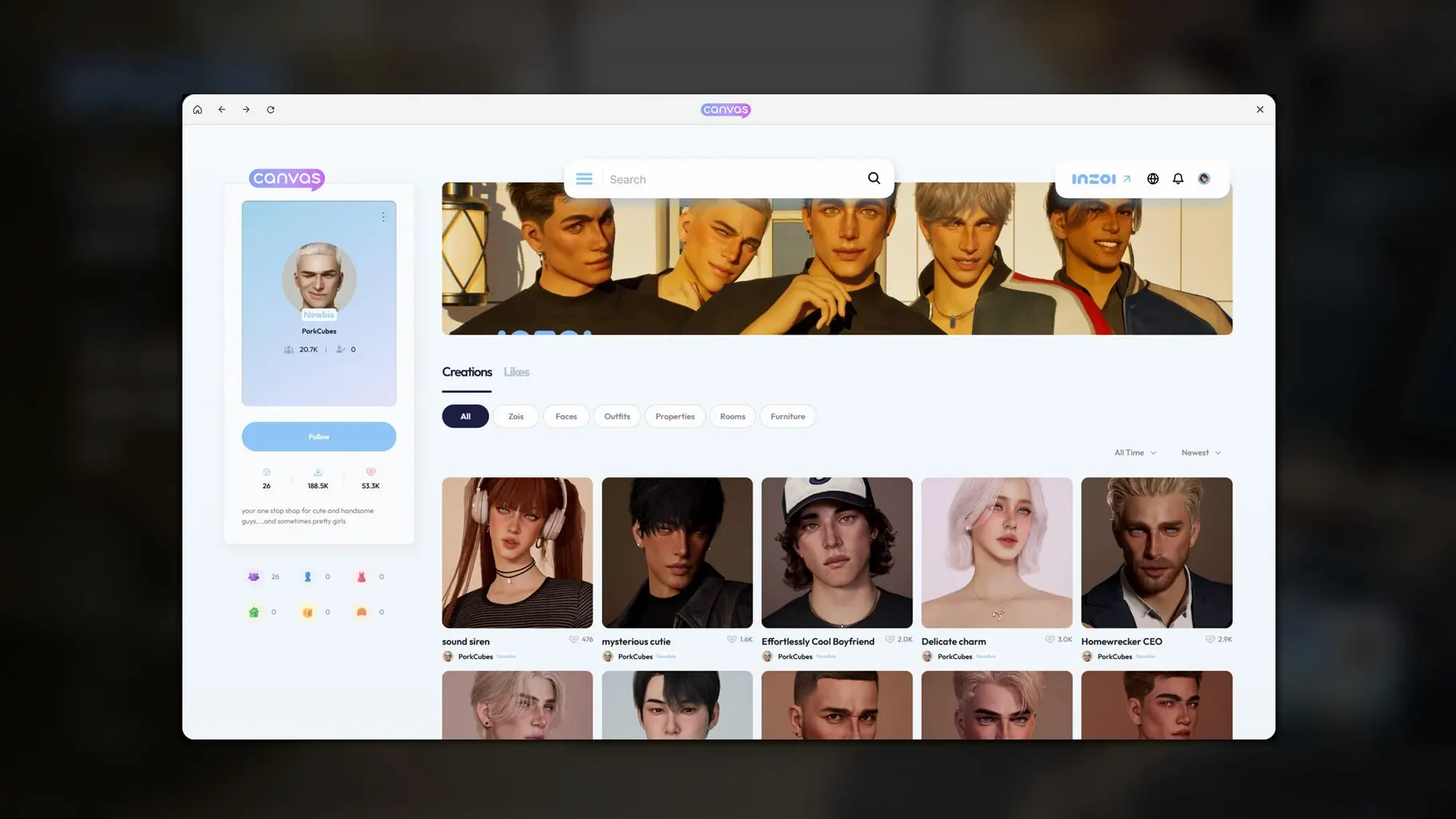

Most life sims hand you a house and a few sliders. inZOI hands you a working city and asks what you want to change about it.
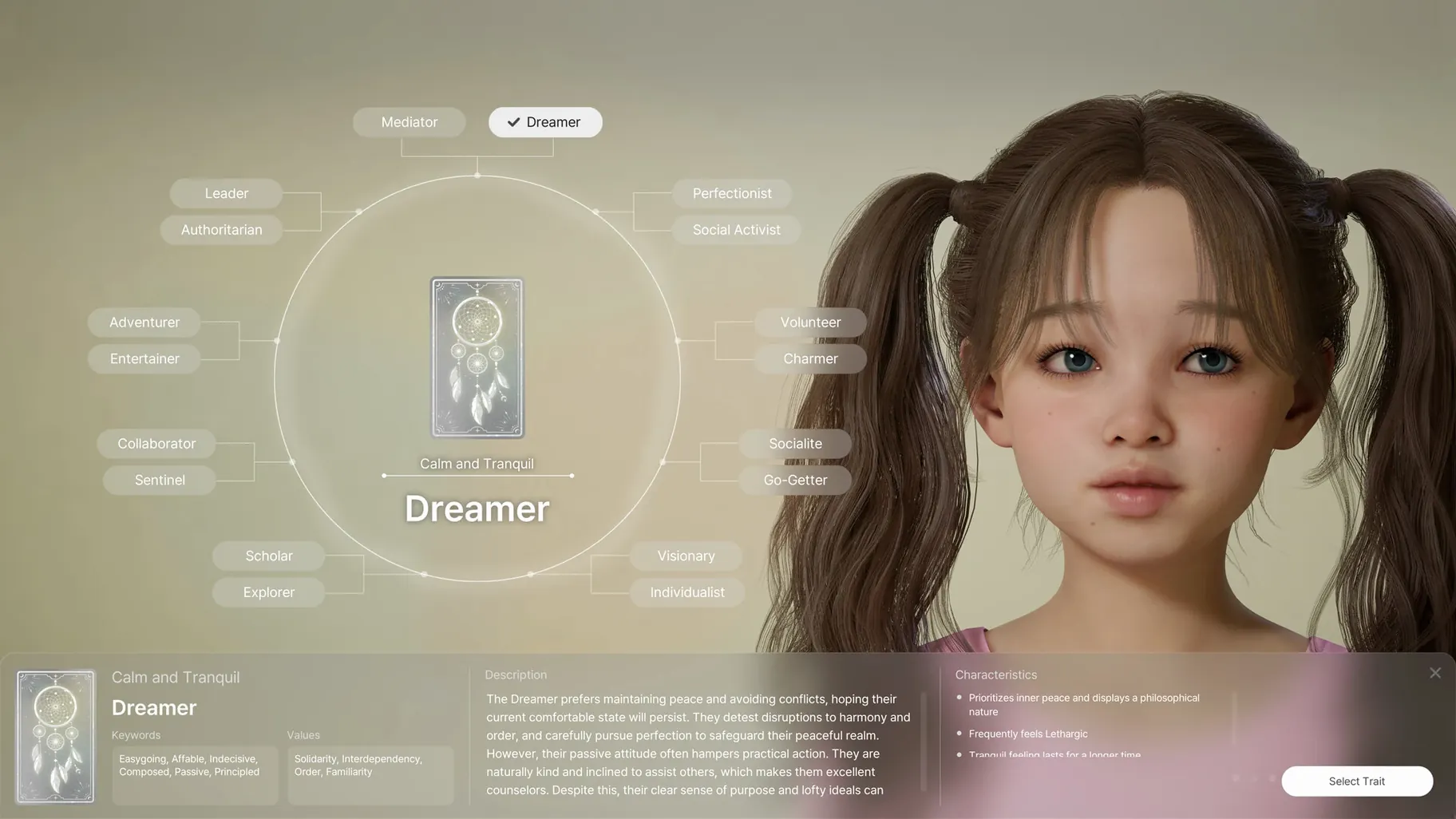
Zois — the characters who live in your version of the world. They form relationships and act on personality traits and life experience, not just scripted routines.
Text prompts — type a description and the game generates patterns and images for clothing, furniture, and decorations. You are not stuck with preset catalogs.
2D to 3D — bring in a 2D model and turn it into an in-game 3D object. Useful for custom decor or personal projects.
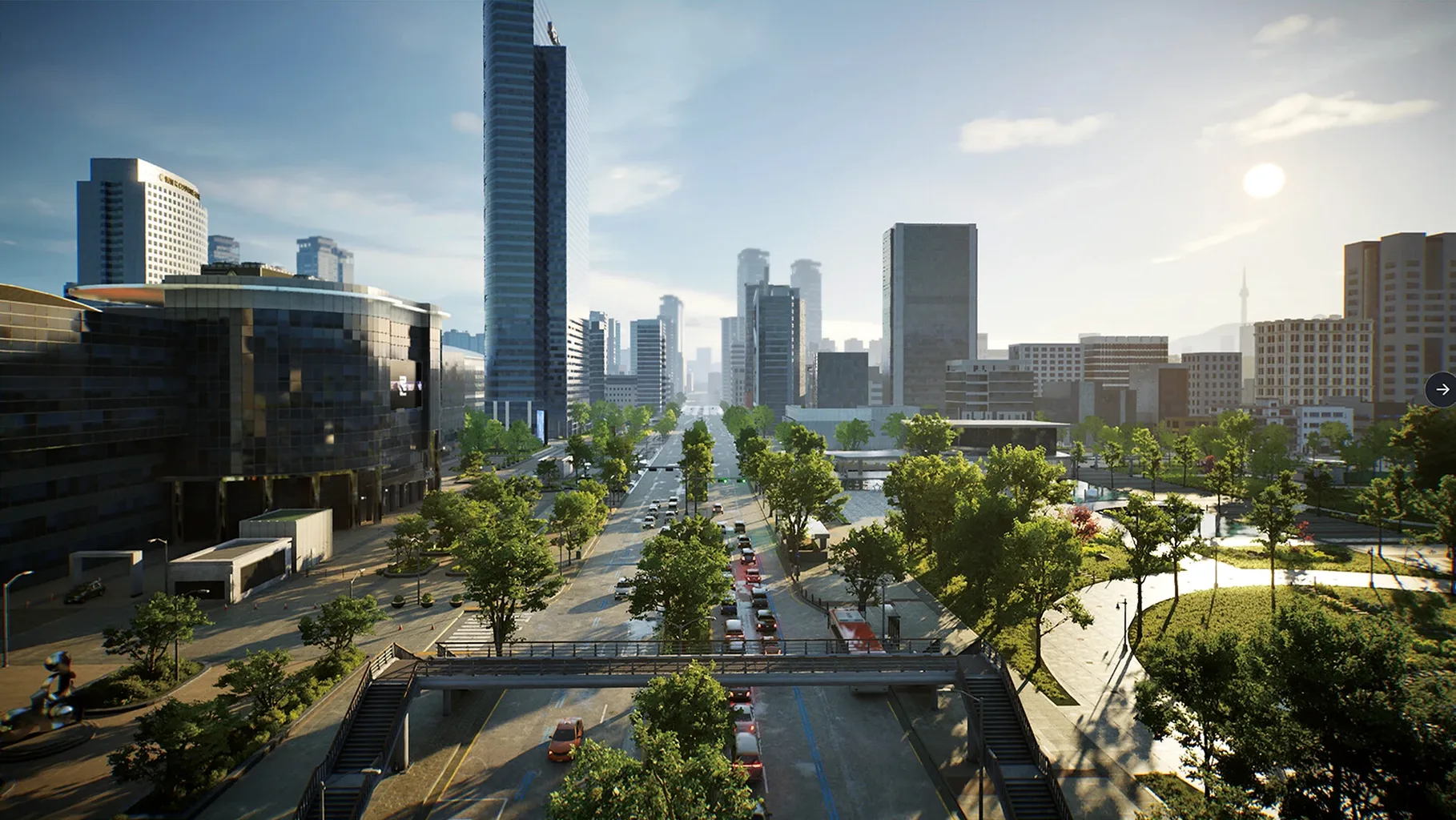
City systems — weather, lots, and streets can all be changed. The simulation also generates rumors, trends, and diseases from events that happen in the community.
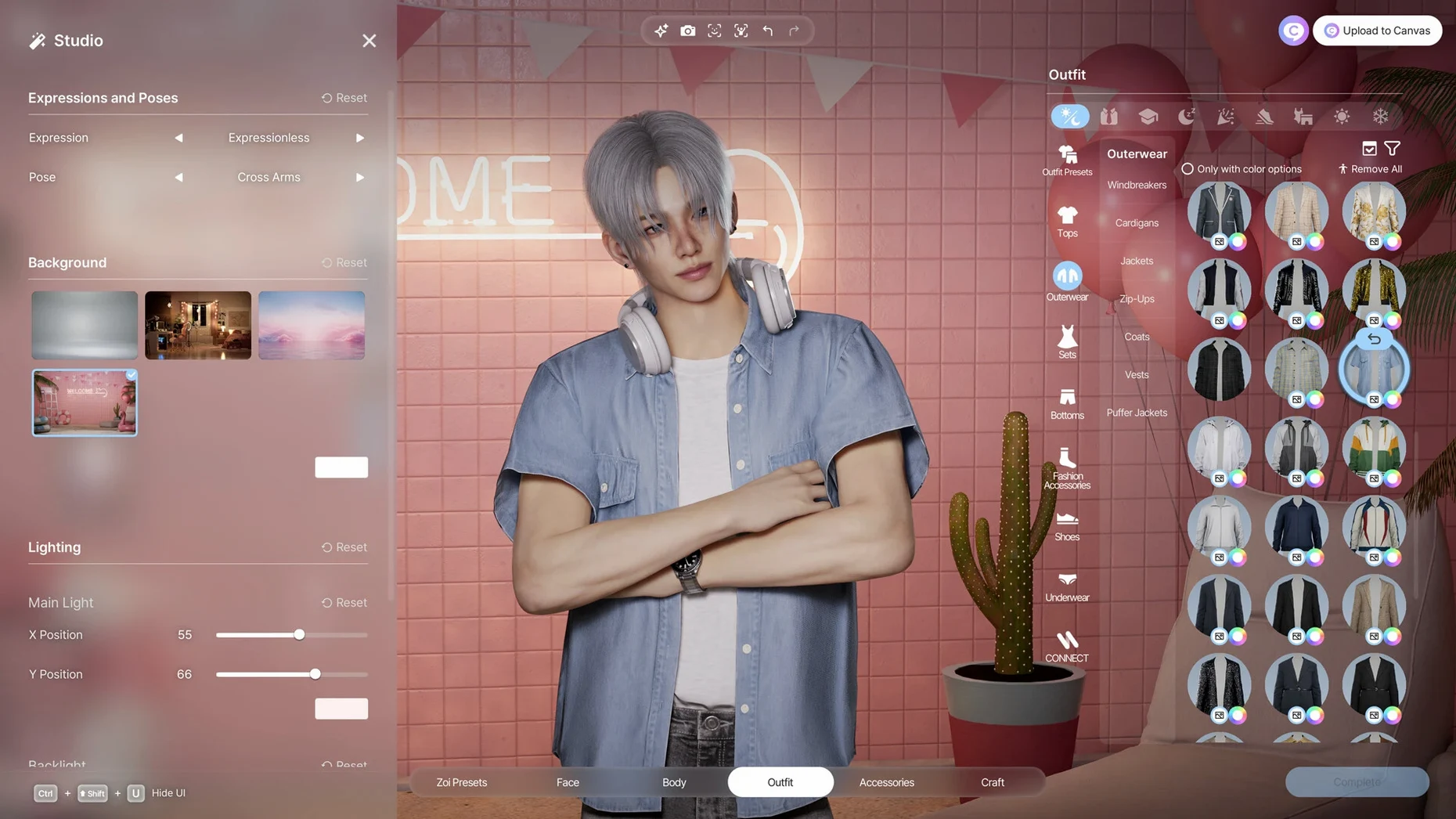
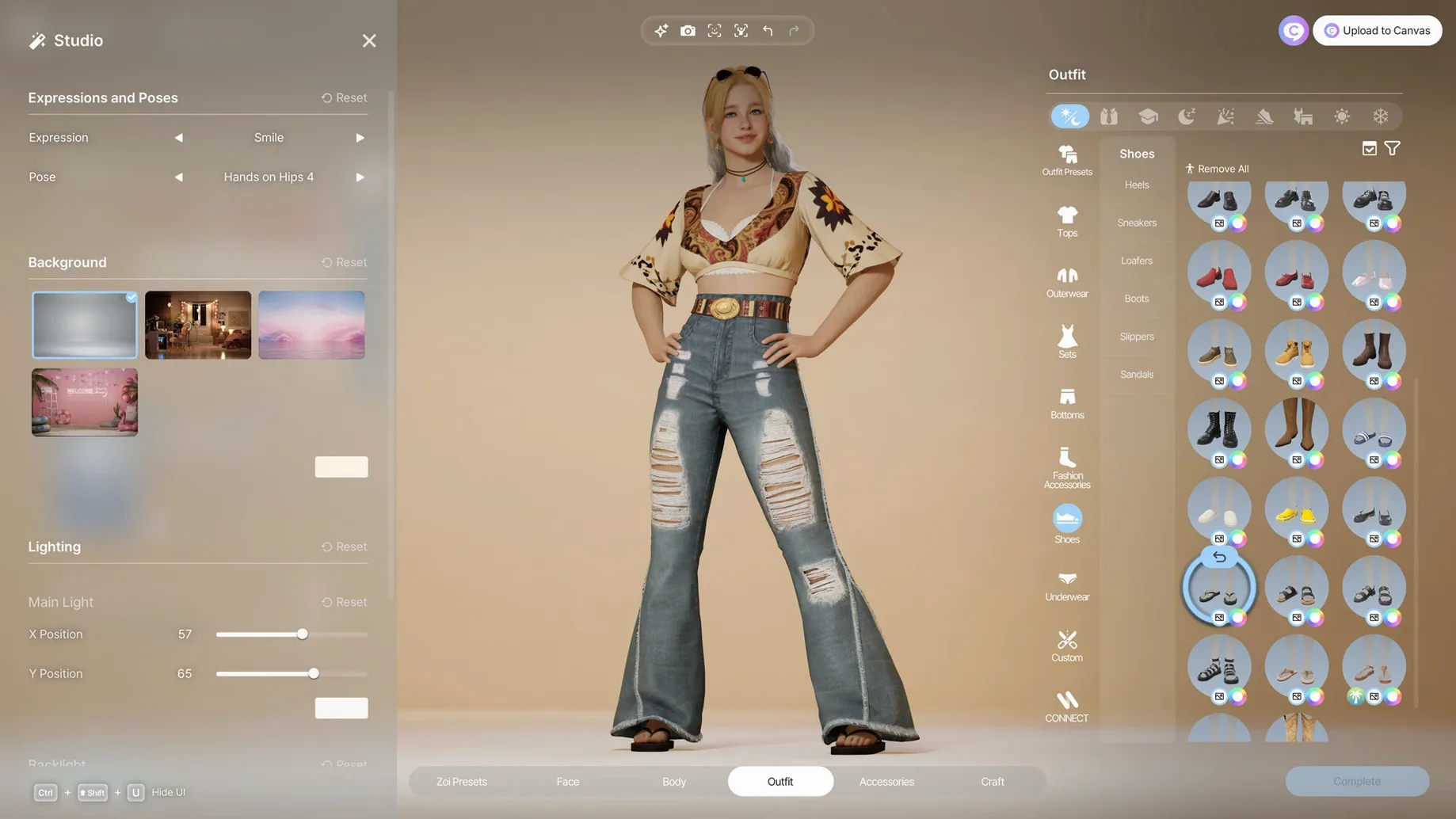
Character tools — more than 250 customization options, plus facial capture and motion capture support for getting a likeness or a gesture into the game.
Built on Unreal Engine 5, inZOI is in early access. If you like the idea of a life sim where the city reacts to you, this one is worth watching.
Slow the Clock Before Your Zoi Panics
Out of the box, the simulation runs at a pace that can feel hectic if you are still learning where everything lives. A few adjustments early on make the experience easier to settle into.
- Simulation speed. The default tempo pushes a full day cycle through quickly. Pull it back to the slowest setting while you get familiar with one or two Zois. You can always speed things up later when you want to see how a rumor spreads or whether a disease outbreak reaches a particular neighborhood.
- Autonomy level. Zois make their own decisions by default — that is the whole point — but the slider ranges from full independence to near-total manual control. Somewhere in the middle keeps them interesting without making you feel like you are chasing a toddler through a grocery store.
- Weather effects. Rain and storms look beautiful under Unreal Engine 5, but they also affect pathfinding and outdoor activities. If your MacBook Air is working hard, dial weather visuals down a notch before you blame the port.
- Generative AI options. The local model that handles text-to-pattern and image generation lives in the settings panel. You can limit when it runs, switch it off entirely, or let it loose whenever a text prompt field appears. Turning it off does not break anything — you just lose the on-the-fly pattern creation and stick with the built-in assets.
- Camera distance and sensitivity. The default third-person camera sits close to your Zoi. Pulling it back a few notches helps when you are laying out a block or trying to see how a new fence reads against the street.
Unreal Engine 5 on Apple Silicon Reality Check
A life sim built on Unreal Engine 5 raises eyebrows on Mac, especially when it is in early access. People tend to ask the same handful of things before they commit the disk space.
Does this actually run on a MacBook Air? Yes, but expectations matter. On an M2 Air with 8 GB of RAM, the simulation holds up at medium settings with weather effects dialed back. The fanless design means sustained play warms the chassis — nothing dangerous, just noticeable. On an M3 or M4 Air, things stay cooler and the frame rate breathes more. The Apple Silicon optimization is real, not a checkbox.
How much drive space are we talking? The download lands around 22 GB, and the installed footprint stretches closer to 30 GB once the local AI model unpacks its data. If you are hunting for an inzoi mac free download or an inzoi mac download that fits a tight SSD, plan ahead — early access builds tend to grow with each update, not shrink.
Do I need an internet connection? Only for the initial download. The generative AI runs locally on your machine. No cloud processing, no account login, no always-online requirement. Once the app is in your Applications folder, you can play offline.
Is it stable? For an early access build, version 0.10.4 holds together well on Apple Silicon. Crashes happen, mostly when you stack too many 2D-to-3D conversions in one session or when the weather system shifts abruptly while you are editing a lot. Autosave is on by default, which softens the sting.
How inZOI fits with other apps and macOS features
The game does not operate in a bubble. Understanding how it interacts with the rest of your Mac helps you avoid surprises.
Screen recording and streaming. inZOI plays nicely with the macOS screen recording picker. If you use OBS or QuickTime Player to capture gameplay, the Unreal Engine 5 renderer shows up as a standard window source. Motion capture from uploaded videos works through the file picker — just drop a clip from Photos or a folder, no special codec gymnastics required.
Handoff and Sidecar. The game does not support Handoff between devices, but Sidecar works as an extended display for the build mode panels. Dragging the furniture catalog or the architectural element palette onto an iPad screen frees up your main display for the 3D view. Touch input on the iPad is recognized for scrolling lists, though precision placement of walls or fences still wants a mouse or trackpad.
iCloud and backup. Save files live in the user Library folder. If you want to move a city between Macs, copy the save folder manually — the game does not sync through iCloud. Time Machine backups work fine, but exclude the generative AI cache folder unless you enjoy backing up several gigabytes of cached patterns.
Spotlight indexing. The first launch after installation triggers a brief Spotlight re-index while the local AI model unpacks. This is normal and finishes within a few minutes. If search feels sluggish right after you quit the game, let it settle.
Gatekeeper Blocks Your First Launch
No early access title ships without rough edges. These are the ones that surface most often in version 0.10.4, along with what actually helps.
App won't open after dragging to Applications. macOS Gatekeeper flags unsigned early access software. Open System Settings, go to Privacy & Security, and scroll to the bottom. You will see a message about inZOI being blocked. Click "Open Anyway." If nothing appears, launch Terminal and run xattr -cr followed by a space, then drag the app icon into the Terminal window and press Return. The app should launch normally after that.
Stuttering when the weather changes. The weather system recalculates lighting, shadows, and pathfinding all at once. On machines with less than 16 GB of unified memory, this can hitch for a second or two. Lower the shadow quality setting one notch and turn off real-time reflections. The visual difference is subtle; the performance gain is not.
Generative AI pattern takes forever. The local model runs on your GPU. If you are also running a heavy 3D scene, generation slows to a crawl. Pause the simulation before opening the text prompt tool. The model finishes faster when it is not sharing resources with the live game world.
Zoi relationships feel stuck. If two Zois seem frozen in a loop — greeting each other repeatedly without advancing — use the autonomy toggle. Switch one Zoi to manual control, walk them to a different lot, and switch autonomy back on. The relationship system resets its interaction queue when characters change context.
City editing tools are overwhelming. The lot editor and street tools borrow conventions from architectural software, which is not everyone's background. Start with a small lot and just the fence and platform tools. Ignore roofs and terrain sculpting until you are comfortable placing a structure that does not look like a shipping container. The undo stack is generous; mistakes are cheap.
Some players hunting for an inzoi free download macbook or checking inzoi torrent listings wonder if the early access build is missing too much to be worth the time. The answer depends on what you want. The character creator and build tools are the most polished parts right now. The city simulation systems — rumors, diseases, trends — are functional but still shallow compared to where they will be a few updates from
- Apple Silicon Mac
Questions I actually get
Is inZOI a complete game or still in development?
inZOI is currently in early access, so features are still being added and refined. The current catalog version is 0.10.4.
Porch talk 0
Come in or pull up a chair to leave a comment.
Nobody has pulled up a chair yet. If you used it on a real Saturday, say what the hour was.
More for the same hour
Everything in Games
 Into the Dead: Our Darkest Days
0.18.1 Native Games
Updated 5.8 GB
Into the Dead: Our Darkest Days
0.18.1 Native Games
Updated 5.8 GB

 InfraSpace
1.56.460 Games
3 GB
InfraSpace
1.56.460 Games
3 GB

 illWill
1.11 Games
5.3 GB
illWill
1.11 Games
5.3 GB

 Keep Driving
1.4.3.2d. Wine Games
Updated 965 MB
Keep Driving
1.4.3.2d. Wine Games
Updated 965 MB

 HUNTDOWN: OVERTIME
0.793.3 Native Games
Updated 675 MB
HUNTDOWN: OVERTIME
0.793.3 Native Games
Updated 675 MB

 Human: Fall Flat
1097493 Games
2.3 GB
Human: Fall Flat
1097493 Games
2.3 GB

 House Flipper
1.26252 Games
13 GB
House Flipper
1.26252 Games
13 GB

 King's Bounty II
1.7 Build Games
19.7 GB
King's Bounty II
1.7 Build Games
19.7 GB