

Football Manager 2026 runs natively on both Apple Silicon and 64-bit Intel Macs. It was tested on an M4 Mac mini, and the switch to Unity means the interface feels snappier on modern hardware — less waiting between screens, quicker day-to-day processing through a season.
| Key detail | What you get |
|---|---|
| Architecture | Apple Silicon & Intel 64-bit |
| Interface languages | 17 supported, including English, Spanish, French, German, Japanese, and Korean |
| New leagues | Women’s Super League, National Women’s Soccer League |
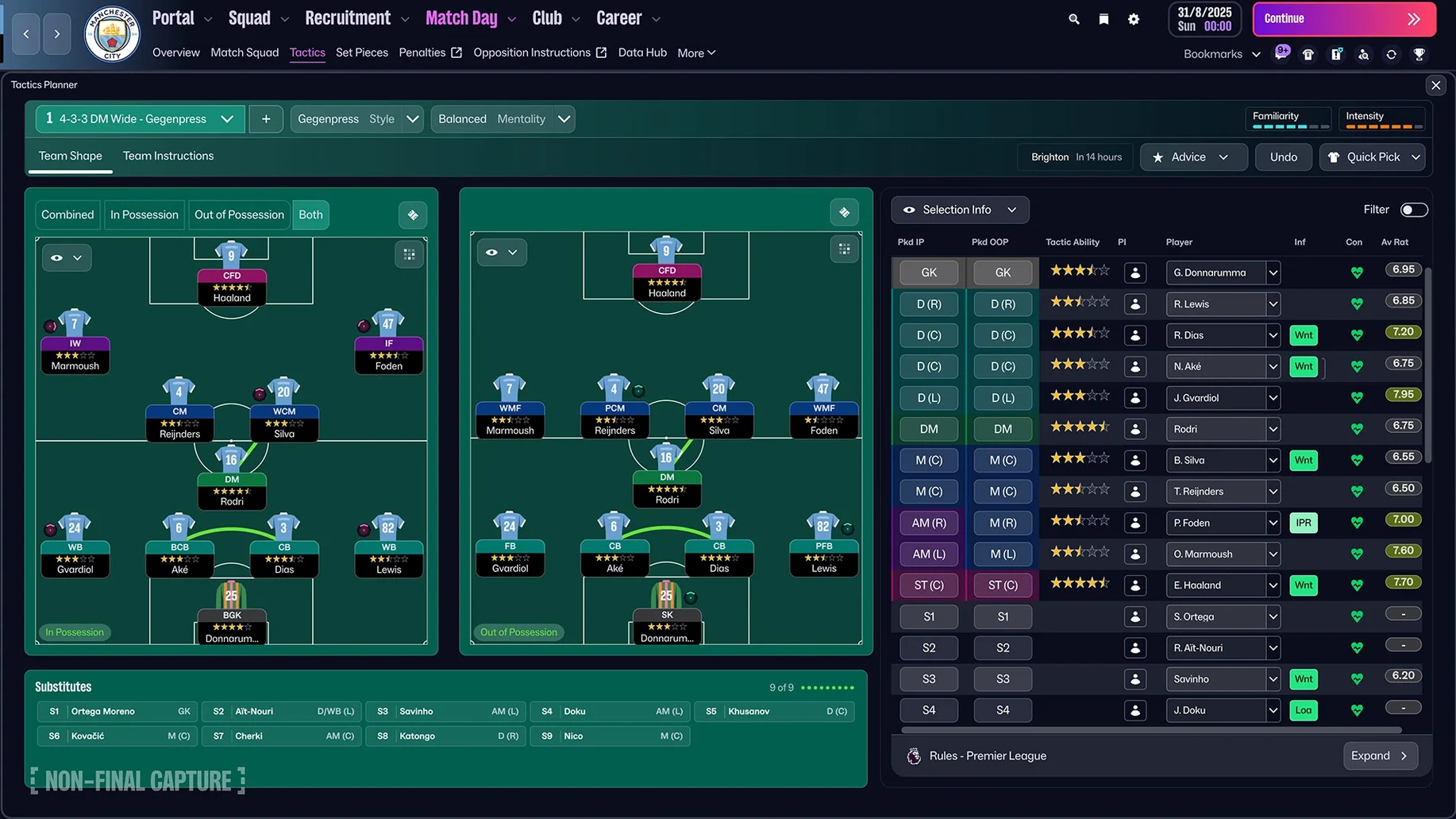
Beyond the headline addition of women’s football, the tools that change how you build a squad are where this version earns its keep. Recruitment now leans on TransferRoom-style tools, letting you shop players who are actively listed by their clubs rather than relying solely on scout reports. Combined with updated player roles, you can target a specific profile — say, a wide centre-back who steps into midfield — and find real options instead of approximations. The separate attacking and defensive tactical screens let you shape a team that presses in a 4-3-3 but settles into a 4-4-2 block without the old workaround of saving two systems. The character editor is deeper too, giving you finer control when you want to tweak a prospect’s personality or leadership attributes. Premier League licensing brings official badges, kits, and player photos, and the FMPedia glossary sits in a new portal alongside your inbox — useful when you want to check what a particular clause actually does mid-negotiation. If you spend more time in the data than the highlights reel, this is the version where the backroom feels built for you.
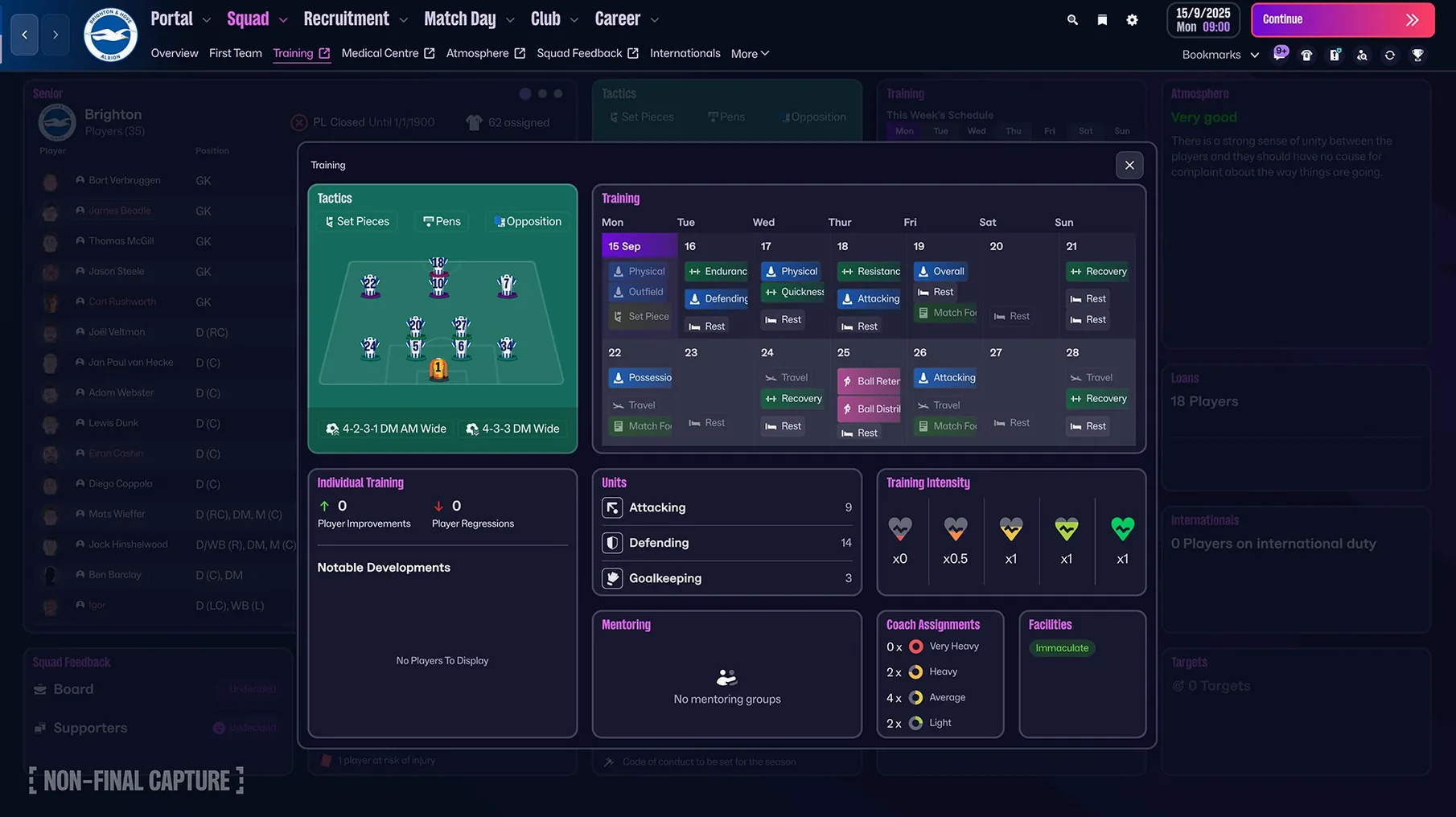
When you first launch Football Manager 2026 after dragging it into your Applications folder, the changes aren’t all shouting for attention — some just quietly remove friction you’d learned to live with. The Unity-built interface loads your save noticeably faster than previous Mac versions, and the new portal design groups your inbox, scouting centre, and FMPedia entries into a layout that feels less like a series of pop-up windows and more like a proper workspace. Quick bookmarks appear along the top bar: pin your shortlist, the league table, and a player you’re negotiating for, and you can jump between them without backing out through five screens. Search has been reworked too — typing a club name now pulls up recent results, staff, and related news items in a single dropdown instead of forcing you into the full search page.
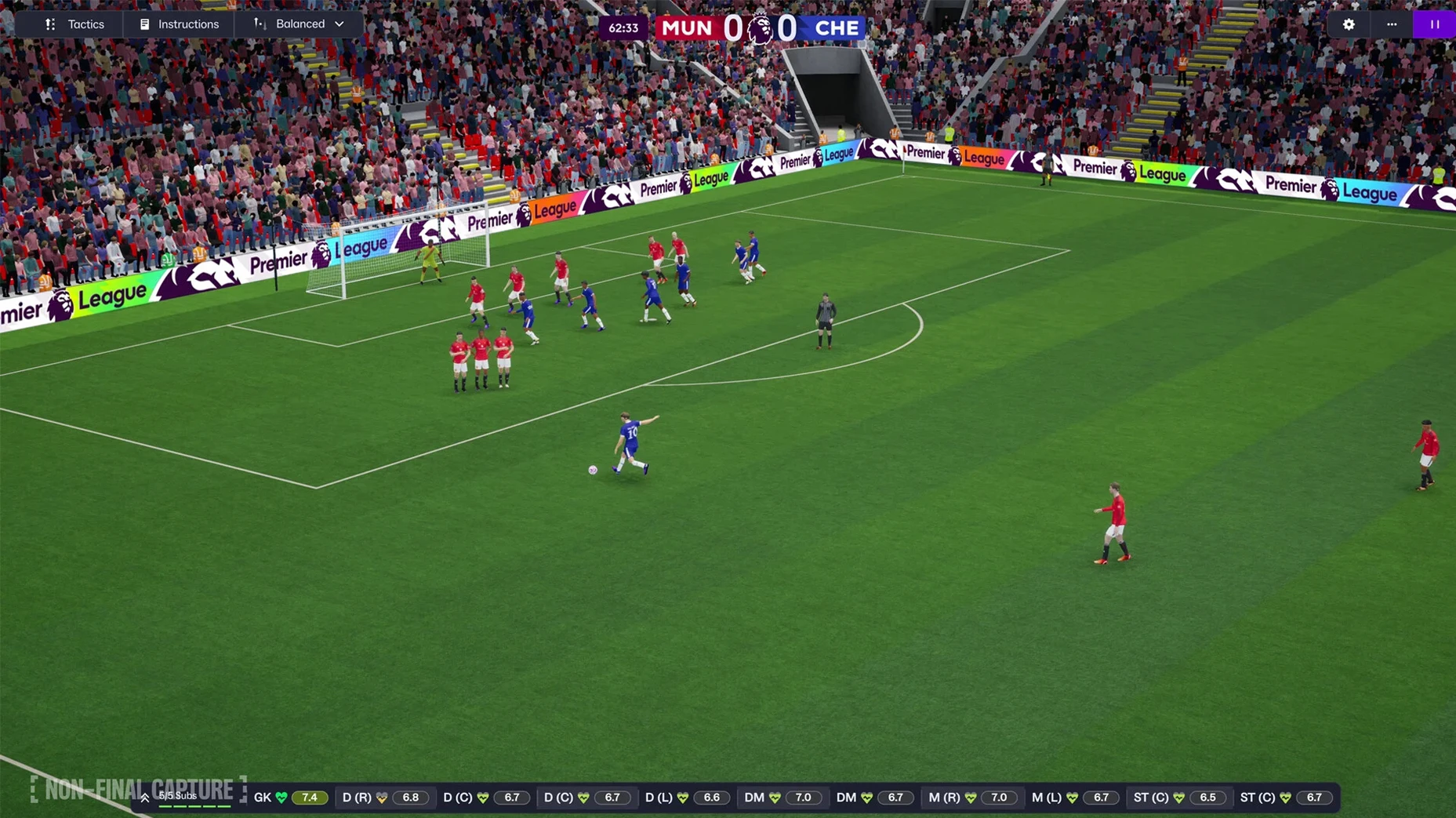
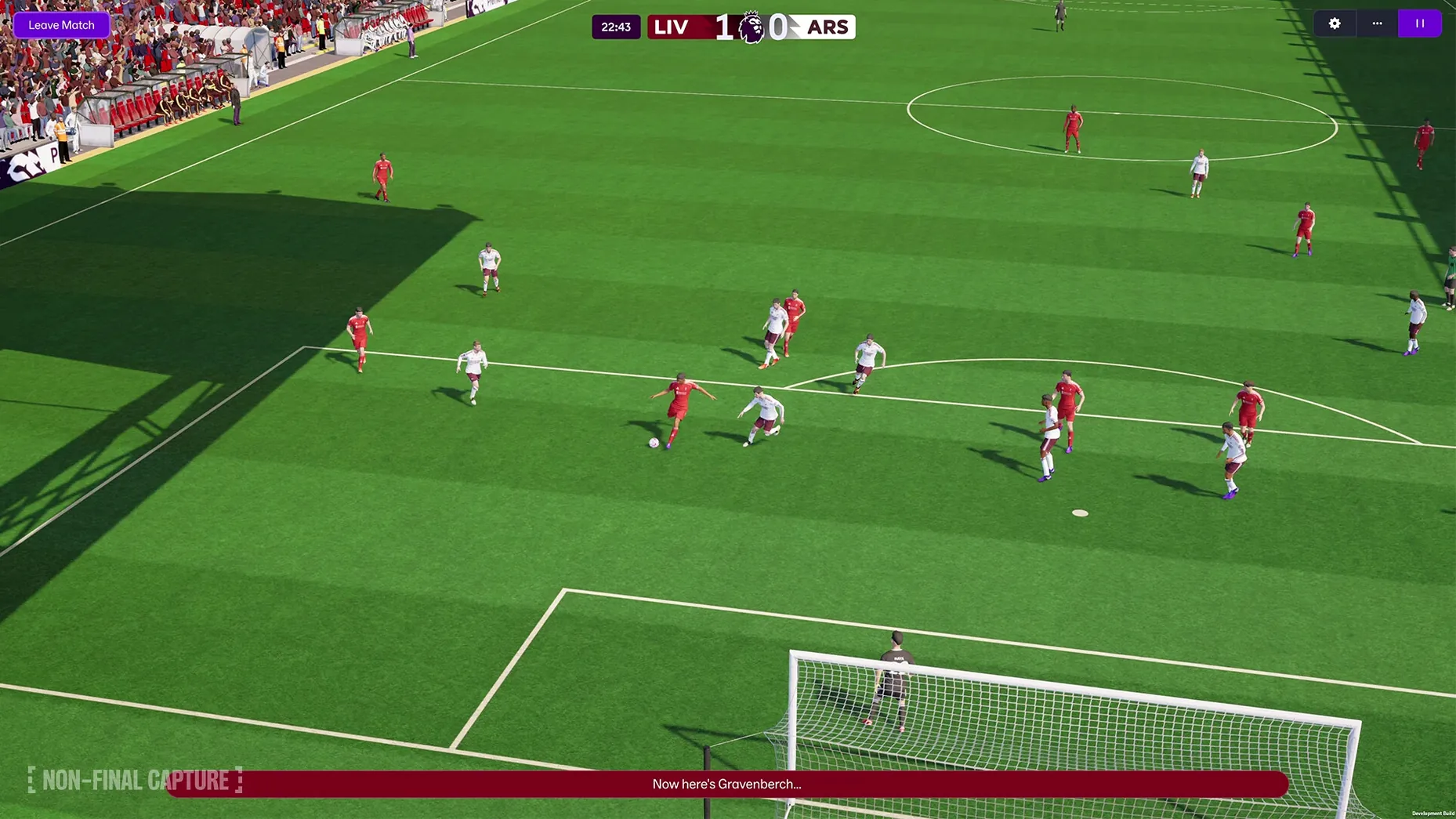
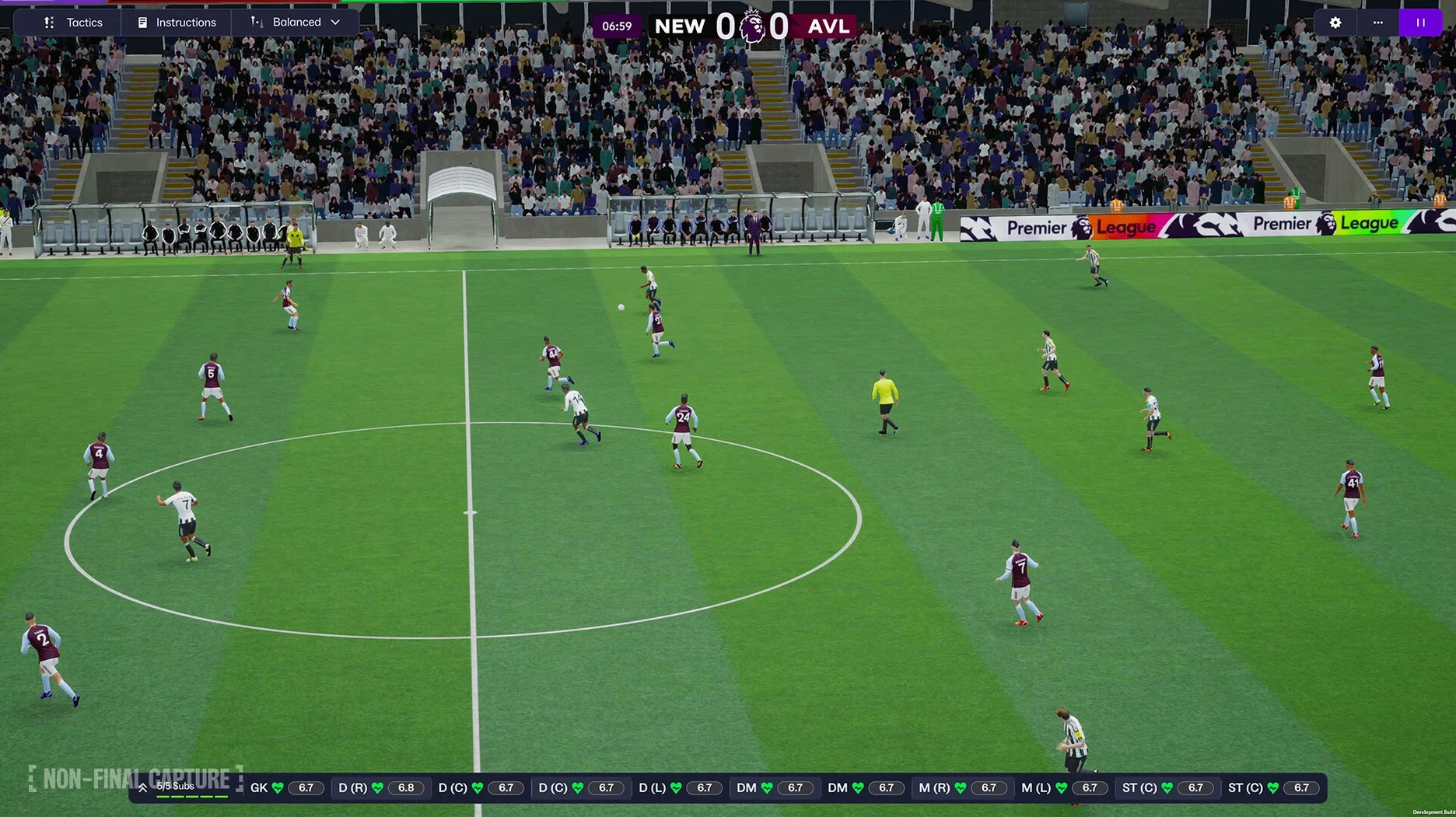
The day-to-day rhythm of a season feels tighter. Processing between matches is quicker on an M-series Mac, and the enhanced match presentation — while still not chasing console-level graphics — adds more varied animations and camera angles that make a 0-0 draw a little more watchable. The separate attack and defence screens mean you can tweak your pressing shape while keeping your attacking width intact, and the updated player roles, like the wide centre-back, give you genuine tactical variety without needing to download custom formations.
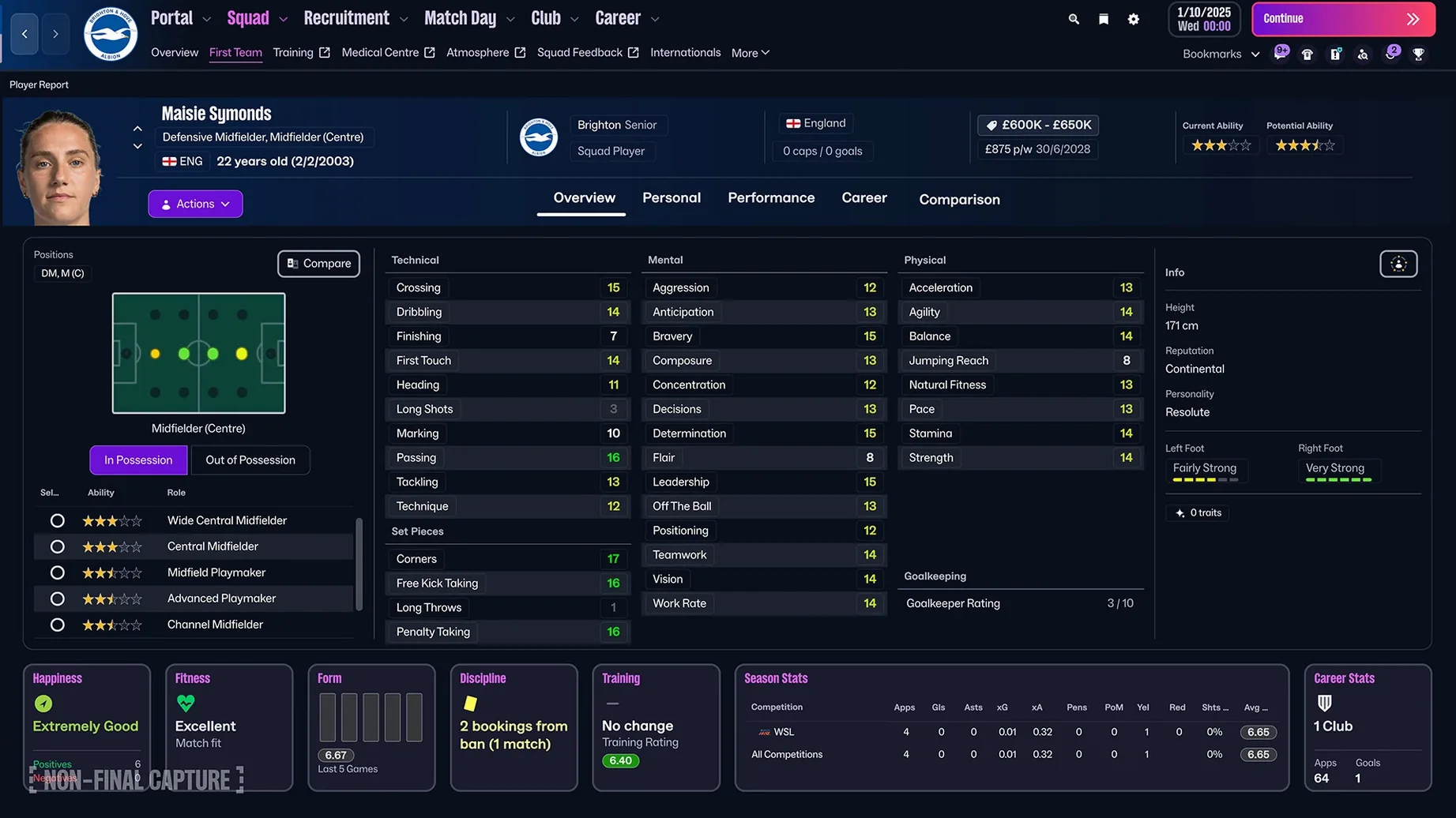
Women’s football arrives with full integration, not a bolt-on. The fourteen leagues across eleven countries include the Women’s Super League and the National Women’s Soccer League, and they use the same scouting, recruitment, and tactical depth as the men’s game. You can start a save managing Arsenal Women or the Portland Thorns and the experience feels parallel, not reduced. If you’ve been waiting to build a career across both the men’s and women’s sides of the sport, the game now lets you move between them naturally — your managerial reputation carries weight in both worlds, and the TransferRoom-based tools work across all active leagues.
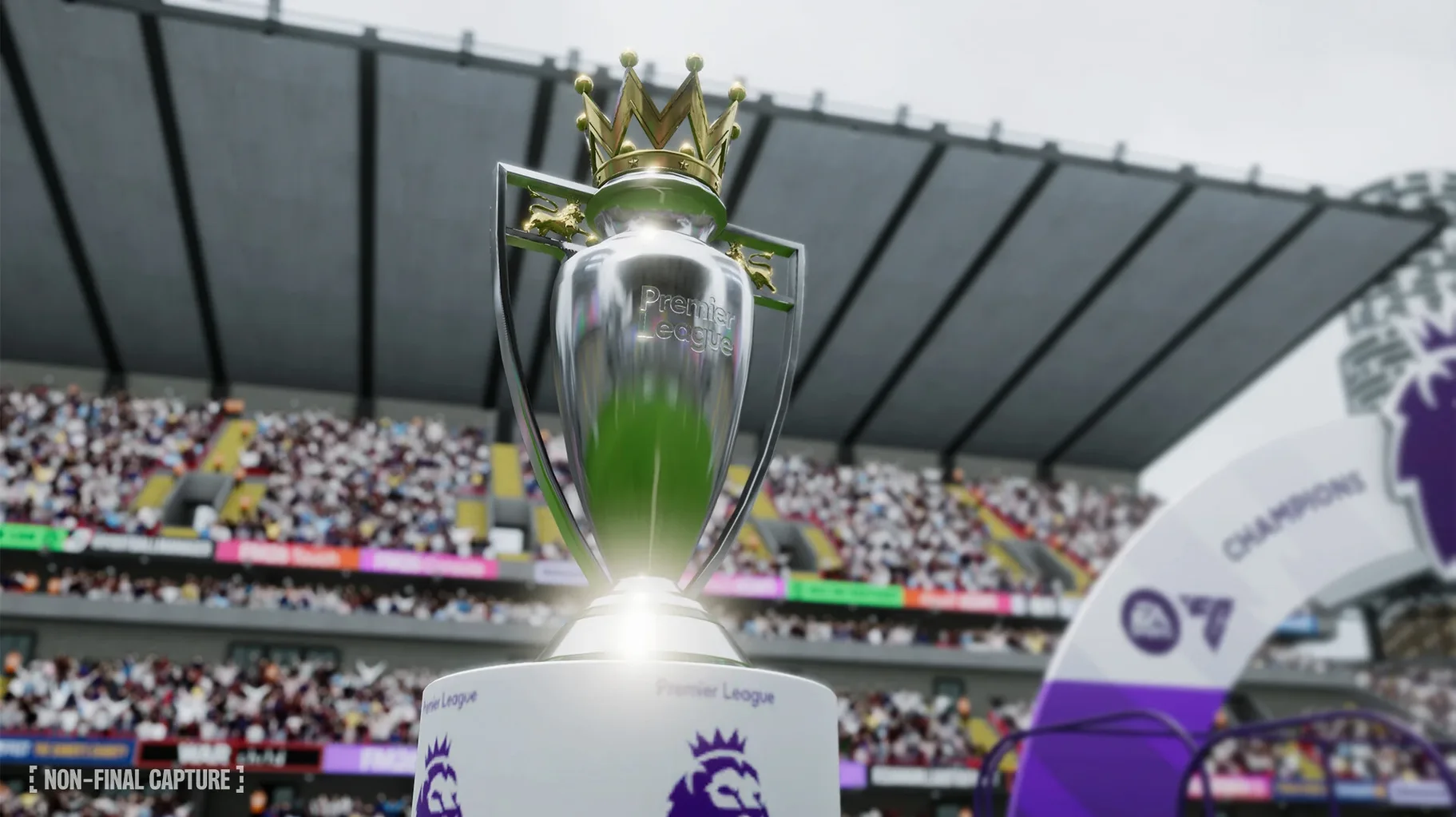
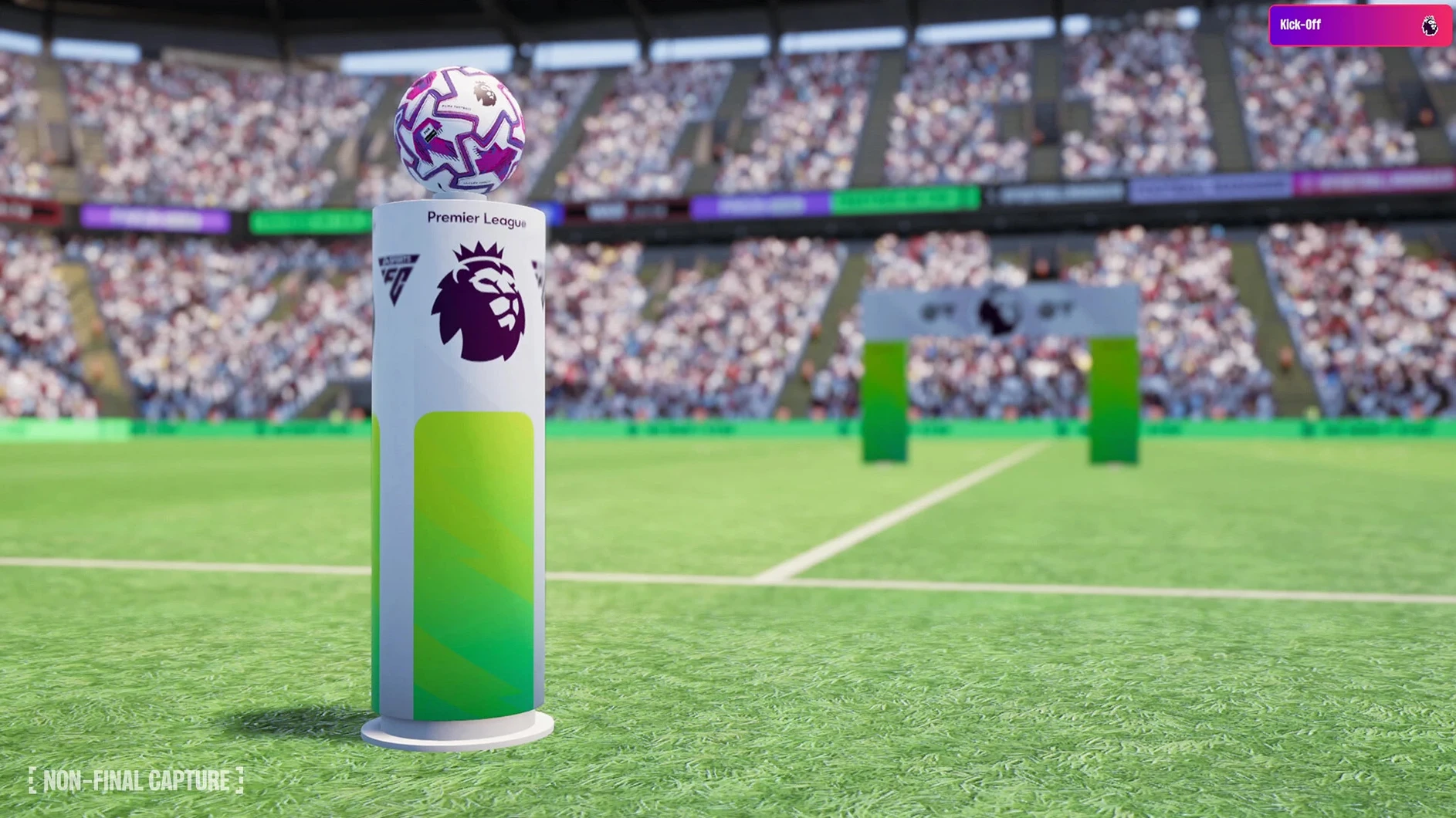
For anyone hunting a football manager 2026 mac download that handles both architectures without Rosetta overhead, this build runs natively on Apple Silicon and Intel. It was tested on macOS Tahoe, and the Unity engine means you’re not fighting compatibility quirks on newer Macs. The Premier League licensing — official badges, kits, and player photos — is included right from the start, so your save begins with Arsenal in proper red rather than a generic kit and a blank crest.
How Football Manager 2026 fits with other apps and macOS features
Football Manager has always been a second-screen game, and this version leans into that rhythm. On a Mac, you can run it in a window alongside a notes app like Bear or Obsidian, keeping your shortlist and tactical ideas in a separate document without tabbing out constantly. The new portal and quick bookmarks make this even smoother — pin your scouting assignments, and when you’re researching a signing in a browser window, you can reference player attributes without losing your place. Mission Control works as expected with the Unity build; swiping between desktops feels natural, and the game handles being in the background during long processing stretches without stuttering when you return.
Spotlight integration isn’t built into the app itself, but the improved in-game search reduces how often you need to leave the window. Type a club name or a player’s nickname, and the reworked search dropdown surfaces recent activity, staff members, and related news — it’s quick enough that you won’t miss having a system-wide index. If you use a clipboard manager like Maccy, copying player names or tactical instructions between FM and a messaging app for your online save group becomes second nature. The game also plays nicely with macOS focus modes; set up a “match day” focus that silences notifications, and the full-screen match engine won’t interrupt your flow with a calendar alert.
For streamers or anyone recording sessions, the Unity engine’s performance on Apple Silicon makes screen capture smoother than older versions. QuickTime Player or OBS can grab footage without a noticeable frame drop during match highlights, which wasn’t always true on integrated graphics in earlier Mac builds. The enhanced match presentation gives you better angles for highlight reels, and the separate tactical screens make it easier to explain your setup on camera.
If you’re sharing a save across devices, FM Touch on Apple Arcade syncs progress between a Mac and an iPad, but the full Football Manager 2026 experience stays on desktop. You can run the full game on a Mac mini M4 and stream it to a MacBook Air using Sidecar or a remote desktop app, and the interface scales well enough that you won’t be squinting at player attributes on a smaller screen. A football manager 26 cracked version floating around torrent sites won’t give you that flexibility — nor will it include the Premier League licensing or the updated player database that ships with this build.
How Football Manager 2026 compares with similar Mac games
Put Football Manager 2026 next to Out of the Park Baseball 26, and you’re looking at two management sims that share a stat-obsessed core but diverge in presentation. OOTP gives you a century of baseball history to play with and a spreadsheet-like interface that feels closer to database work than a videogame. FM leans harder into narrative — the press conferences, the player interactions, the sense that a single bad conversation can unravel a dressing room. OOTP is the choice when you want to sim twenty seasons in a weekend; FM is where you linger over a single transfer window, weighing personality traits against finishing stats. Both run natively on Apple Silicon, and both reward the kind of person who keeps a second monitor for notes. If you’ve already searched for a football manager utorrent link, you know the type: you want depth, not a quick dopamine hit.
Next to Pro Cycling Manager 2026, the difference is tempo. PCM puts you in the team car during a three-week grand tour — race-day decisions happen in real time, and your off-season feels compressed. FM’s season-long arc moves at your pace; you can spend an hour negotiating a single contract or blast through a month of fixtures in twenty minutes. PCM captures the tactical nuance of a single sport in a single event format, while FM sprawls across leagues, cups, international breaks, and youth development. For Mac users, PCM’s system requirements are lighter, but FM’s Unity rebuild means it no longer feels like a Windows port struggling through translation layers.
Then there’s Motorsport Manager, which shares FM’s structure — build a team, develop talent, manage budgets — but wraps it in a more accessible package. The race-day strategy is immediate and visual: tyre wear, weather changes, and pit-stop timing play out on a circuit you can watch. FM’s match engine has improved, but it’s still not the reason you play; you’re here for the scouting meetings and the youth intake day. Motorsport Manager is the game you recommend to a friend who thinks FM looks like work. FM is the one you install after searching for a football manager 26 download because you’ve already put hundreds of hours into the previous version and you need the new tactical screens and the women’s leagues.
Cold Coffee and a Twitchy Board at Sunderland
You launch the game around 9 a.m. on a Saturday, coffee going cold on the desk. The save loads in seconds — you’re halfway through a Championship season with Sunderland, sitting fourth in January, and the board is getting twitchy about promotion. The portal opens to your inbox: three scout reports from yesterday’s assignments, a physio update on your left-back’s hamstring, and an agent offering a Portuguese winger you’ve never heard of. You bookmark the winger’s profile anyway — quick bookmark, top bar, done — because your current right-sided midfielder has been angling for a move since November.
Scouting centre next. You’ve set up a recruitment focus using the TransferRoom-style tools, filtering for centre-backs under 24 with a listing price below £3 million. Two new names appear since you last checked: a Belgian playing in Ligue 2 and a Ghanaian defender at a mid-table Danish club. You pull up their attributes side by side. The Belgian reads the game better, but the Ghanaian has the pace and composure to play as a wide centre-back in your new system — the role that steps into midfield when you have the ball. You send your chief scout to watch him for three matches and return to the inbox.
A news item catches your eye: your under-18s have produced a striker with five-star potential. You open the character editor and spend ten minutes tweaking his determination and leadership — nothing drastic, just nudging him toward the kind of personality that survives a six-month loan in League One. FMPedia sits in the portal sidebar; you tap it to check the exact definition of a “wonderkid” because the media label just got attached to the kid, and you want to know whether that raises his asking price.
By late morning, you’re setting up for the weekend fixture against Leeds. Tactics screen: you open the attacking shape first, a 4-3-3 with your inside forward cutting in from the left. Switch to the defensive tab, and you drop the midfield into a flat three, narrowing the shape to force Leeds wide. The separate screens mean you can see both plans without togg
A Unity-built foundation, the arrival of women’s football, and a proper Premier League licence mark this release.
- Built on Unity for smoother interface performance.
- Women’s football introduced with fully playable leagues.
- Premier League licensing adds official club badges, kits, and player photos.
- Separate attacking and defensive tactical screens for true in-possession and out-of-possession shapes.
- Reworked interface and a new information portal.
- macOS: check the developer’s site for the specific minimum version required
- Architecture: Apple Silicon and 64-bit Intel
Questions I actually get
Does Football Manager 2026 include women’s leagues?
Yes, it includes the Women’s Super League and the National Women’s Soccer League as playable competitions alongside the men’s game.
Porch talk 0
Come in or pull up a chair to leave a comment.
Nobody has pulled up a chair yet. If you used it on a real Saturday, say what the hour was.
More for the same hour
Everything in Games
 Frostpunk 2
1.6.1 Games
16 GB
Frostpunk 2
1.6.1 Games
16 GB

 Frostpunk
1927 Games
8.9 GB
Frostpunk
1927 Games
8.9 GB

 Five Hearts Under One Roof
2024.11.22 Games
26 GB
Five Hearts Under One Roof
2024.11.22 Games
26 GB

 Firewatch
1.12a Games
2.1 GB
Firewatch
1.12a Games
2.1 GB
 Gas Station Simulator
1.0.2.51989S Games
20 GB
Gas Station Simulator
1.0.2.51989S Games
20 GB

 Gear.Club Stradale
1.32.0 Games
3.3 GB
Gear.Club Stradale
1.32.0 Games
3.3 GB

 Going Medieval
1.1.12 Games
1 GB
Going Medieval
1.1.12 Games
1 GB
 Farming Simulator 25
1.25.0.0 Native Games
Updated 31 GB
Farming Simulator 25
1.25.0.0 Native Games
Updated 31 GB